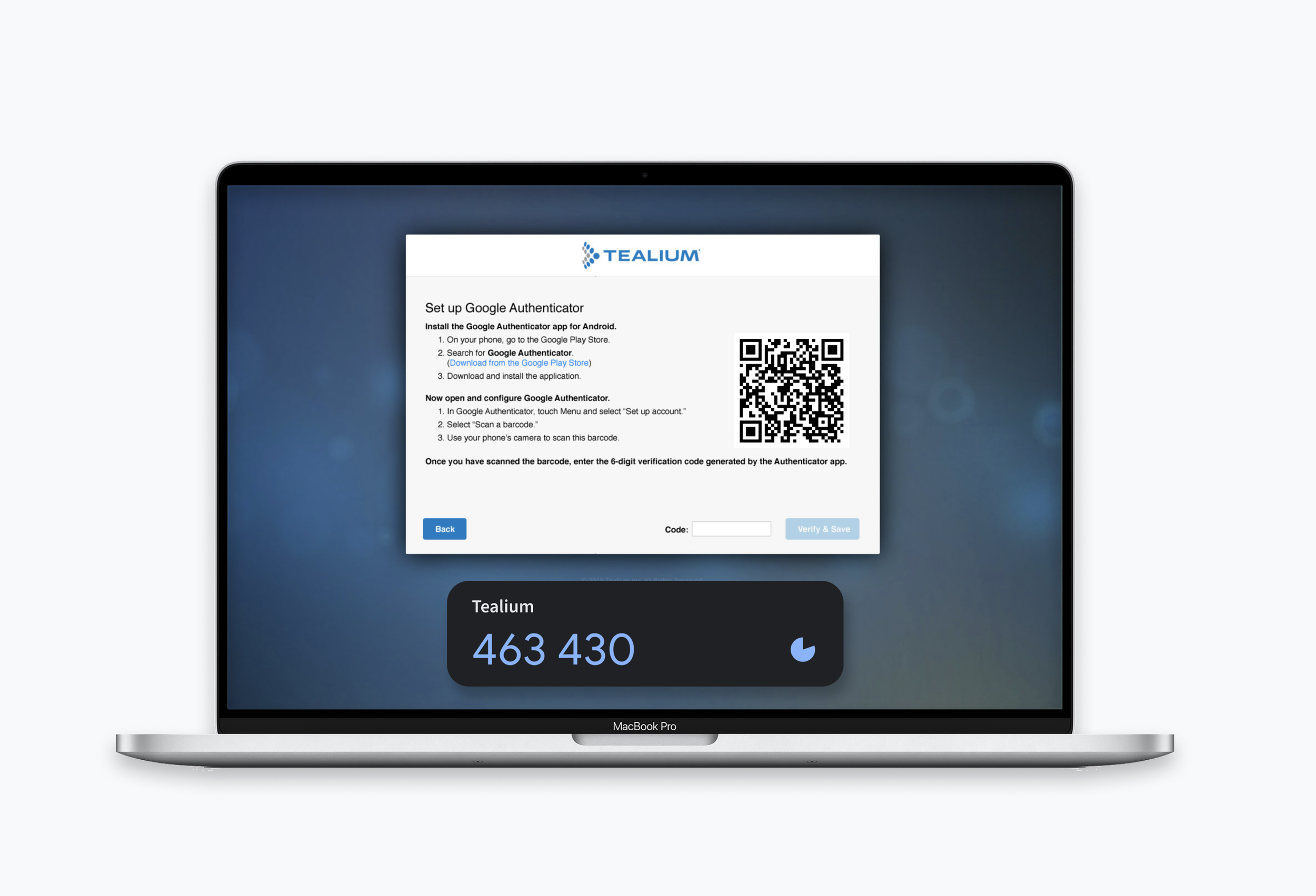
Enterprise security audits had started requiring multifactor authentication. I turned that compliance checkbox into a full account-security lifecycle (enforcement, enrollment, sign-in and recovery) and shipped it with a four-person team on existing technology.
Tealium · 2015 · Designer and front-end developer · Frontend engineer, backend engineer, VP of Engineering
The problem nobody owned
Tealium was early in selling its tag management platform to large enterprises, and as higher-profile customers signed on, their security reviews and RFPs were vetting for such features. One prospect in particular (a large telecom company) required MFA to pass this vetting process.
The engineering team had created the ability for MFA to be supported in order to check that checkbox, but there was no way for customers to manage this on their own without the white glove service we offered. Case tasks started coming in from who turns MFA on, what happens to every existing user on an account the moment they do, and what someone does when they get a new phone.
What I saw
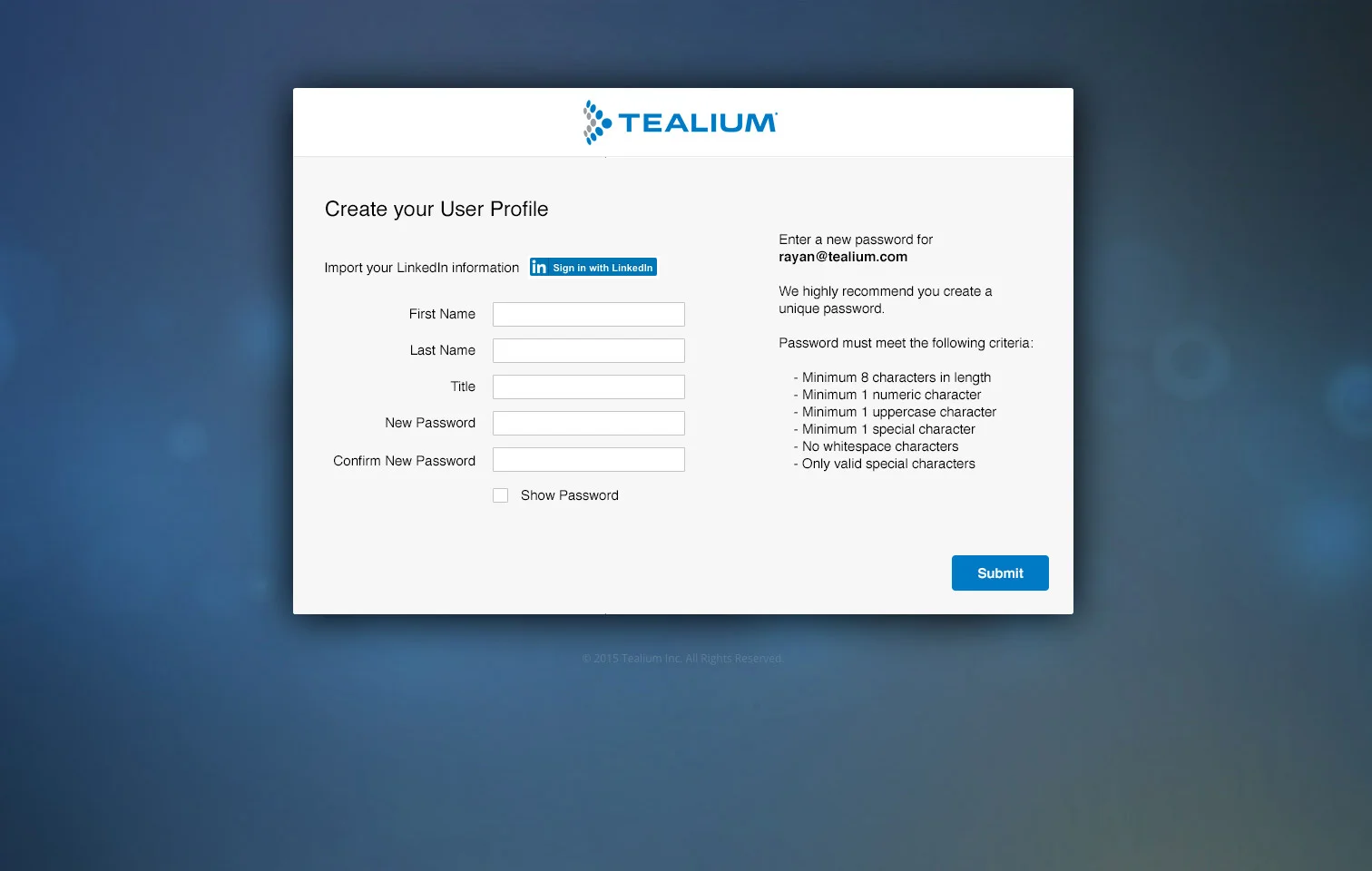
MFA surfaces up across three primary touch points: the admin who enforces it, the user who enrolls, and the user who gets locked out. As part of user management, we needed to architect a way customer admins enable the feature, and how users of the product could go through the initial setup process -- or, reset if they are locked out.
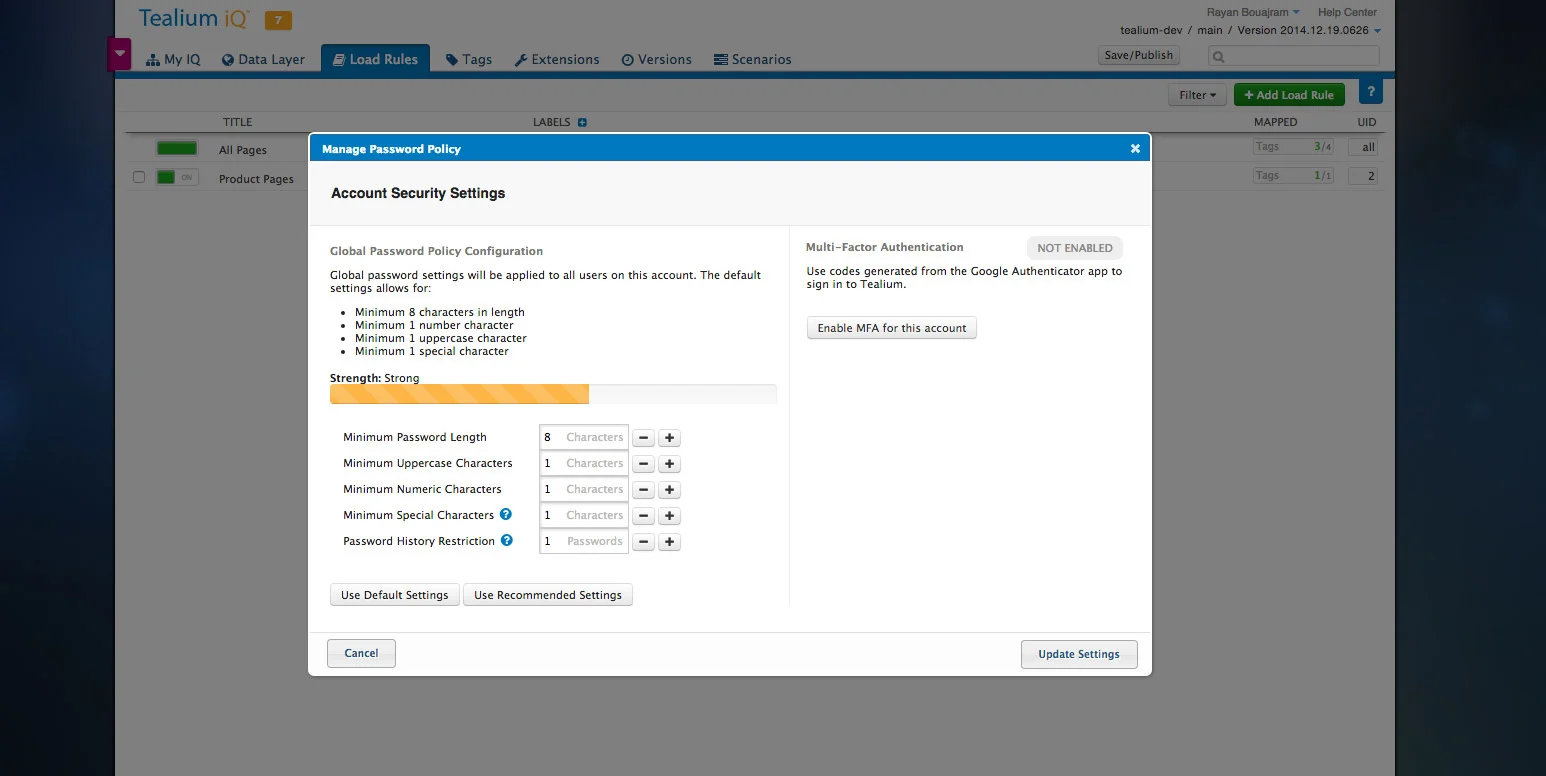
- Enforcement belongs to the account; and the enrollment belongs to the user. I put the admin control in the existing account security settings next to password policy so that security lived in one place. Once an account turned MFA on, each user was routed through setup at their next sign-in. We were in an era where evaluating Window Phones, Blackberrys, iPhones, and Android were all competing for smartphone marketshare, so it was important to choose a platform to support the capability.
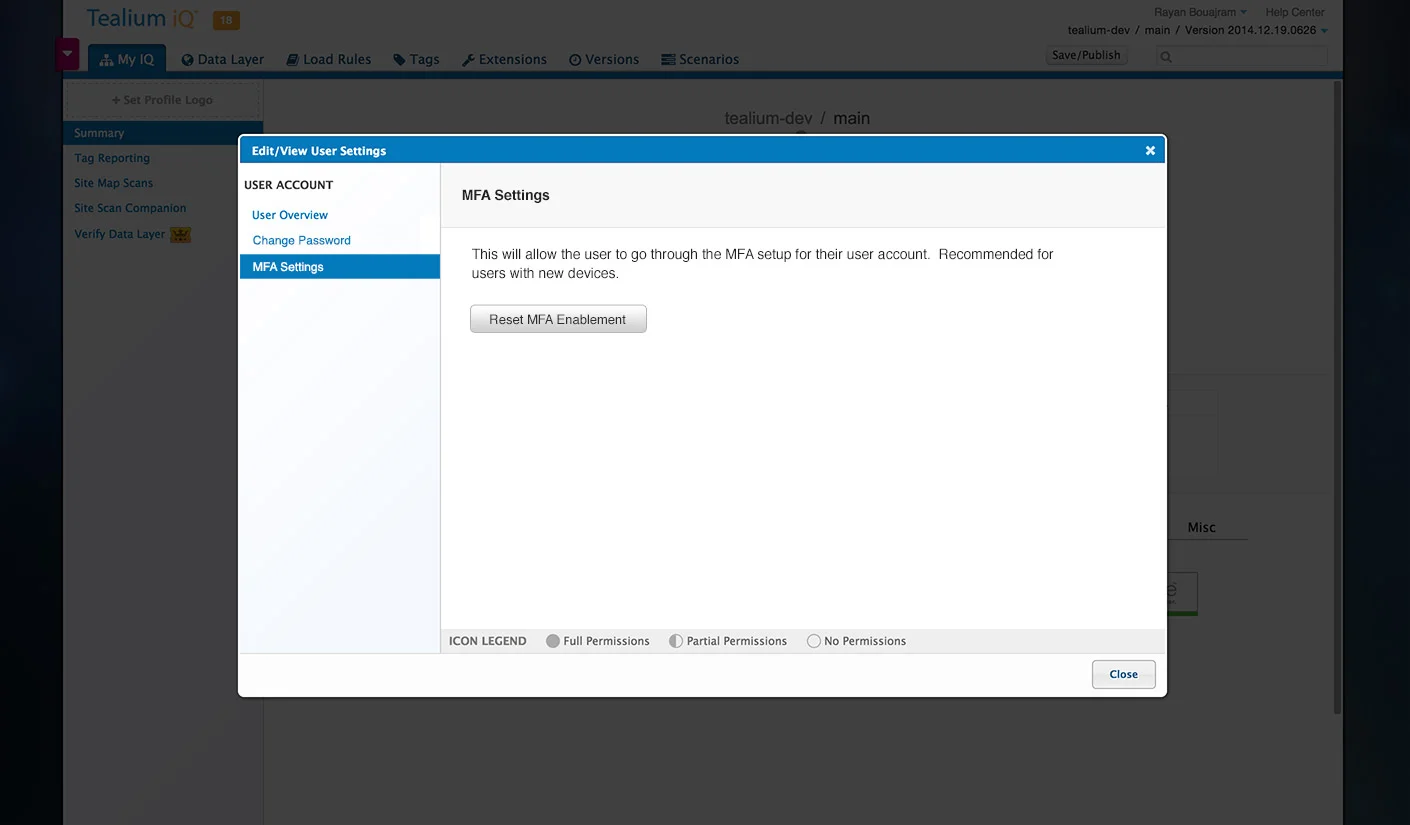
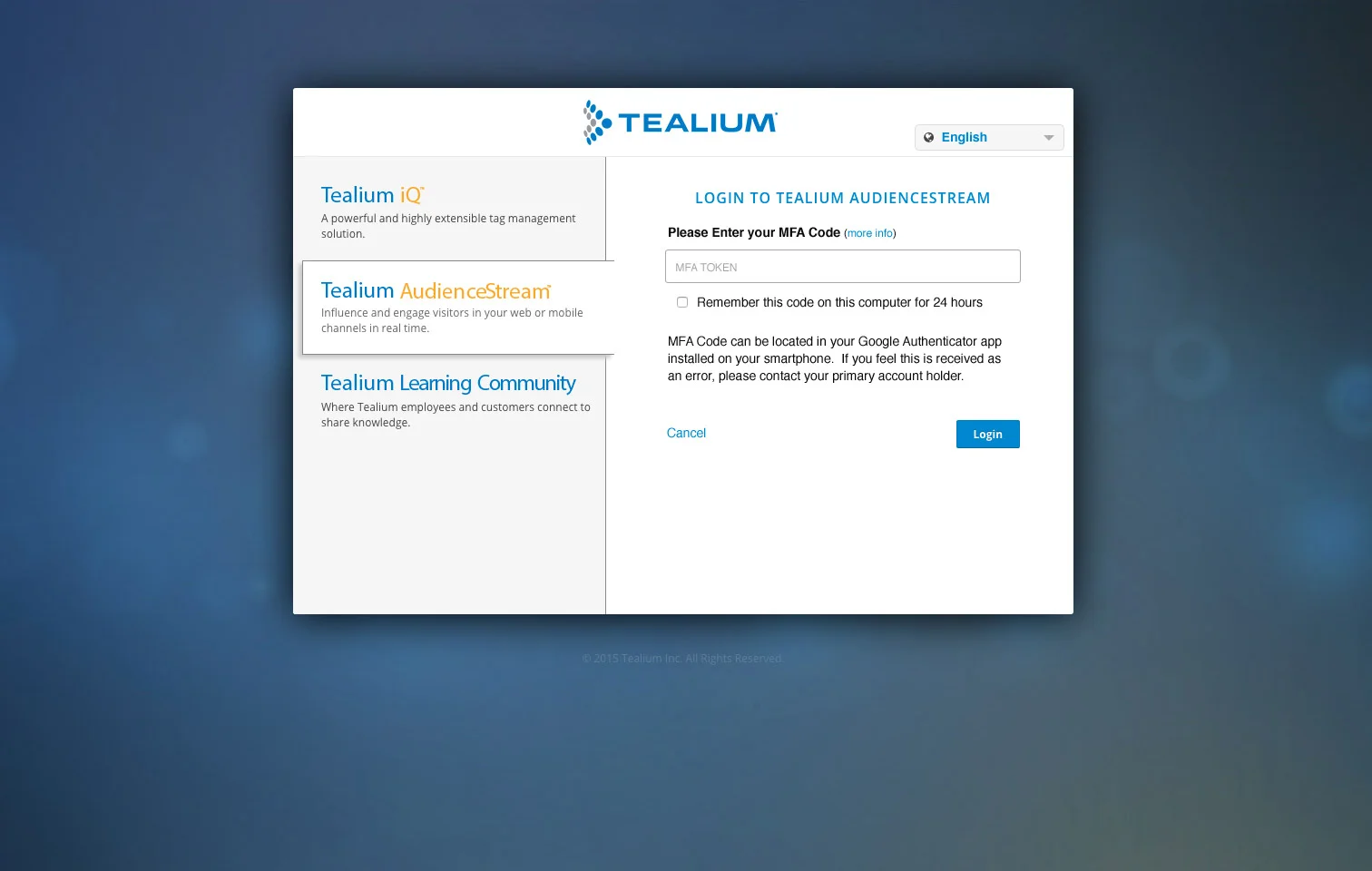
- Recovery is the real design problem. A replaced phone locks someone out. I built a reset into user settings so a new device meant a reset, while users can request support through the login screen.
- Scope is a product decision. We standardized on authenticator-app codes only. I cut SMS because carrier integration didn't fit the timeline, and dropped BlackBerry and Windows Phone: both were losing share, and we had no BlackBerry to test on. Everything we shipped, we could verify.
- Friction is a dial, not a given. A "remember this computer for 24 hours" option kept daily users from re-entering codes on every sign-in.
Who I pulled in
I designed the experience and built front-end alongside a frontend engineer and a backend engineer, with our VP of Engineering sponsoring.
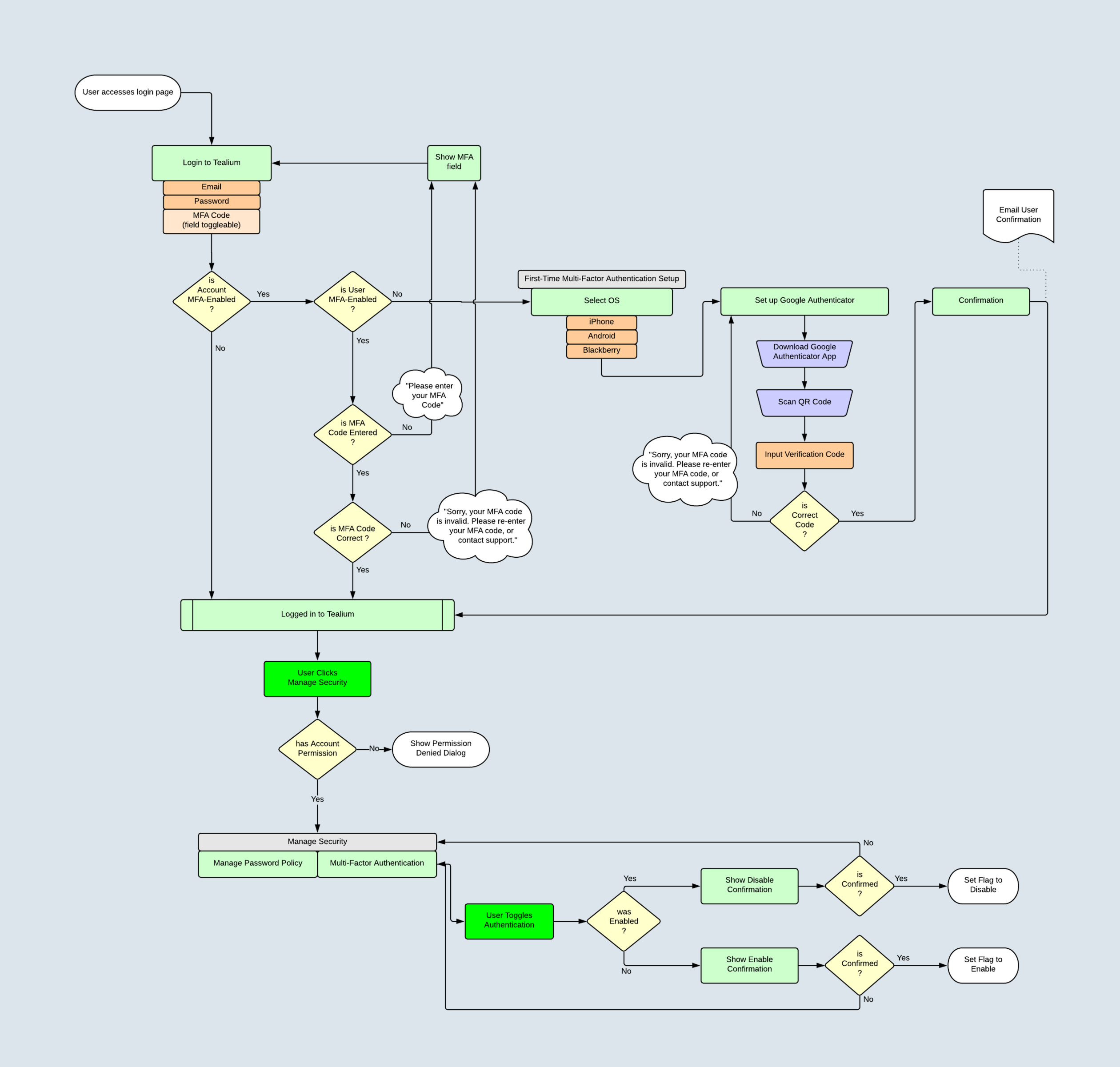
Before drawing a screen, I mapped the full decision tree: account enforced or not, user enrolled or not, code missing or wrong, admin with or without permission. The four of us settled edge cases on that map before anyone wrote code. I also ran the device-support investigation and brought it to the group, which turned scope into a team decision rather than a design opinion.
What changed
We shipped MFA end to end on existing infrastructure: admin enforcement, first-time enrollment, sign-in and reset. User management solely happened on Tealium iQ, so enablement of the feature needed to be placed there.
The outcome is we secured a deal with the prospect client and included it in our offerings.
We launched it through the product's What's New announcements, and later reviews of customer accounts showed many had turned enforcement on.
What I'd tell a leader
Treat MFA as an account-security lifecycle, not an RFP checkbox: enforcement, enrollment, sign-in, recovery, and administration must work together.
Use white-glove support to win urgent enterprise deals, but productize the repeatable path quickly so security does not become an ongoing services dependency.
Put policy controls with existing account-security settings, while keeping enrollment and reset actions with the individual user.
Design the recovery experience before launch. Lost or replaced devices are inevitable, and a self-serve reset flow prevents a security feature from becoming a support bottleneck.
Align on edge cases before building. A shared decision map—enforcement state, enrollment state, error paths, and permissions—lets a small team ship a complete experience on existing infrastructure.