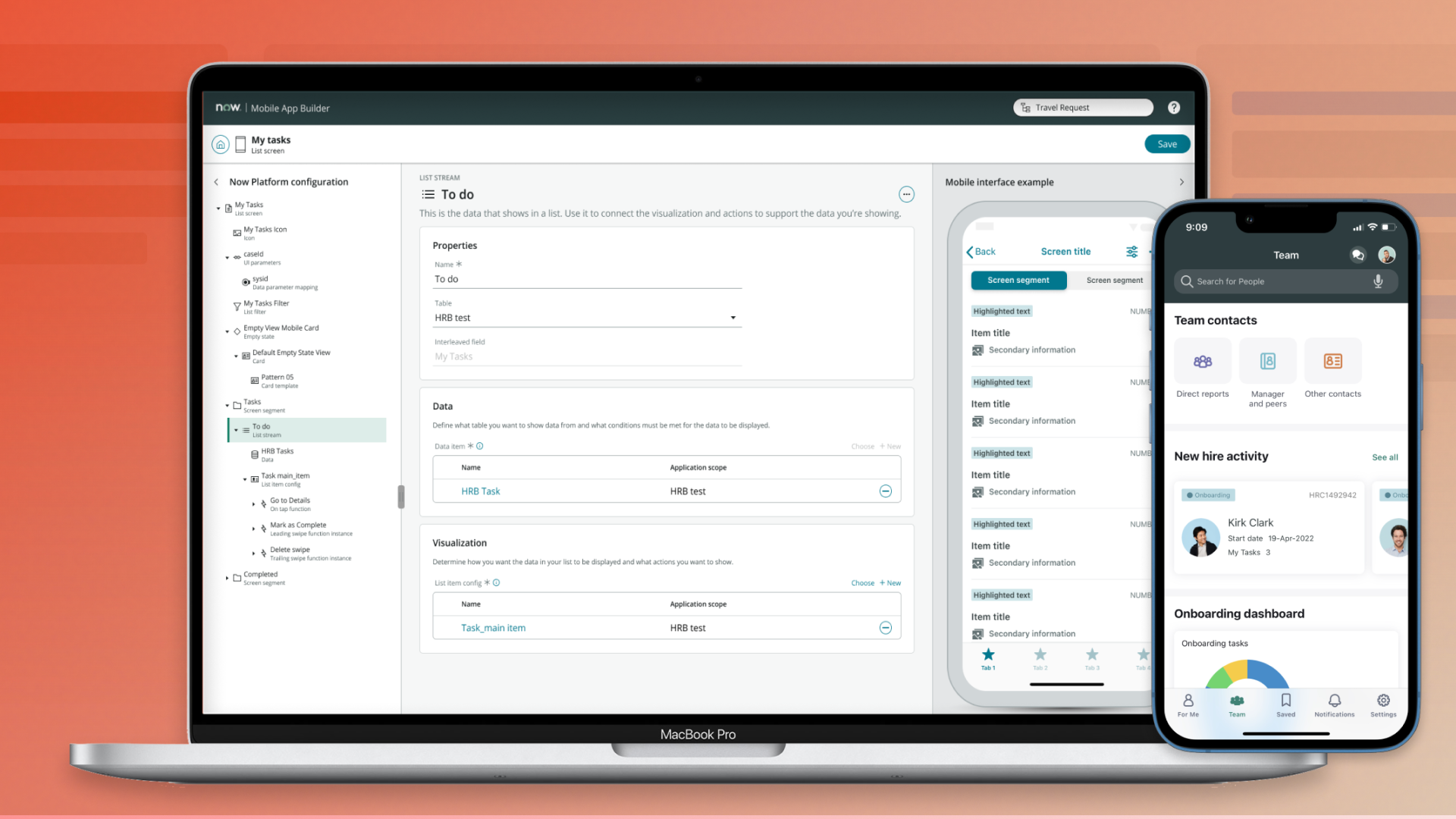
Turned a vision estimated at 24 months into a builder shipped in 9, cutting a full-capability mobile screen from 30 steps to 17.
ServiceNow · 2020 - 2023 · lead designer for a builder that composes entire native mobile apps · Part 2 of 3, Developer Platform Experience for Mobile
The problem nobody owned
Mobile Card Builder had fixed configuring and customizing cards. To configure the native mobile app and its workflows, developers had to split between two tools that either brought efficiency at the expense of capabilities (Mobile Studio), or brought capabilities at the expense of efficiency (Mobile Platform).
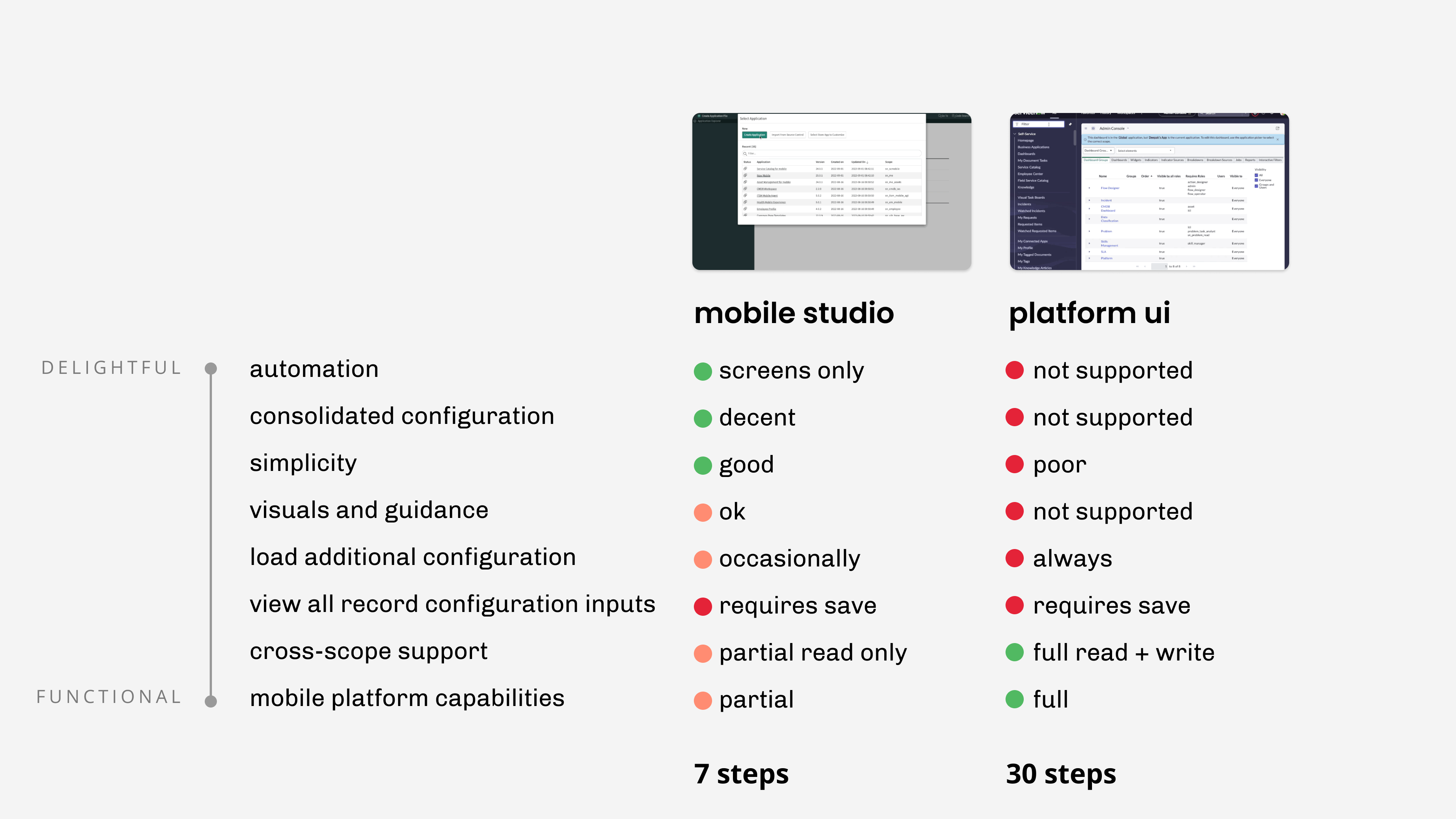
Example: List screen configuration
The existing mobile configuration tool was simple: it takes 7 steps to create a basic list screen. But it reached only part of what the platform could do, and anything that lived in another application scope turned read-only. Users would abandon the mobile configuration tool for the Mobile Platform to continue building and maintaining their workflows.
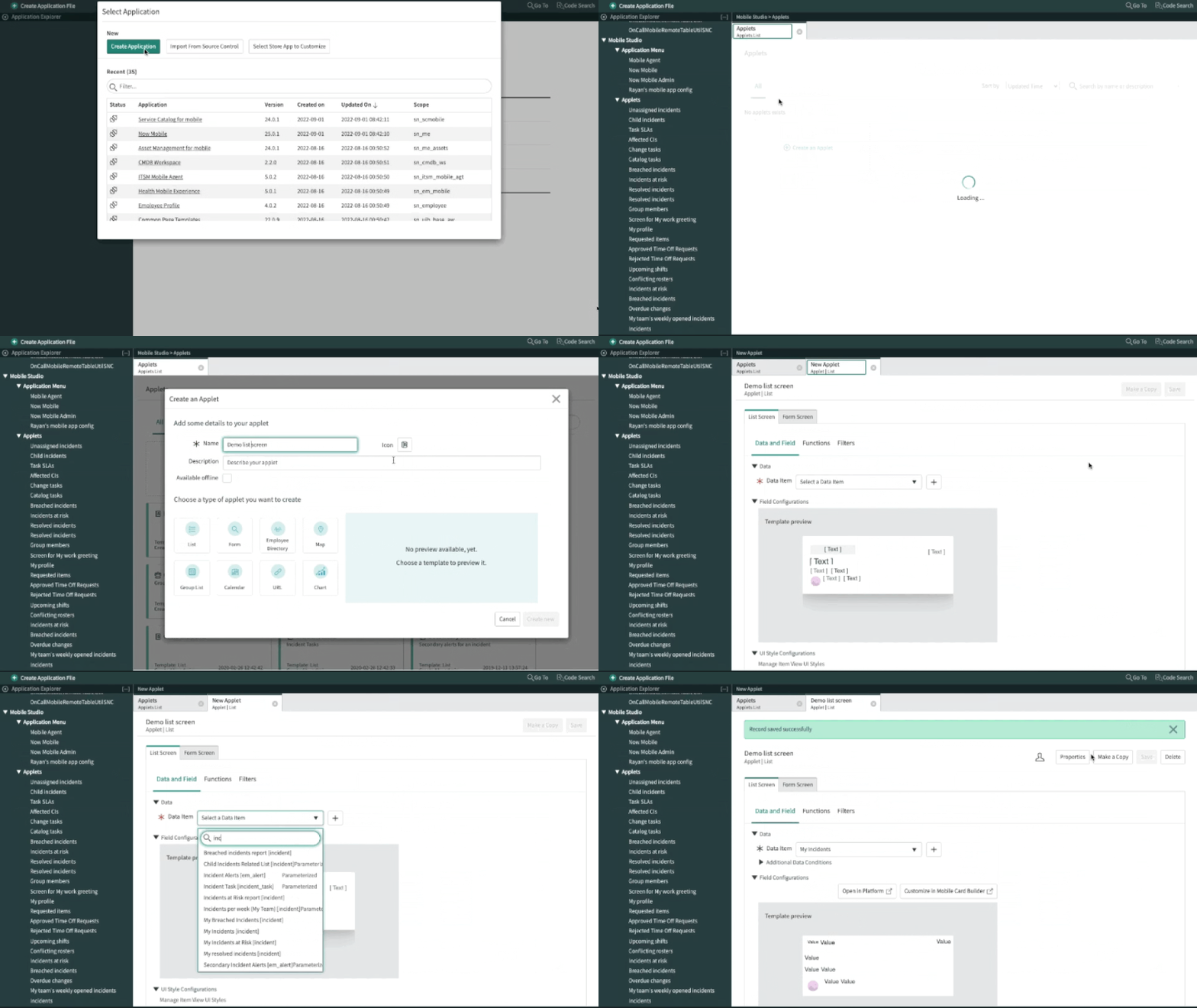 List screen creation demonstrated in Mobile Studio (no-code builder)
 List screen creation flow in Mobile Studio (no-code builder)
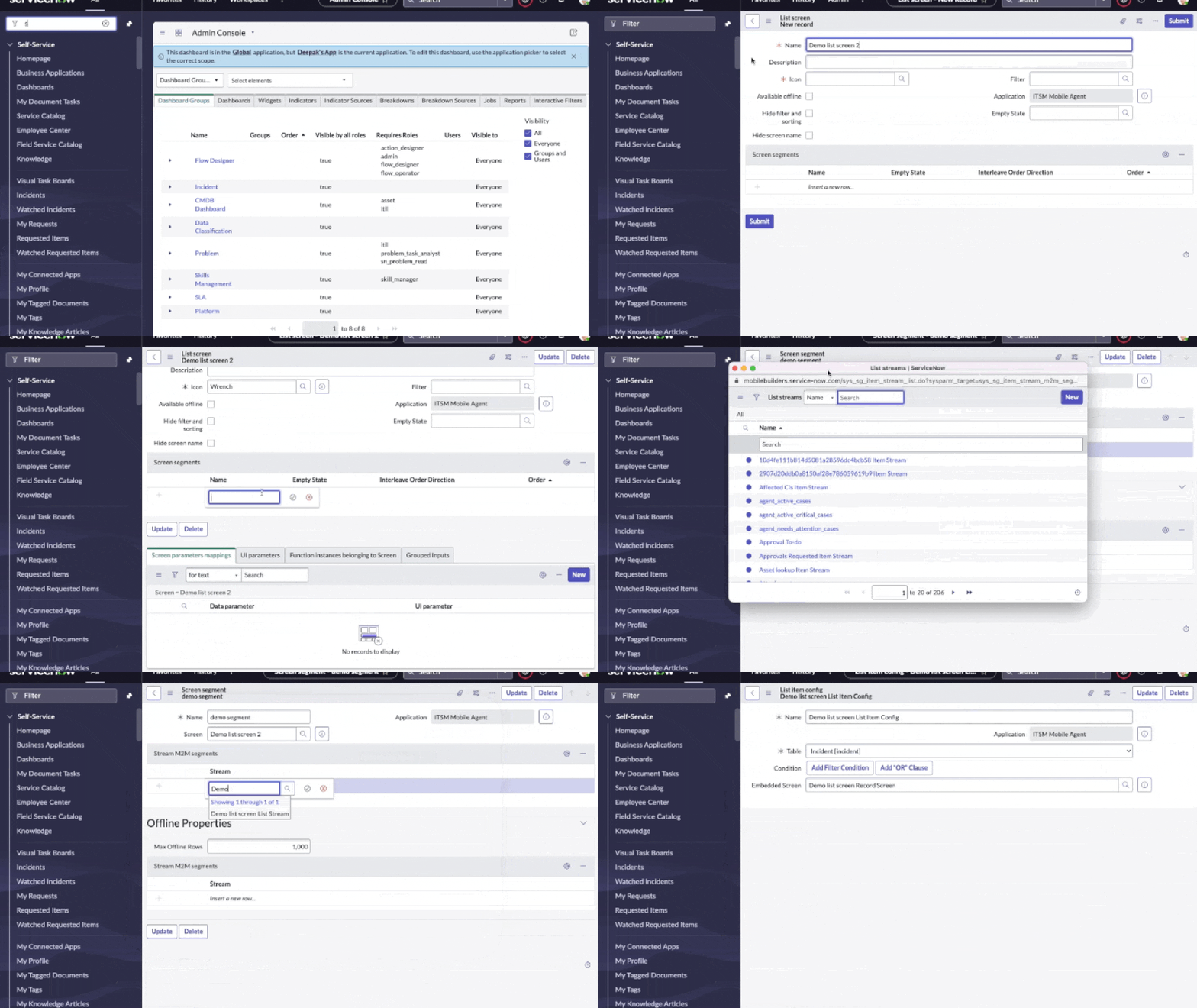 List screen creation demonstrated in Mobile Platform
 List screen creation flow in Mobile Platform
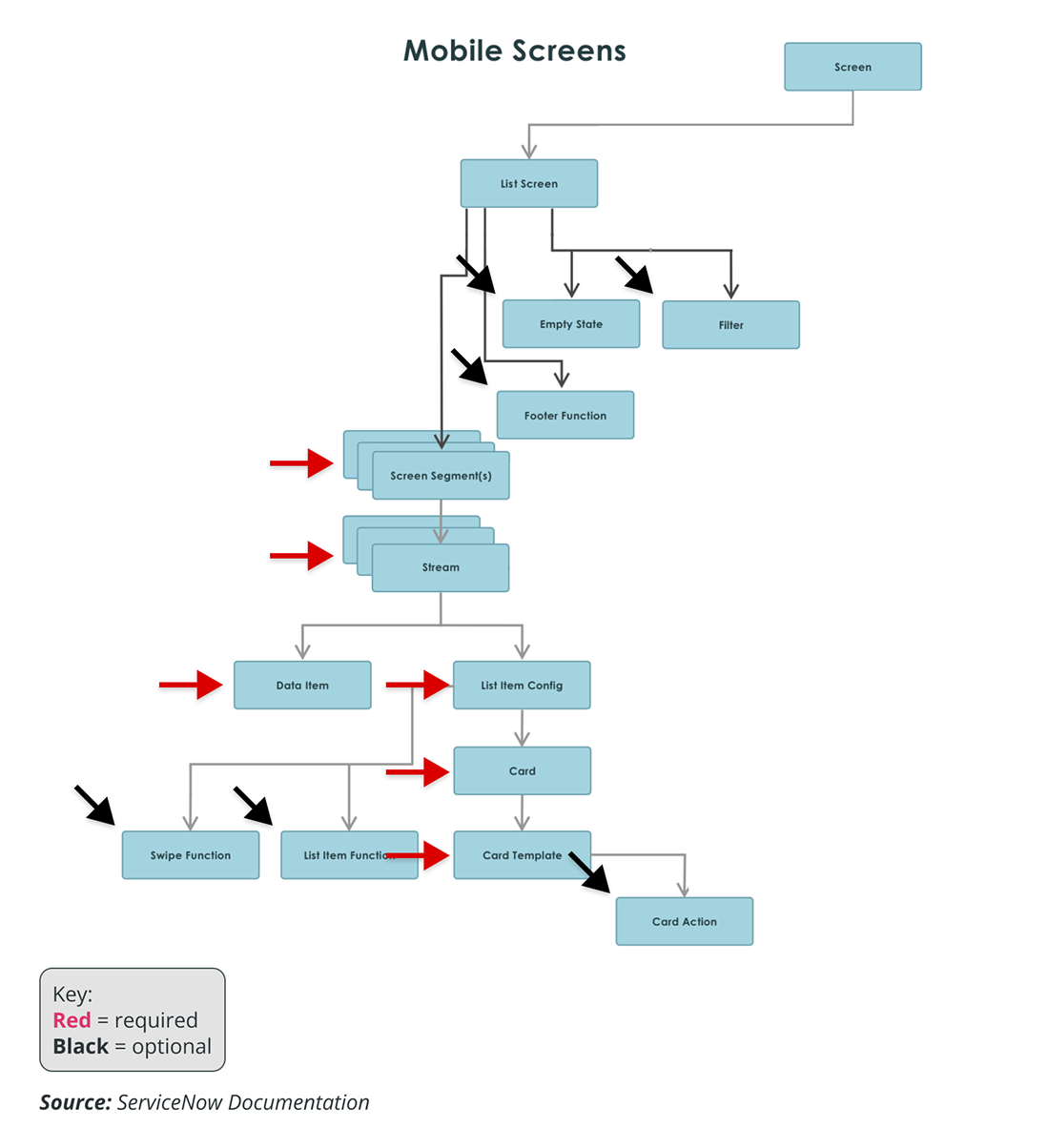 Nested records that make up the List Screen
The platform's own record forms reached everything, in 30 steps with no preview, no guidance, and occasional dead ends where you couldn't create the record the next step needed without manually needing to access that table directly.
The complexity wasn't because the experience itself was complicated, it was in the model underneath. Every screen type carried its own tree of child records, and a list screen needed 6 of them before anything can be rendered in the mobile app. Names like item stream and master item described the schema, not the job. Engineering owned the schema, product owned the feature list, and our developer users had to frequently refer to documentation to make sense of the relationship and hold the whole app together in their heads.
What I saw
I wanted to start with the model because a dependent engineering team was, in isolation, frequently refactoring that model for scale and performance, and whatever entity we identify should map to the experience layer to maintain its presentational integrity.
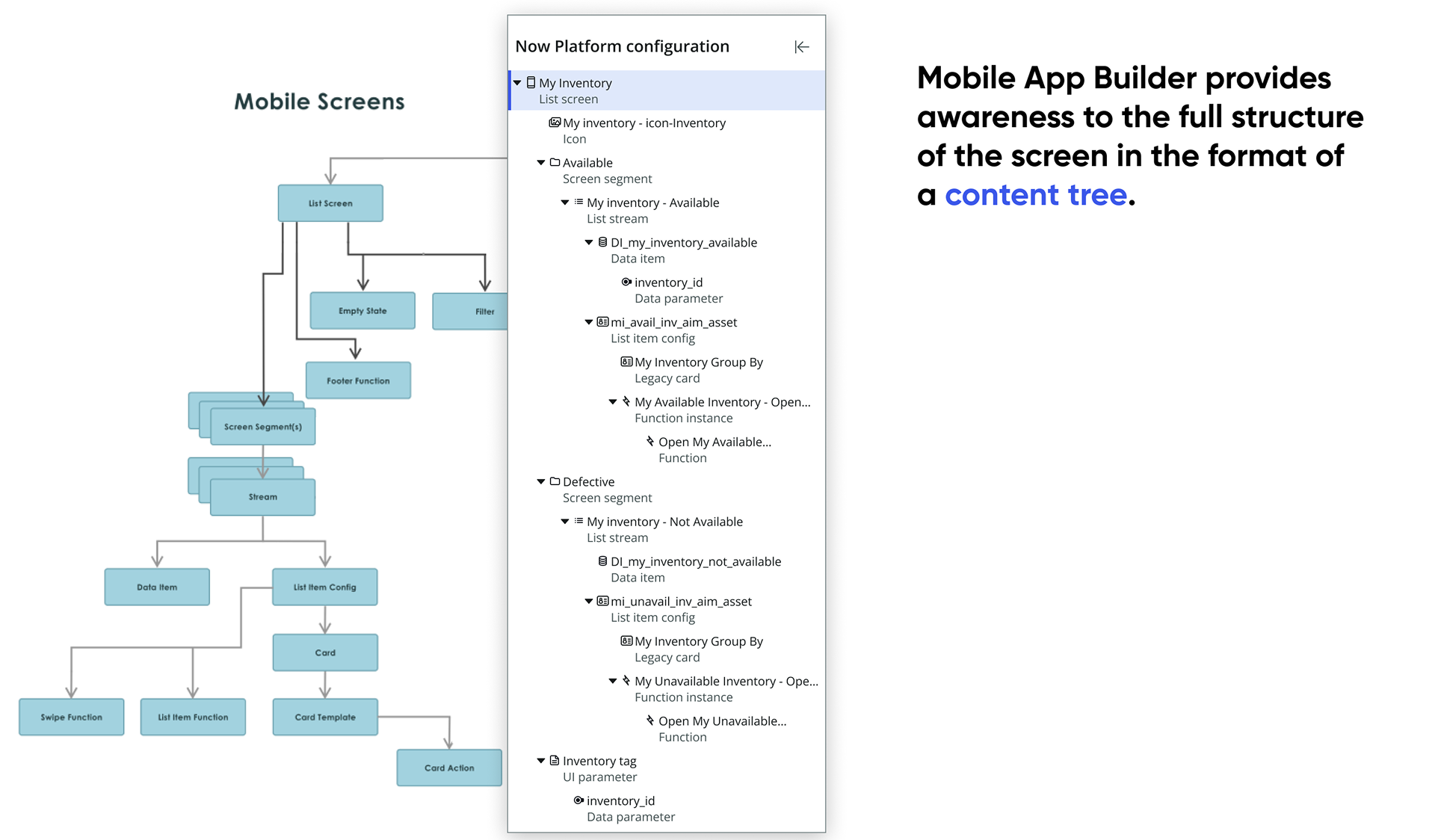
I started by mapping the model constructs to actual visual and data elements. Drawn out from the platform's documentation, the screen hierarchy explained a few things:
- A simple list screen reached only the top of the model.
- The complete one exposed all of it at once.
My first vision borrowed the canvas model from UI Builder (used for web app building). It tested well with internal stakeholders because it looked familiar, yet tested poorly with customers. Three rounds of research said the same thing: mobile developers didn't think in canvases, they thought in workflows, and workflows were separated by application scopes. When someone opens this app, what do they see, then what, then what. We had about three months in it, and I pivoted each time because the ServiceNow way of organizing information was getting tested.
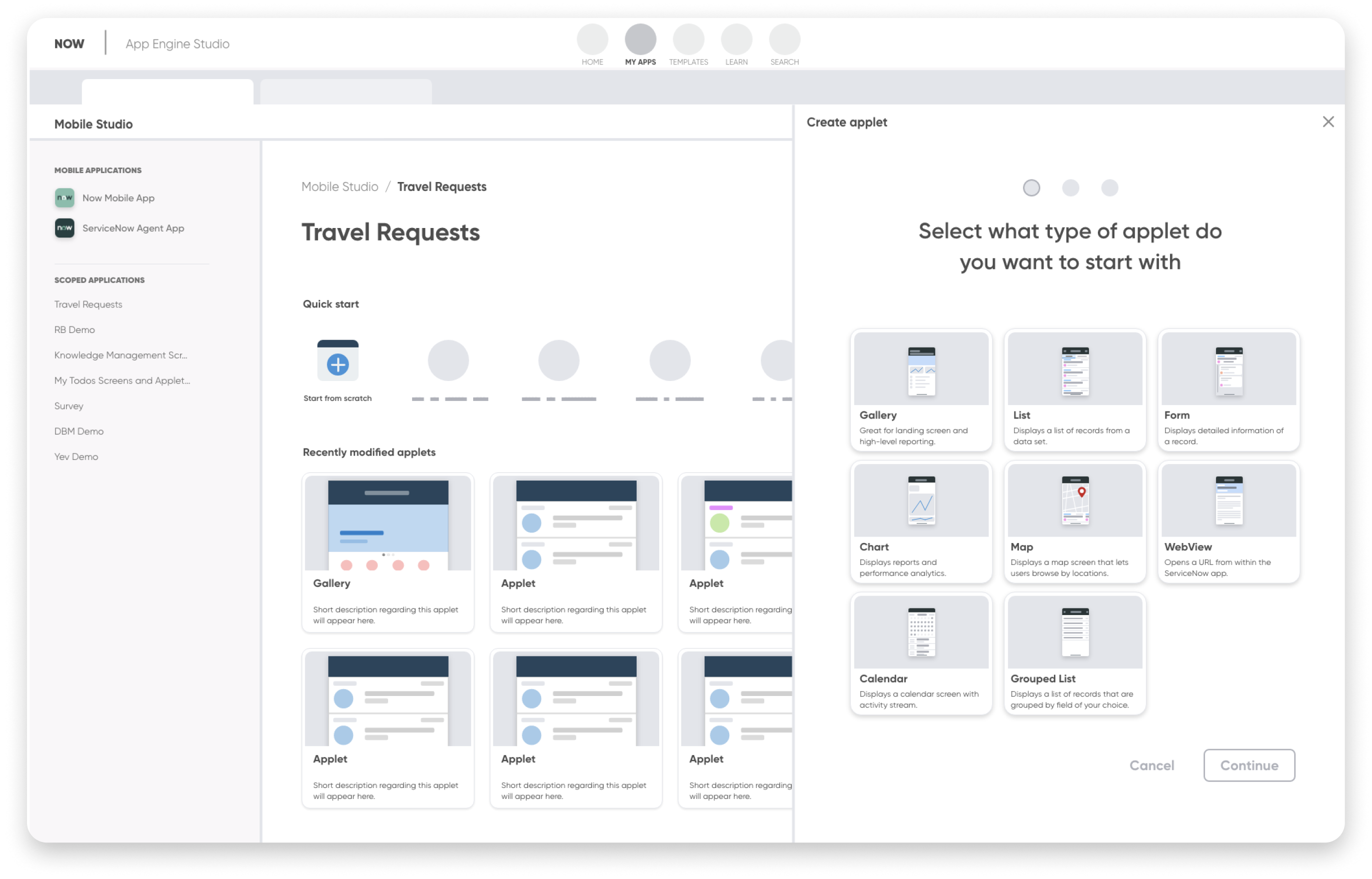
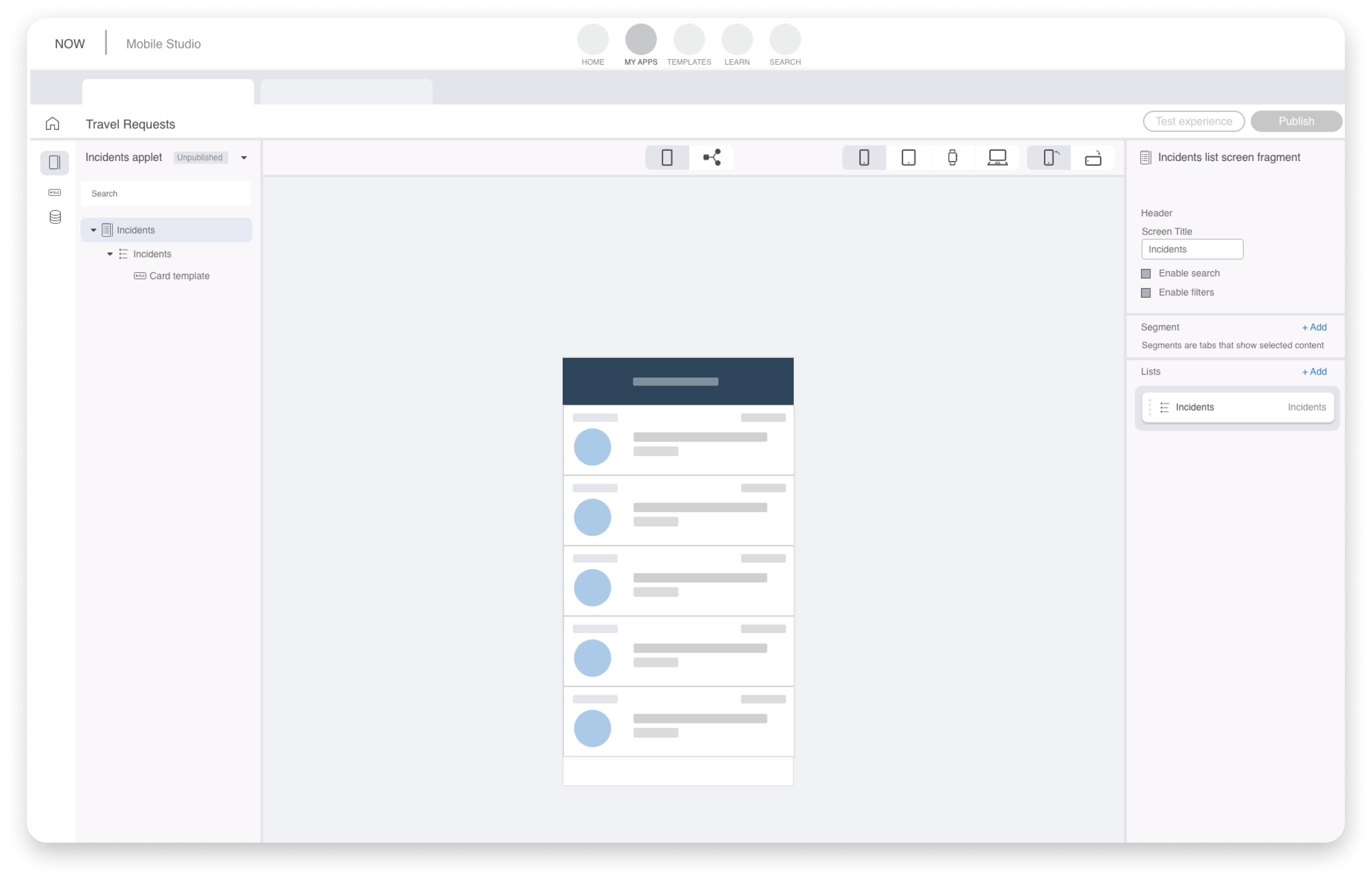
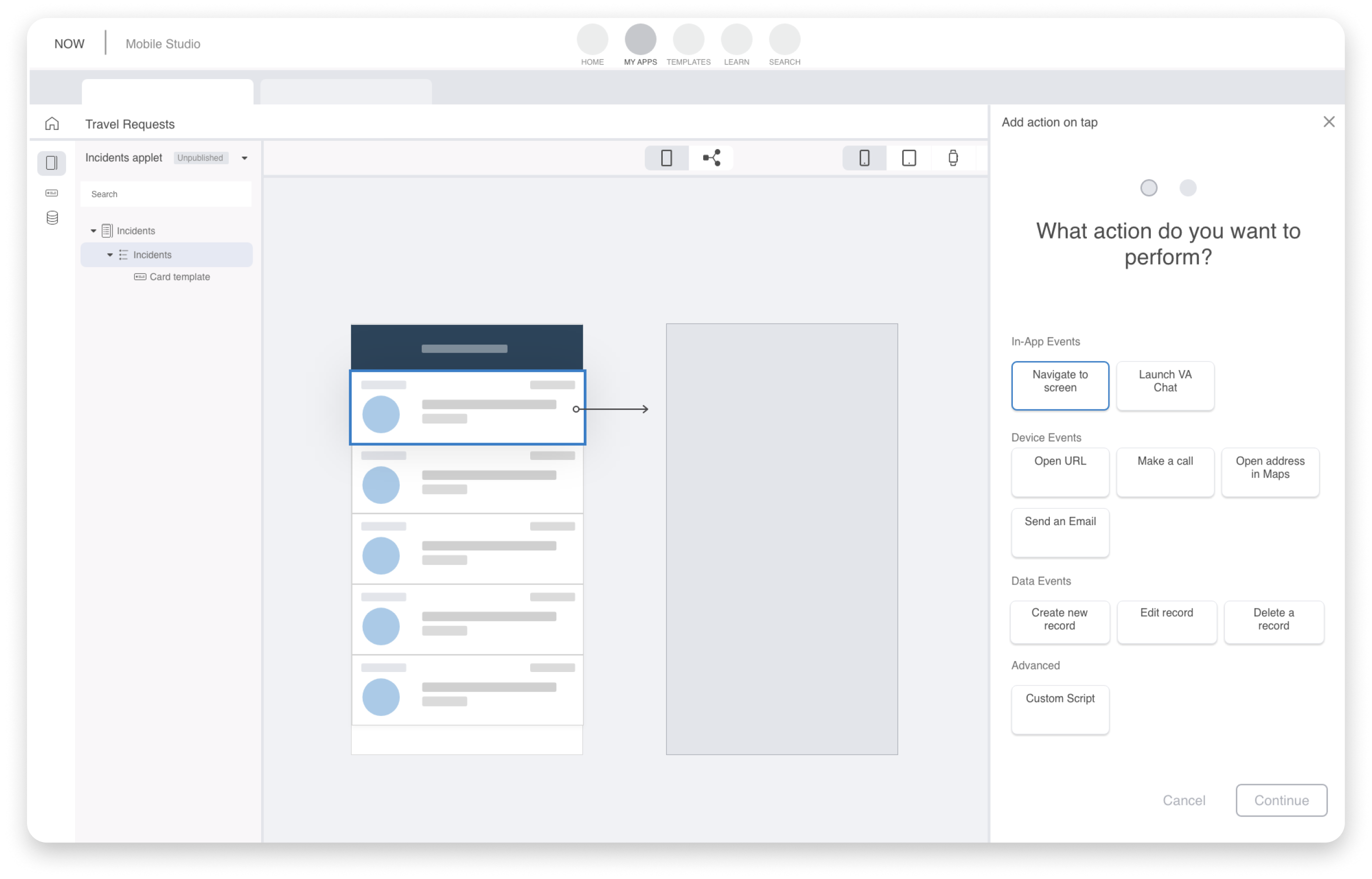
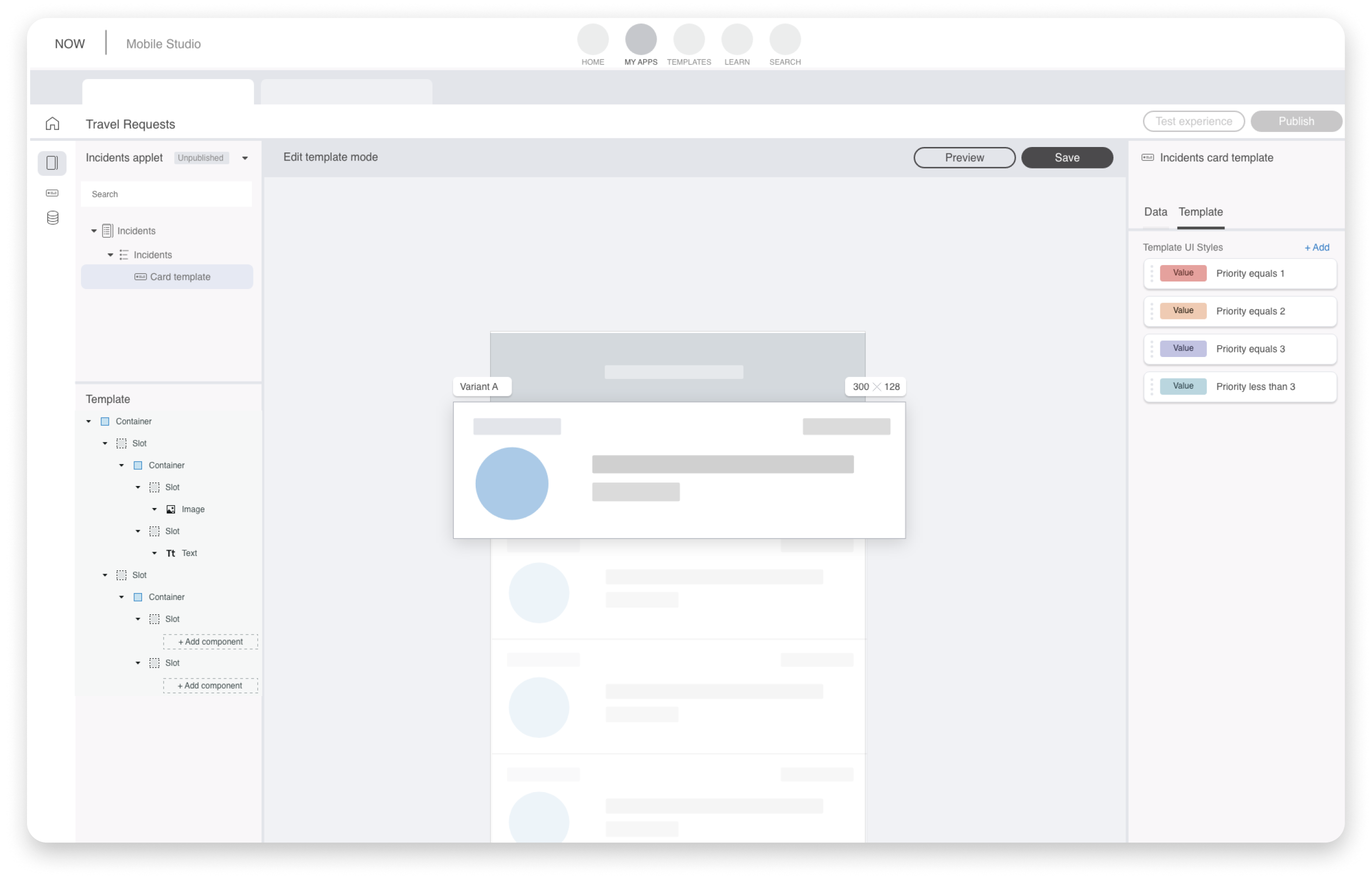
Once each of those hurdles were designed and accounted for, the vision got shared with the business unit building the platform's citizen developer experience, which wanted mobile inside it and funded the work in October 2020 🎉.
Two months later, a deeper engineering estimate moved full WYSIWYG from 9 months to more than 24 months. Leadership would add people to the team but not move the September 2021 release, which other teams depended on. In December 2020, product management made the call to pivot to a configuration-first builder that mirrored the platform's schema. That left us with 9 months to build.
It wasn't my recommendation, and it was the vision we'd been funded on. So I looked for what the canvas had been standing in for. Our developer users weren't stuck on a missing canvas. They were stuck on a model they couldn't see, terminology they couldn't understand, and no way to learn the mobile platform from inside the tool.
To keep the compromise honest, I scored every option on one scale, from functional to delightful. The functional end was non-negotiable: every platform capability, with full read and write across application scopes. If we didn't deliver on this, we risk the same abandonment as other developers had on the mobile configuration tool. The delightful end, guidance, simplicity, consolidation, and automation, got as much of the deadline as was left.
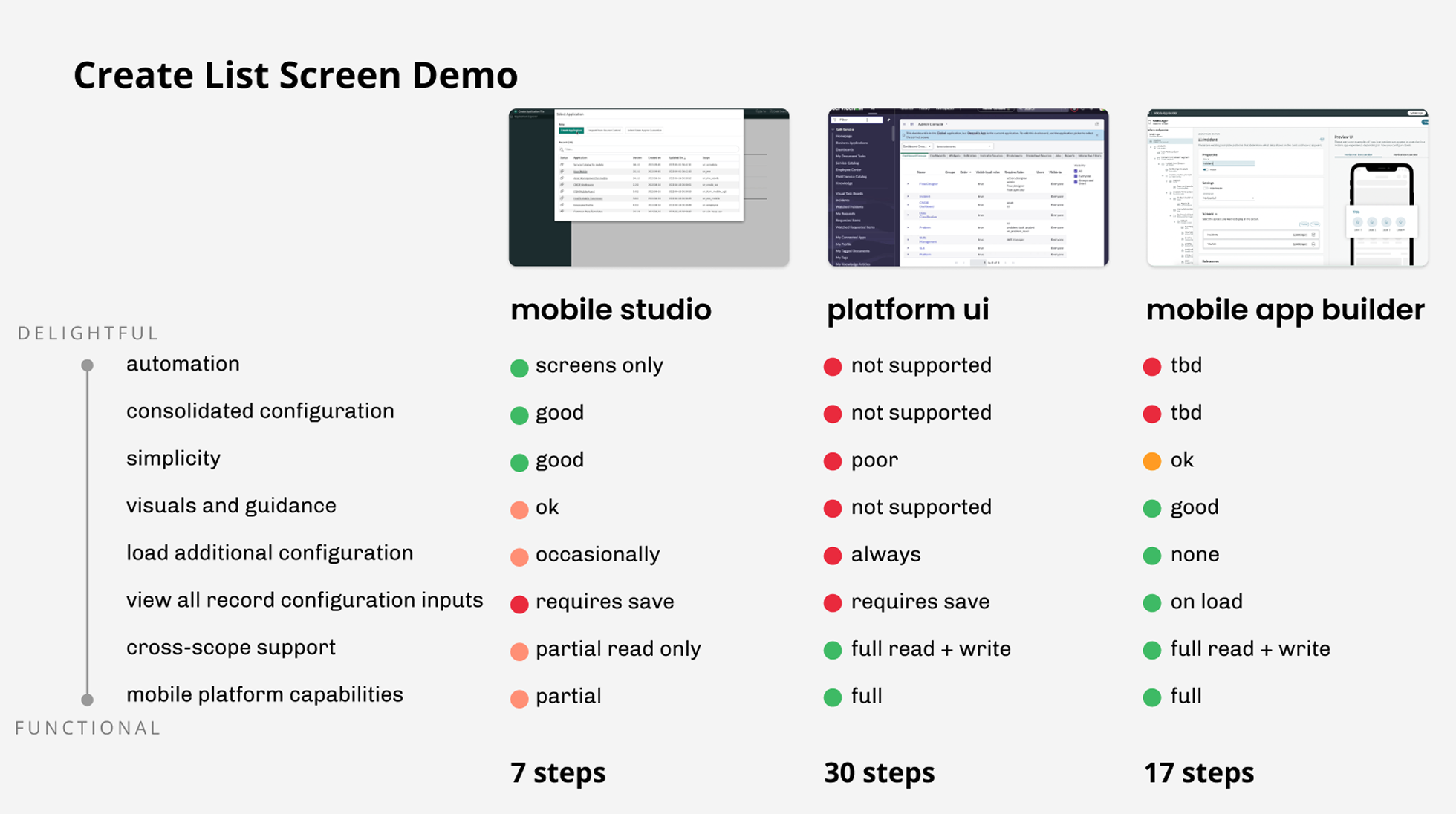 Demonstrating the same task across three tools. Mobile App Builder took more steps than the old tool, yet it had 100% feature parity to Mobile Platform.
Who I pulled in
The sponsor was the business unit building the platform's citizen developer experience, which wanted mobile inside it. I led design with a visual designer, a contracted designer, and a content designer, alongside a PM and 14 engineers.
Terminology
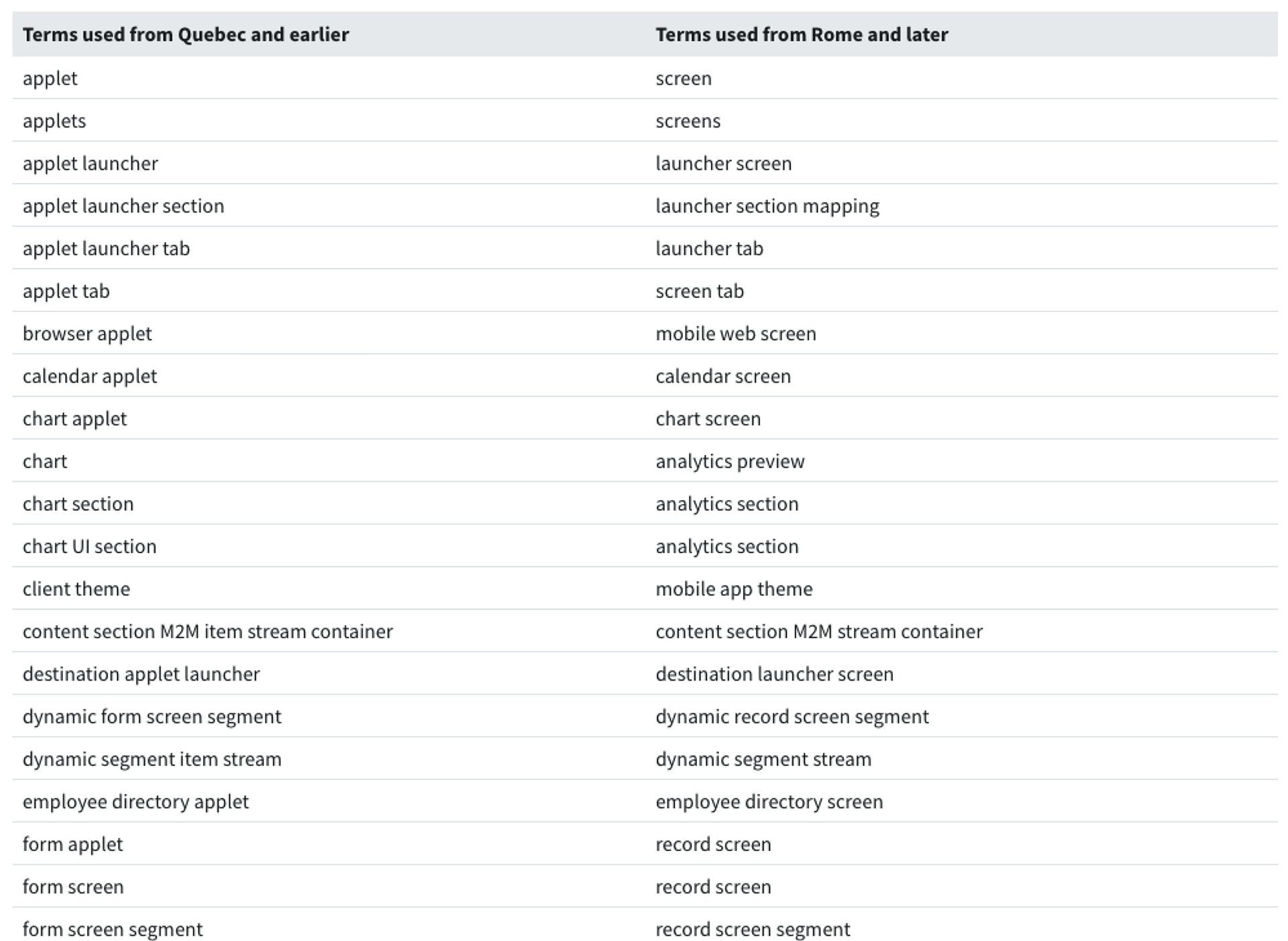
The content designer and I treated terminology as product work, not copy cleanup. The research team's terminology survey of more than 1,200 people showed how badly the existing names misled. Working sessions with researchers on the web UI builder kept our new terms consistent with the rest of the platform.
Additional customer design partners met with us weekly for 10 weeks, seeing a new prototype every Friday. They helped shape the product in ways we hadn't predicted.
Content Tree
The screen list became a tree, because the configuration was scattered across different system records that they'd otherwise need to navigate separately in Mobile Platform to understand what that configuration was.
Timeline
Funding landed in October 2020, and the release date was fixed for September 2021 because other teams depended on it. We spent October and November on work-domain analysis and research with ten external users, and the pivot came in December 2020. That left us with 9 months to build.
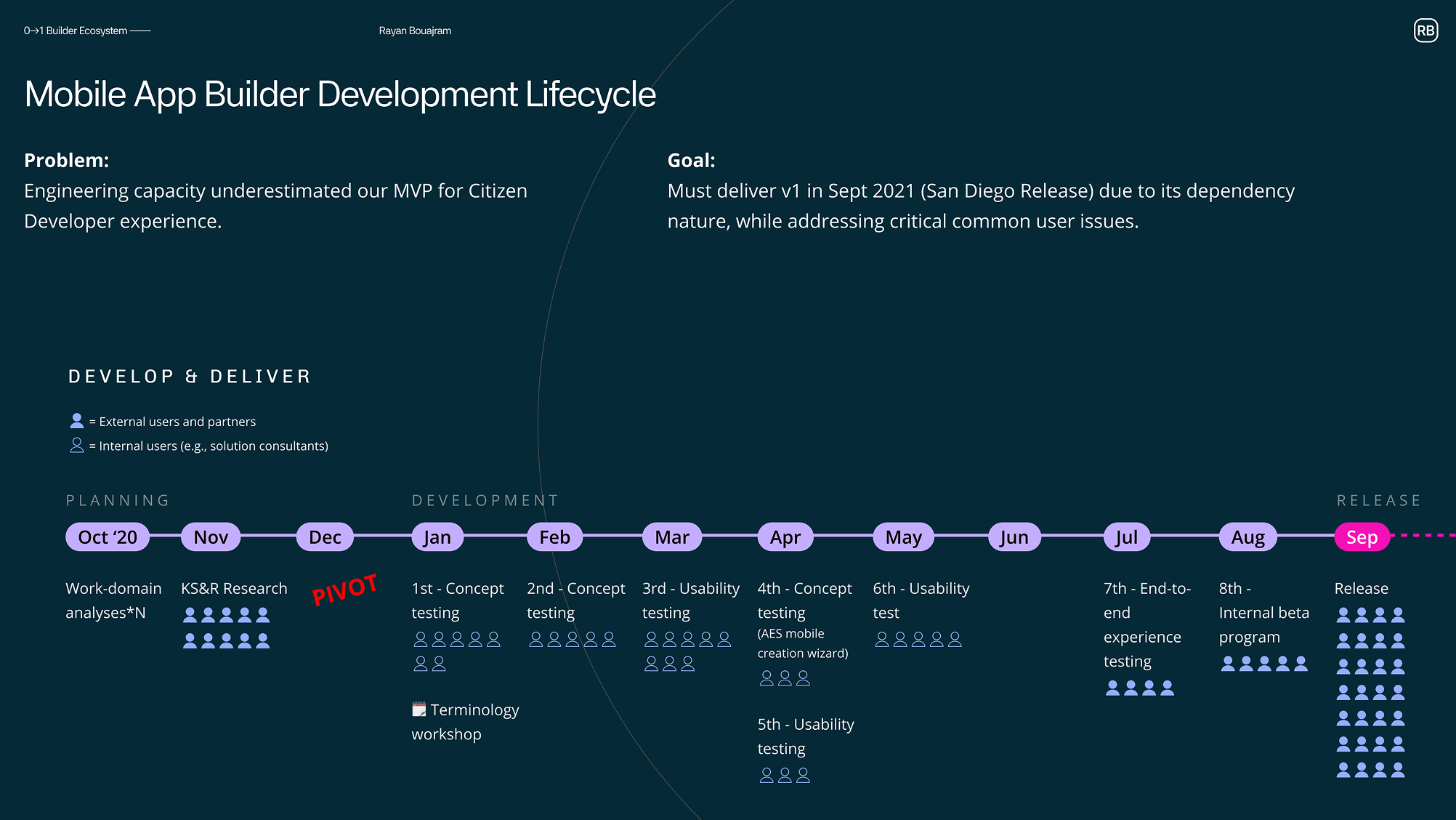 11 months from funding to release, with users in the loop almost every month.
From January, something went in front of users almost every month: four rounds of concept testing, three of usability testing, an end-to-end test in July, and a beta program in August. Early rounds used internal solution consultants, who could react to rough concepts every few weeks. External users came back once there was a real product to use end to end. A terminology workshop in January started the naming work.
What changed
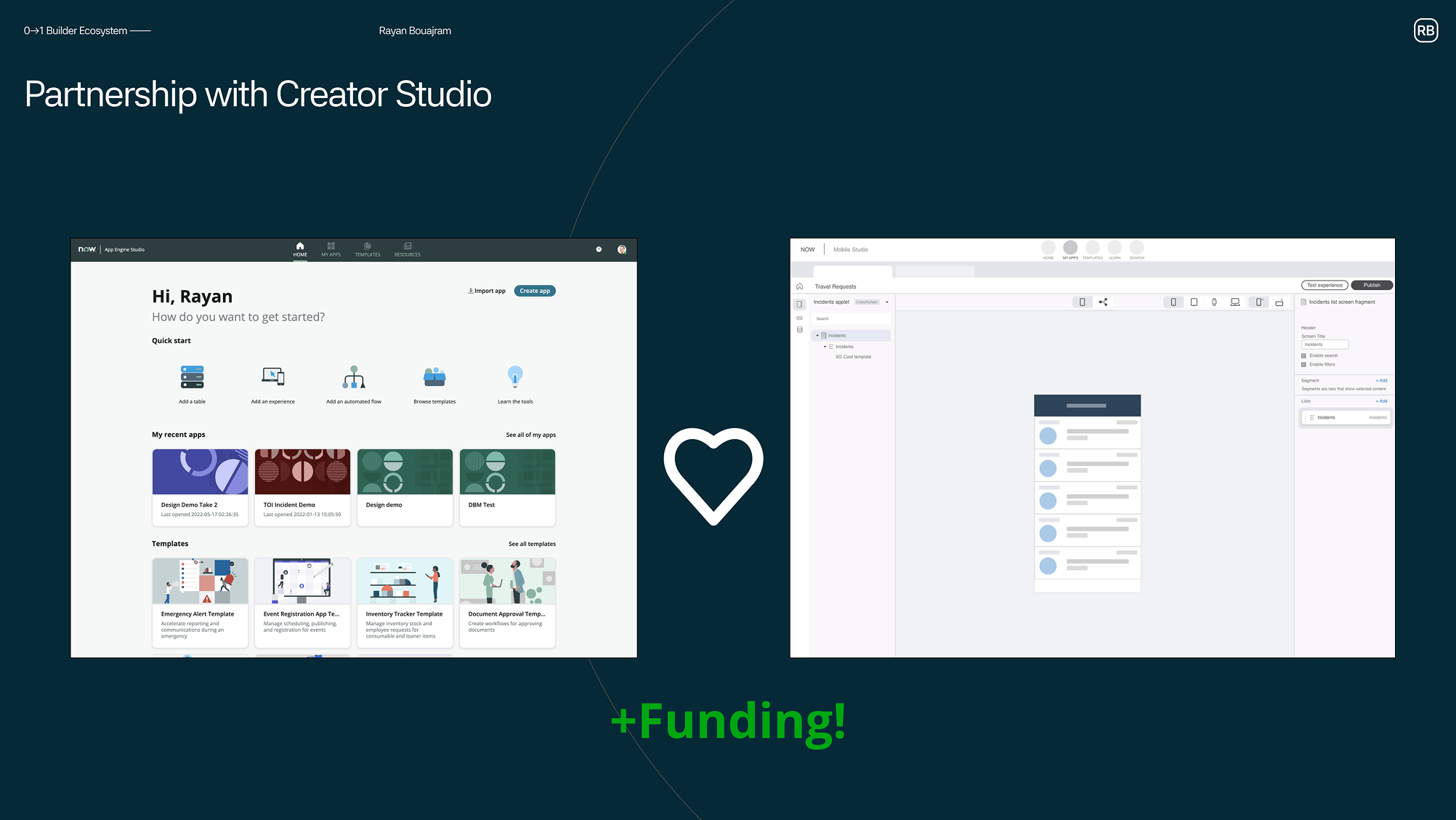
Secured funding from the business unit building the platform's citizen developer experience, on the strength of Card Builder and a series of vision prototypes.
Shipped Mobile App Builder in September 2021, nine months after the pivot: the app's model as a navigable tree, properties beside it, and a preview beside that. A full-capability list screen took 17 steps instead of 30, with no dead ends and full read and write across application scopes.
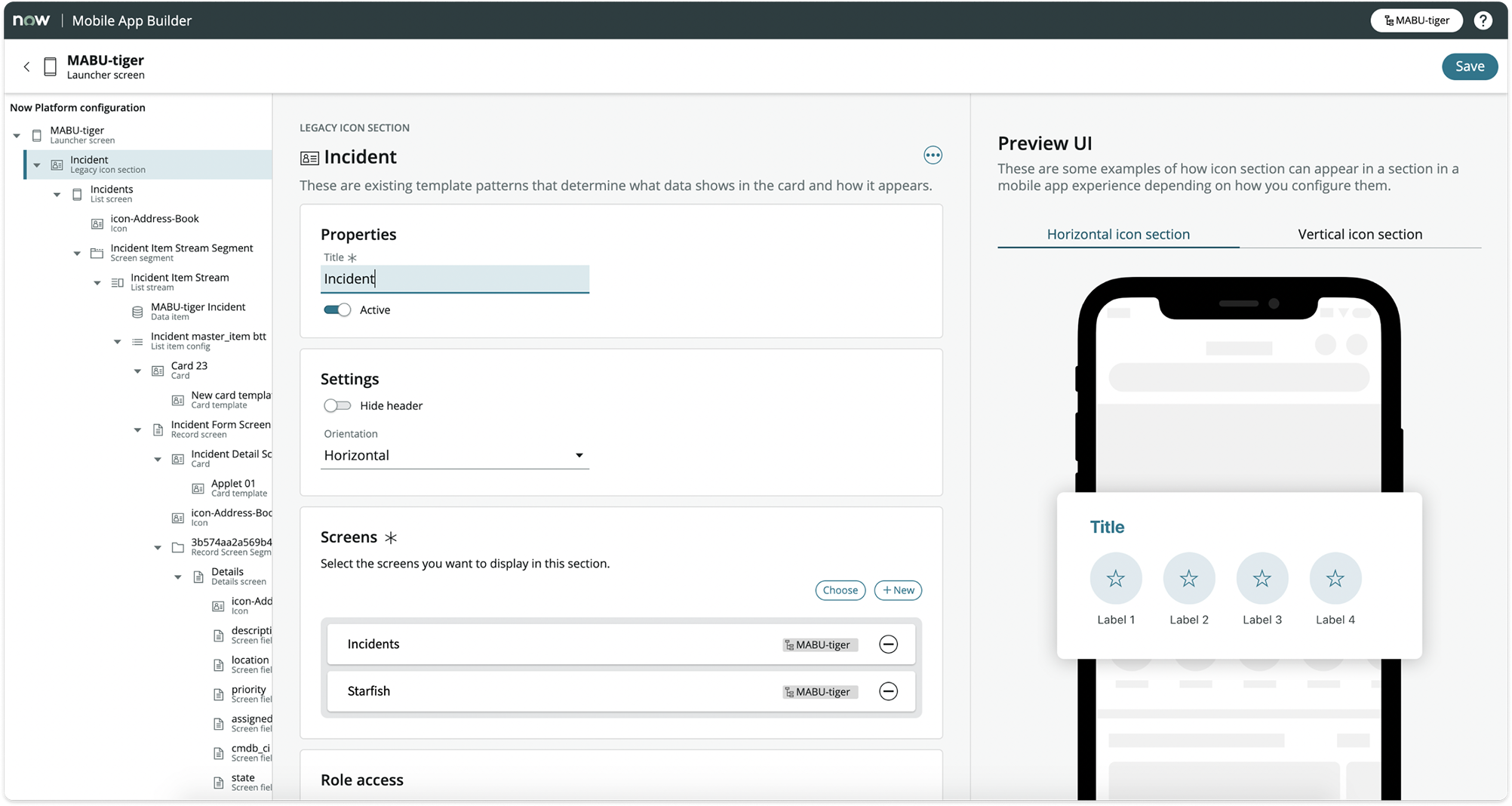 The screen model became the navigation.
Built guidance and contextual help into the configuration itself, with visual placeholders standing in for live preview until real rendering was ready.
Built toward every capability the mobile platform supported, reaching full parity over the following two years, so no developer had to fall back to Mobile Platform to access system records.
Secured the next phase of mobile builder investment after launch, because Mobile App Builder shipped as part of the business unit's builder family rather than as a mobile-only tool.
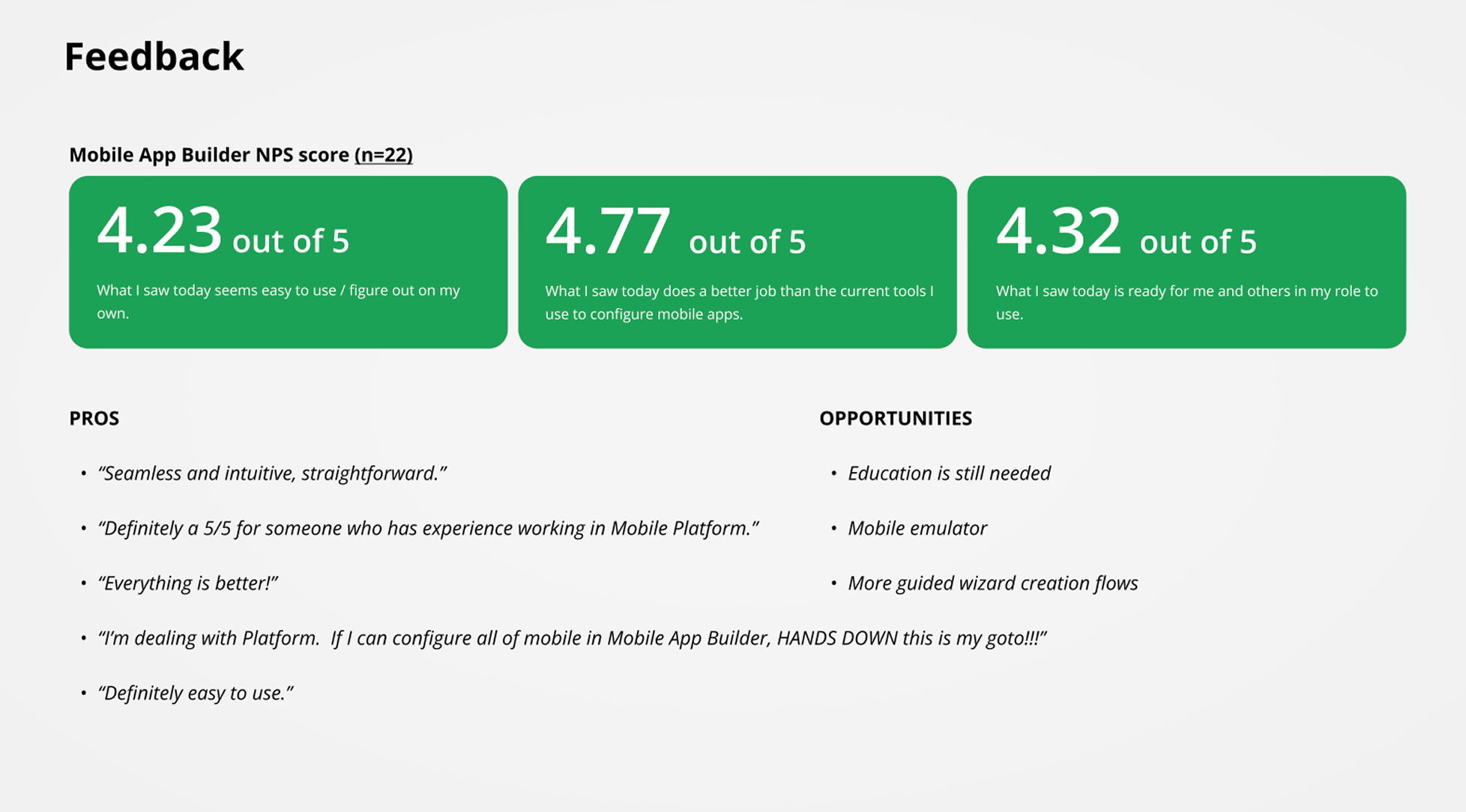 22 participants rated it 4.77 out of 5 for doing a better job than their current tools, 4.23 for ease of use, and 4.32 for readiness in their role. They also named what was still missing: more education, an emulator, and guided creation.
The second pass
The first release showed developers the whole model up front; it gave relational context for how screens were configured based on the model. Every record in a screen appeared in the tree with its schema type, so even a basic list screen read like a database. If developers wanted to create a new screen, they still had to know each part of the schema to define in order to build it out. Despite providing education on each schema property, documentation for end-to-end still felt required.
I started with list screens, the most common screen type, and sorted every record in one into four tiers. The foundational record is the screen itself. Primary records, like data items and cards, change what the screen shows and does. Secondary records hold partial configuration the screen needs to work. Tertiary records hold a single value or mapping.
The tiers told us what to hide. We dropped tertiary records and schema type labels from the tree, then folded most secondary records into their parents. What remained was just enough to see what makes a screen that screen. The builder became three zones: navigation, one configuration pane, and a live preview with the customer's theme applied.
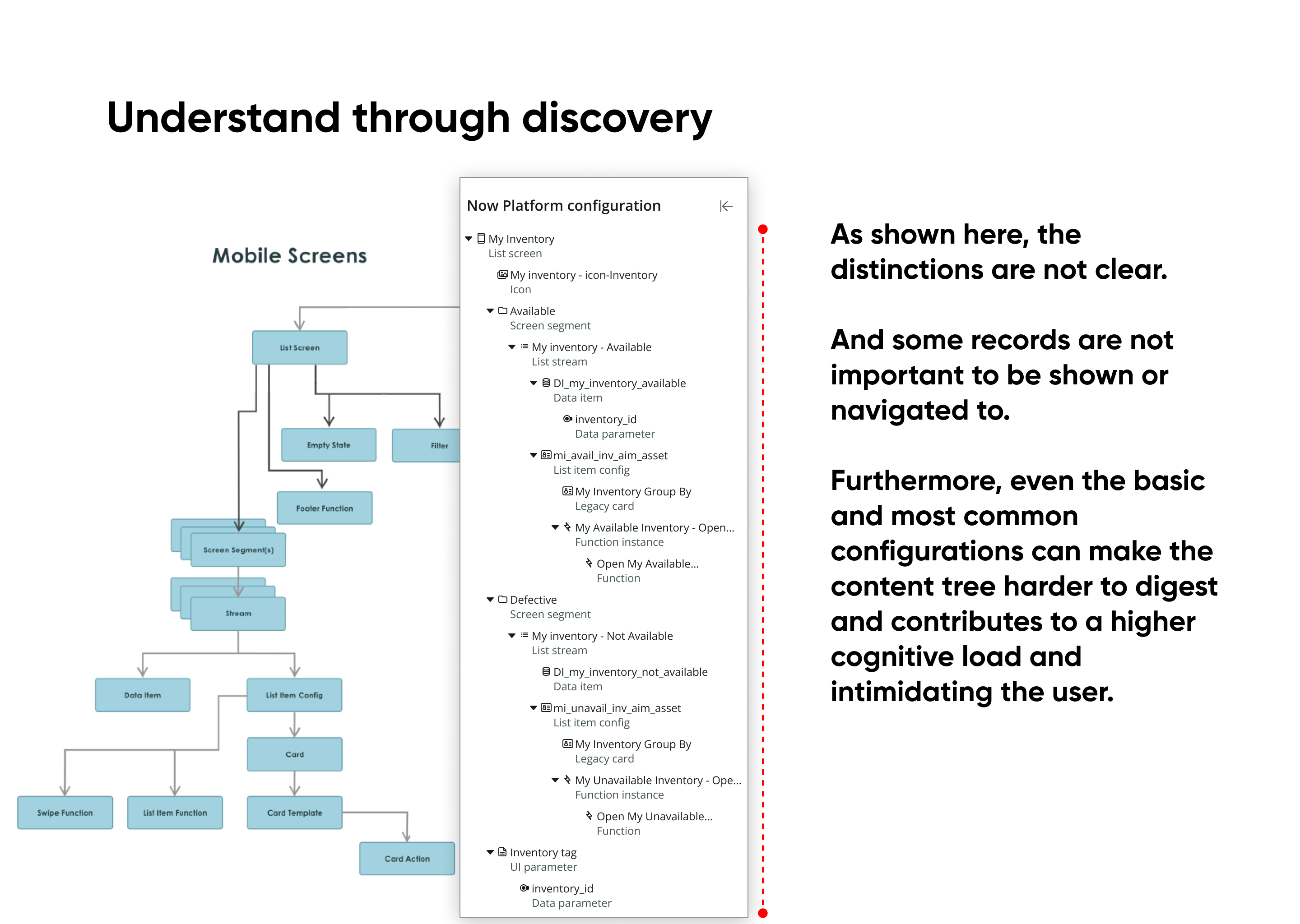 One list screen, from every record to what a person needs to see.
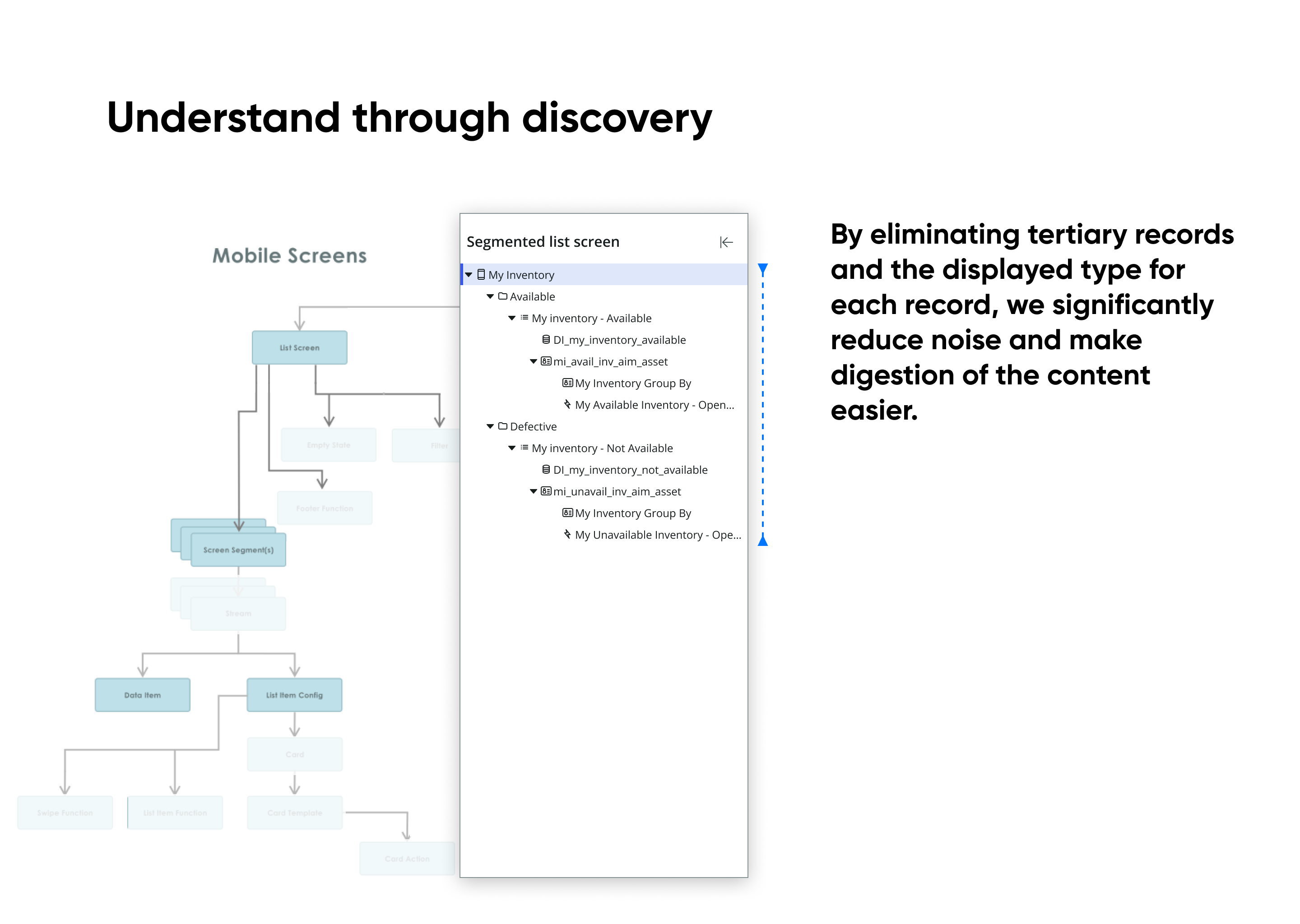 Navigation, configuration, and preview, with plain names in the tree.
Where this led
The second pass made one builder readable. It also made the next gap impossible to miss. App Builder and Card Builder were still separate tools, and every builder on the platform still had its own entry point, preview, and publish flow. We had fixed the inside of the tools. The seams between them still followed the org chart.
That became Builder Bridges, Part 3 of this series.
What I'd tell a leader facing this
- Test the vision with the people who will use it. The canvas tested well internally because it looked familiar. That was the wrong audience, and it's the mistake I own. Put a vision in front of customers before you spend three months building toward it.
- When you don't make the call, own what the call becomes. Configuration-first wasn't my recommendation. Score the options on one scale, name the end you won't give up, and spend the deadline on the rest.
- Showing the whole model is honest, not simple. Map it first, then decide what people never need to see. If they need your schema to read your labels, they'll need it to use your product.