Tealium: User Management
High-Level Recap
My applied design process
- Discover
- User Research
- Comparative Analysis
- User Interviews
- Usability Testing
- Define
- Success Metrics
- User / Process Flow
- Wireframe / Sketch
- Prototype
- Design
- Lo-Fi / Hi-Fi Mockup
- Prototype
- Launch
- Reflection
Why I chose this project
- I had to design a new User Management system based on feedback from a failed v1 release.
Things that kept me up on this project
- Lack of a migration strategy
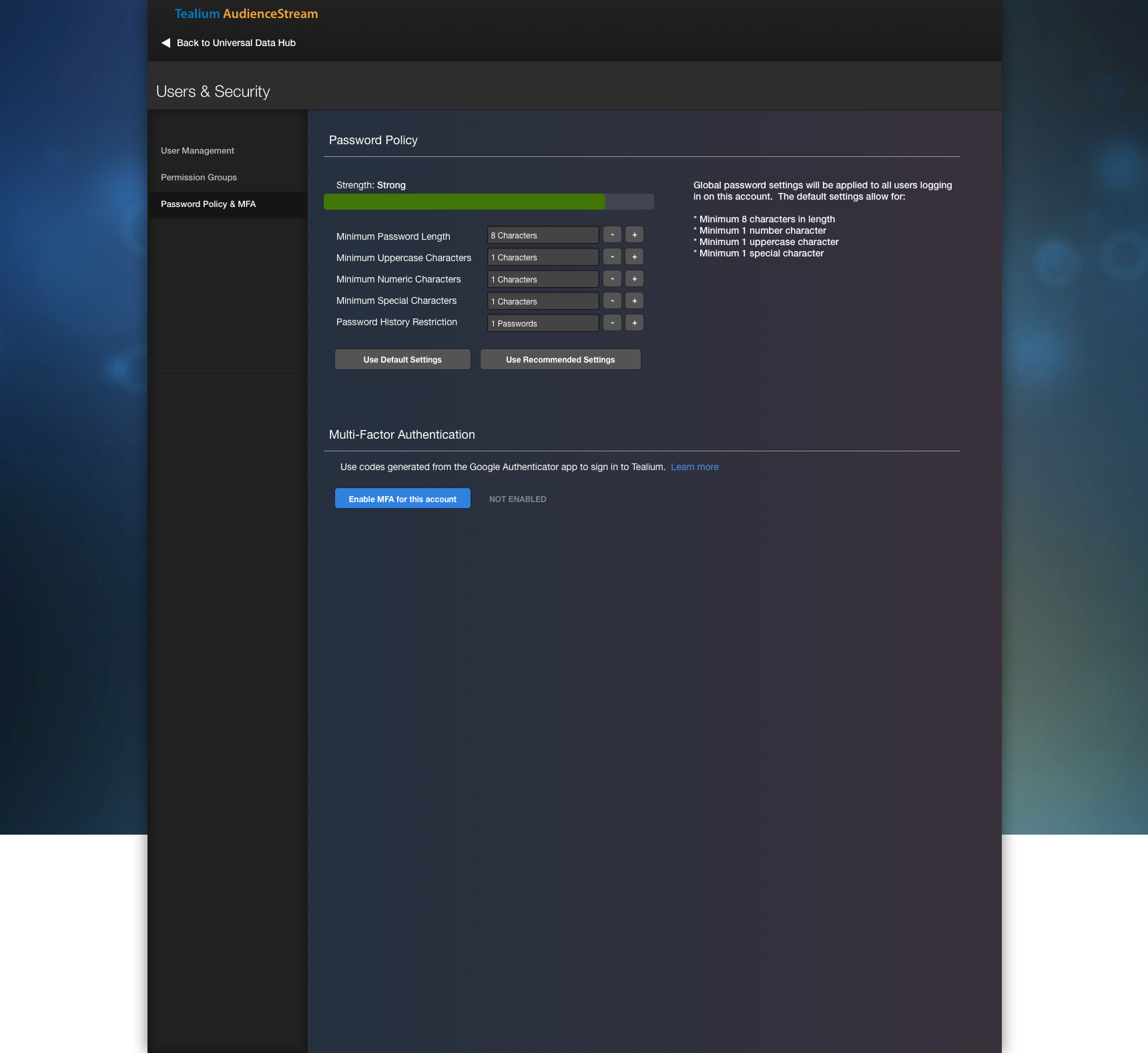
Provide users with more control
Users want to manage other users and permissions through EventStream, AudienceStream, and DataAccess products.
Background
Back in 2013, my first redesign of User Management brought user governance to our core product: Tealium iQ. This was v1.
I was asked to improve the experience of User Management to include governance between a hierarchy of accounts and profiles. I worked closely with the Director of Software, sales engineers, and backend engineers to identify the permissions we’d want to use, and come up with many design iterations to reflect this. Once I recognized the team and I were aligned, my presentation to stakeholders and engineering kickoff looked something like this.
This gave our users power and governance, and ultimately served as an improved user management tool.
This powerpoint demonstrates the flow of v1.
Core Problem
In 2016, I was asked to design User Management for the remaining 3 products: EventStream, AudienceStream, and DataAccess.
Users today would need to log in to Tealium iQ in order to add users to EventStream, AudienceStream, and DataAccess. There were several problems reported to customer success team:
A user had to log in to a separate product in order to add a a user to unrelated product.
EventStream, AudienceStream, and DataAccess were using a dark UI color scheme, while Tealium iQ was using a white UI color scheme — further affirming the jarring experience with the engagement between the two products.
Only publish permissions were carried over. Users demanded more control around permissions as shared within Tealium’s product forums.
Given the team’s roadmap was focused on product unification at the time, tackling User Management in this release would allow customers to manage their users without leaving the product.
My Role
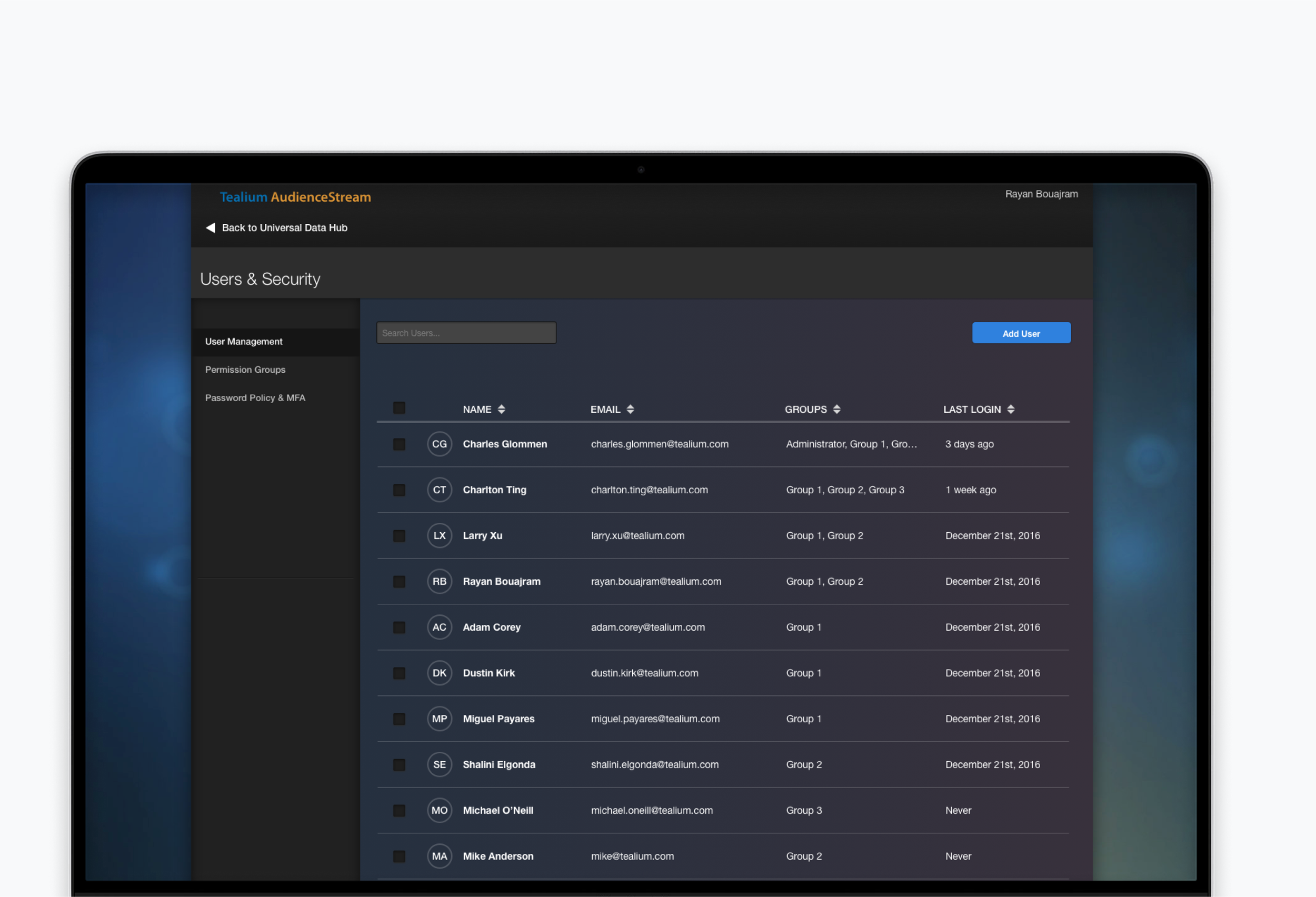
I was tasked to design a new User Management interface and improve on v1.
Research & Strategy
I wanted to make User Management v2 better
Rather than diving into creating a similar user management experience, I chose to reach out to internal teams to conduct user interviews on their thoughts on the existing User Management flow within Tealium iQ.
Based on the results, I recognized these pain points that I had missed from the first release:
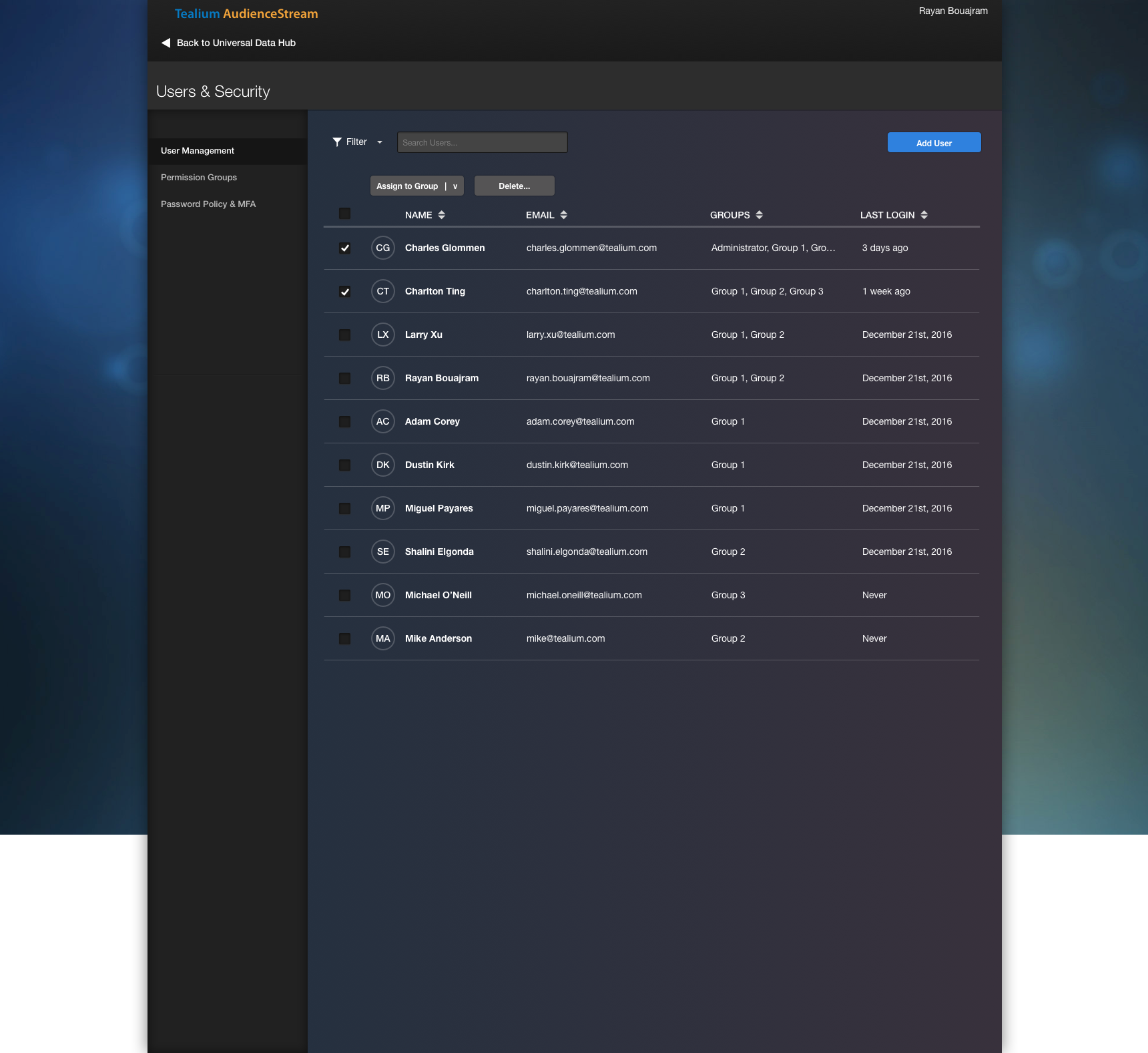
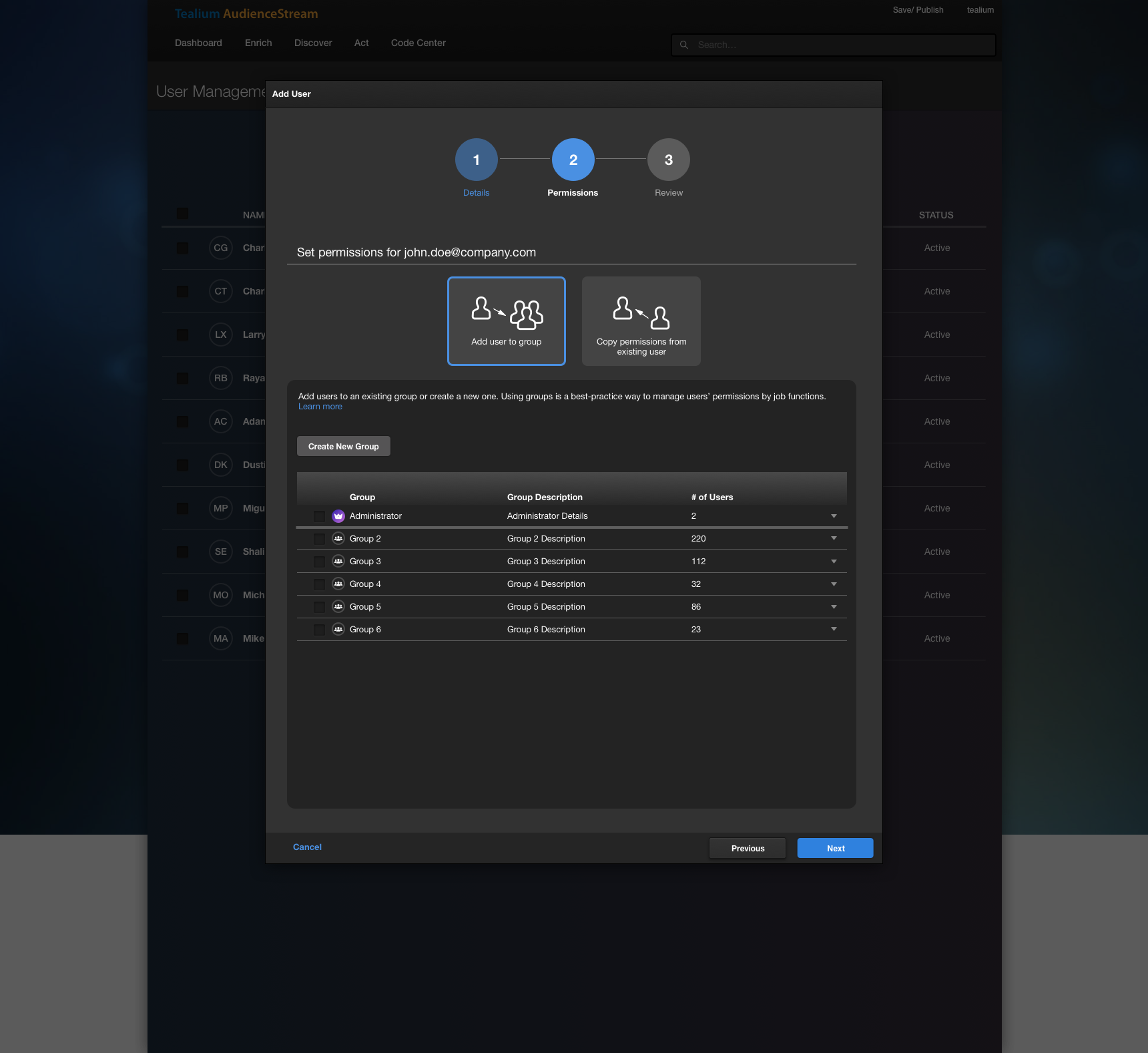
Creating a single user requires too many clicks due to the amount of granular permissions offered — The team wanted a faster way to assign a single user a collection of permissions, rather than choose each permission one-by-one.
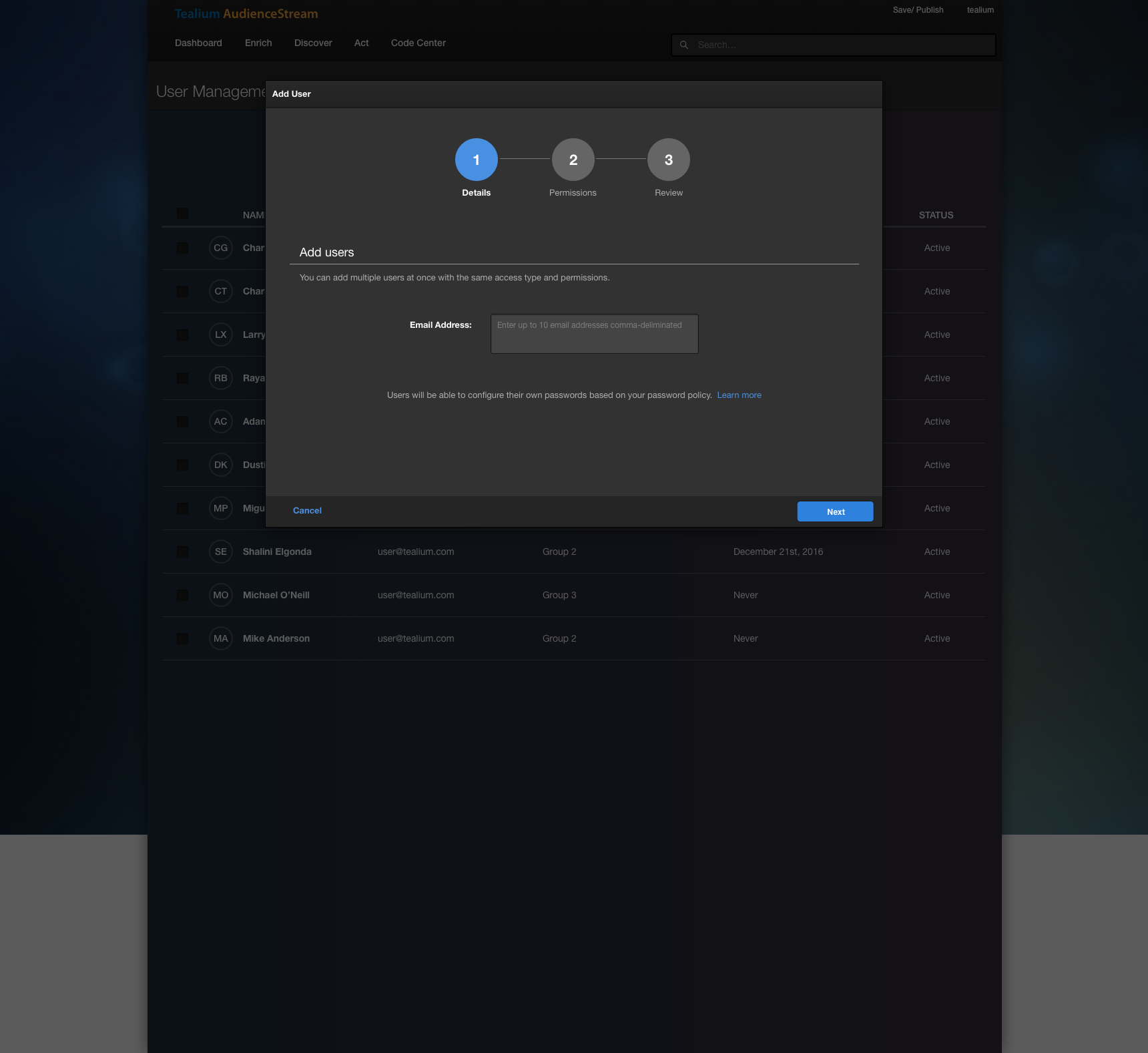
There was no support for creating bulk users — It took about 30 seconds to set up a single user, but some account managers wanted to register as much as 400 user accounts — especially during hands-on training sessions. It happened frequent enough to where it needed to be addressed.
Built on modern platform — The engineering team at the time was focused on migrating Tealium iQ’s code to a more modern, modular architecture (BackboneJS / Marionette). Since EventStream, AudienceStream, and DataAccess was already built on that foundation, building User Management from the ground up was desirable.
Launch Strategy: Release in Hidden Mode — The product team wanted to make sure this feature was available for users who were subscribed to Early Access, so that we can receive feedback from users who want to use this feature and iterate.
Design
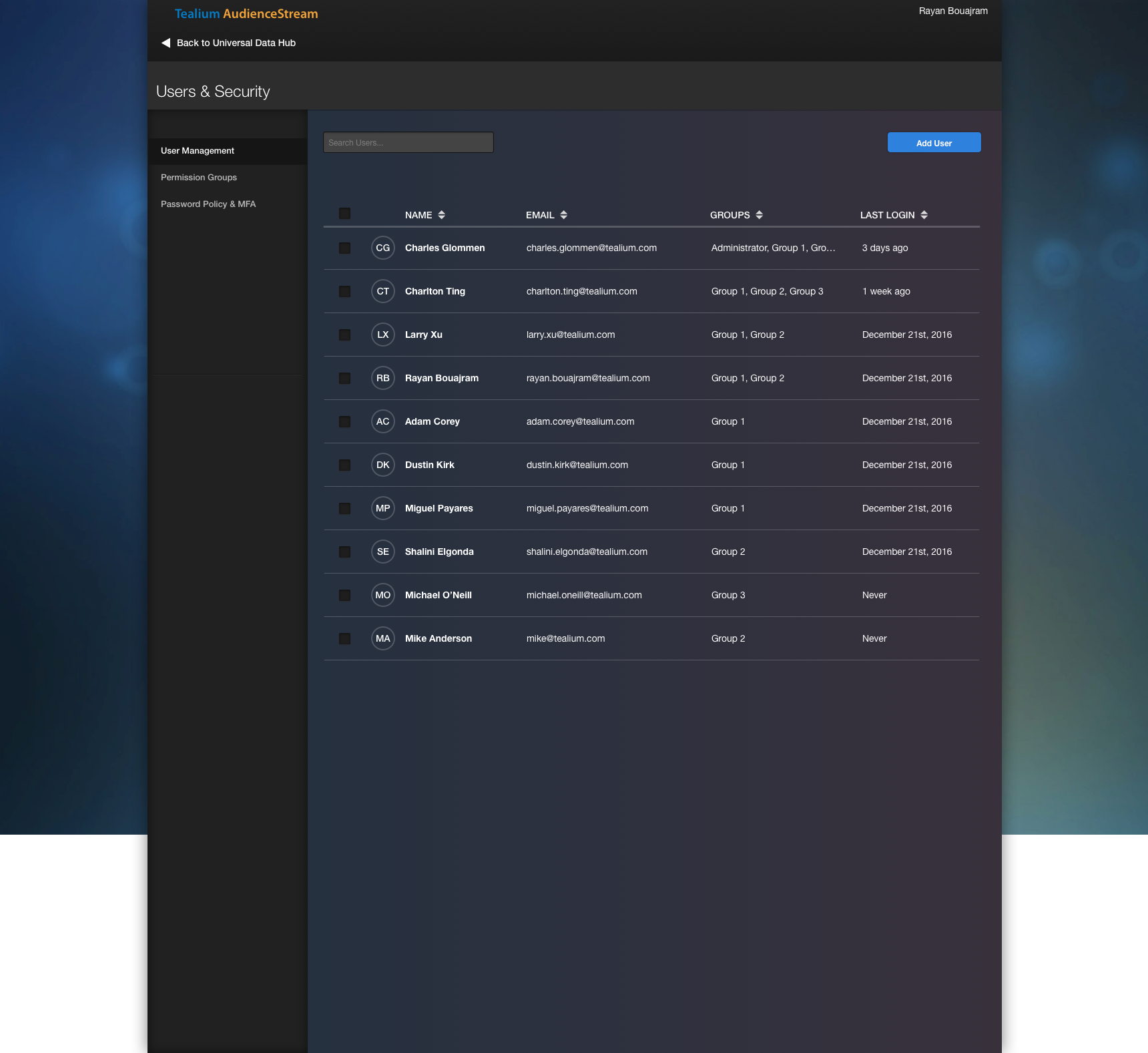
Adding Bulk Users
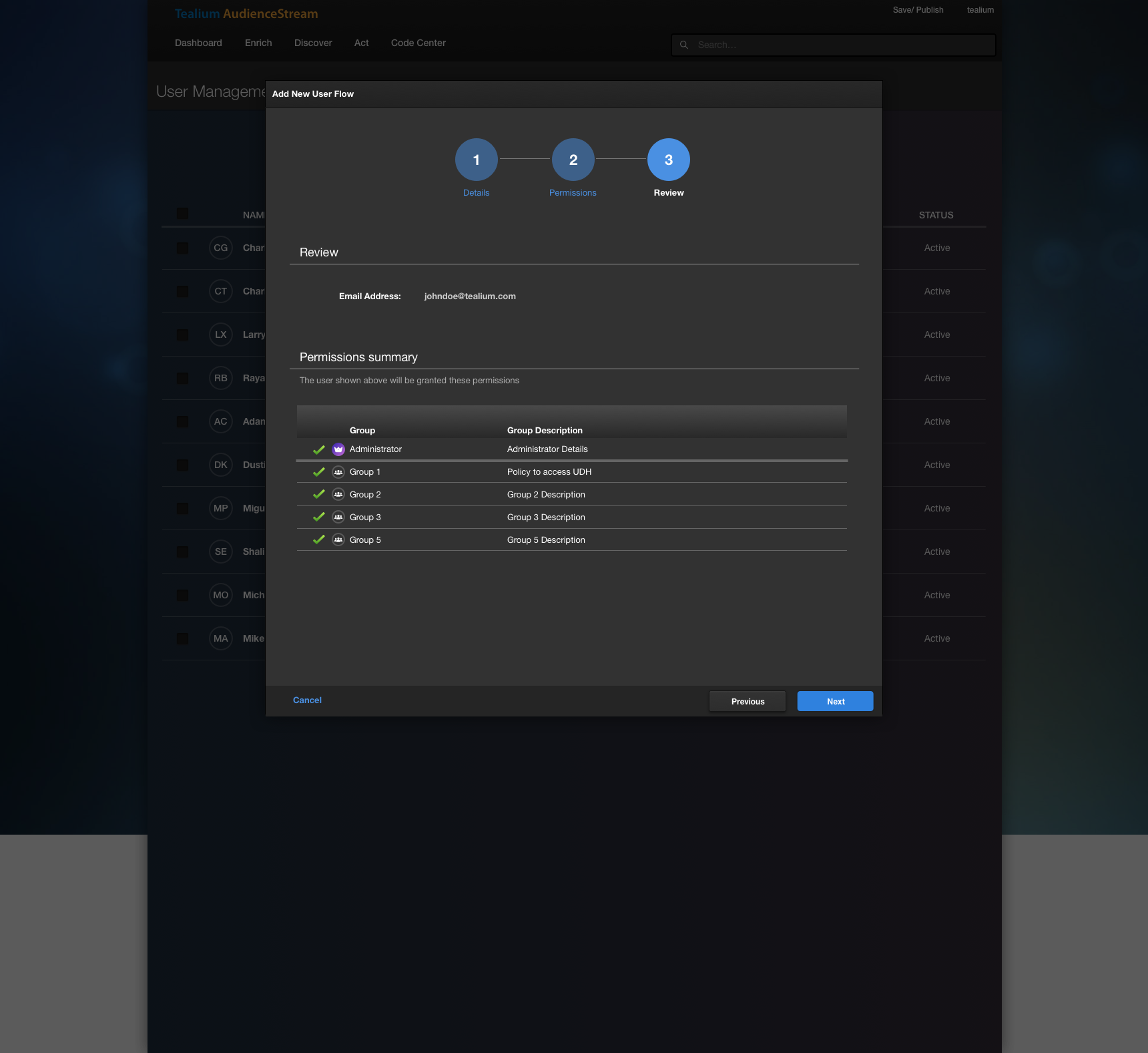
Through comparative analysis, I chose Amazon Web Services as the main inspiration for the add user workflow. They provided an easy way to enter multiple emails at once, and upon a single selection assign them to permission sets.
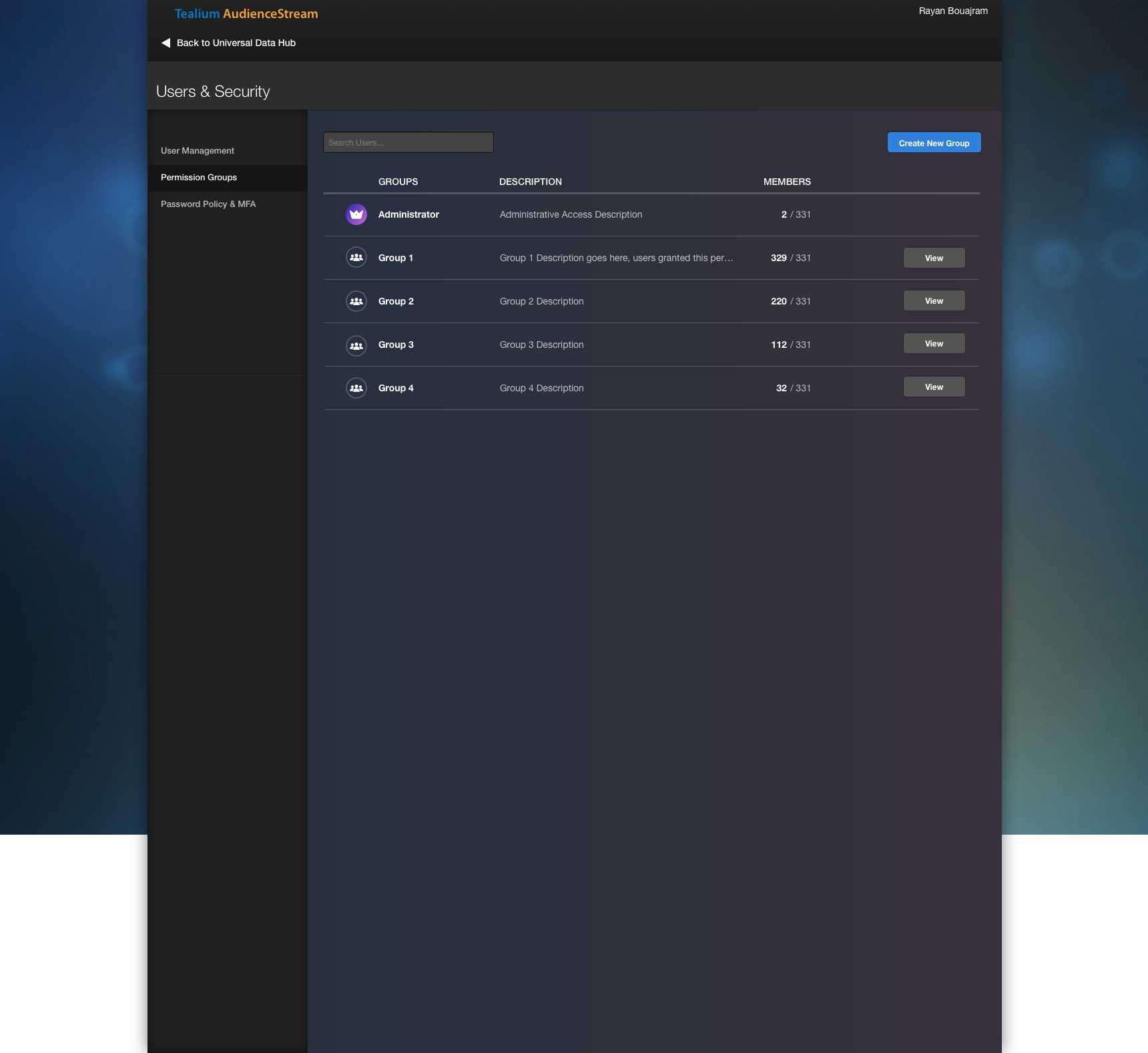
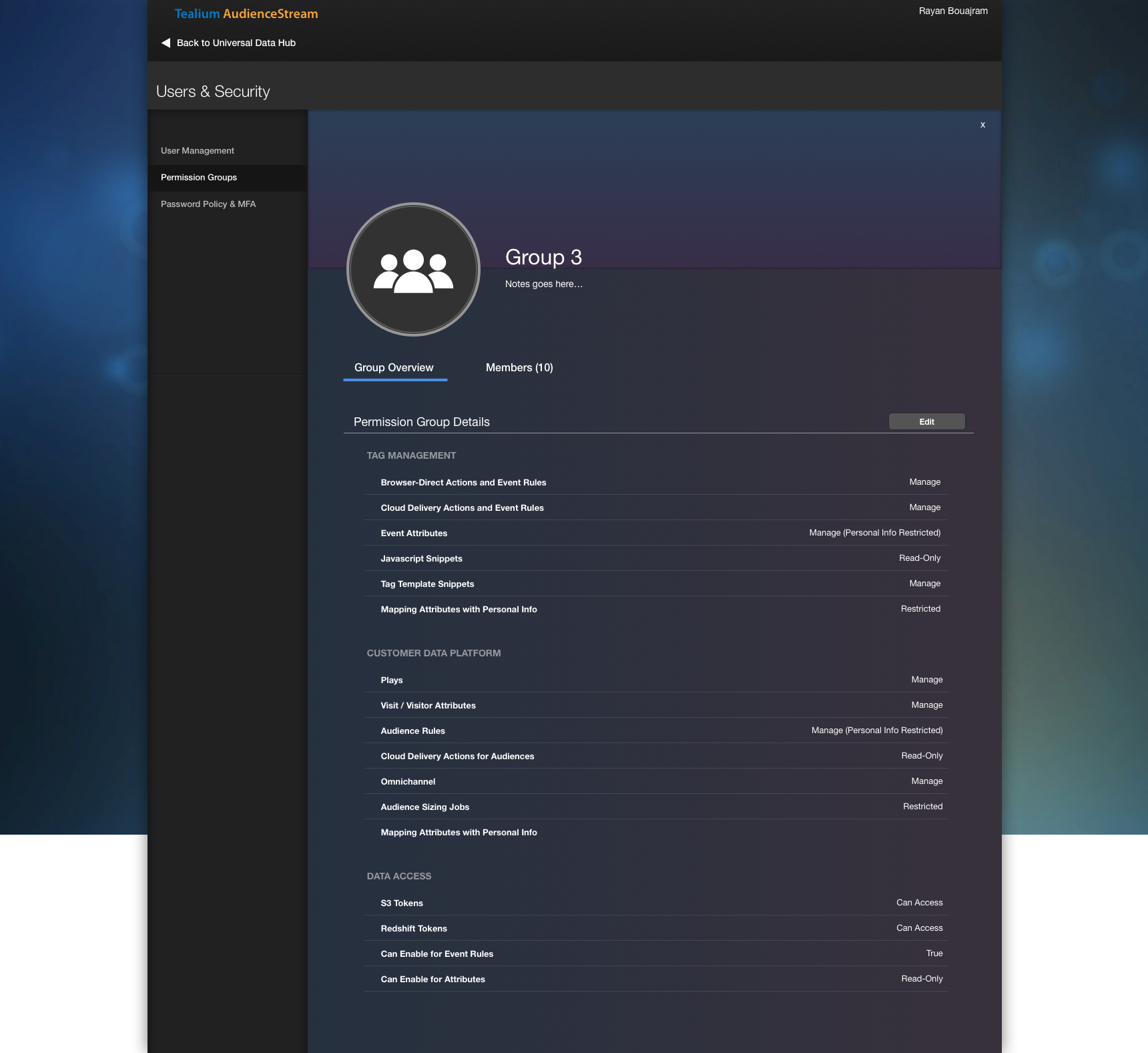
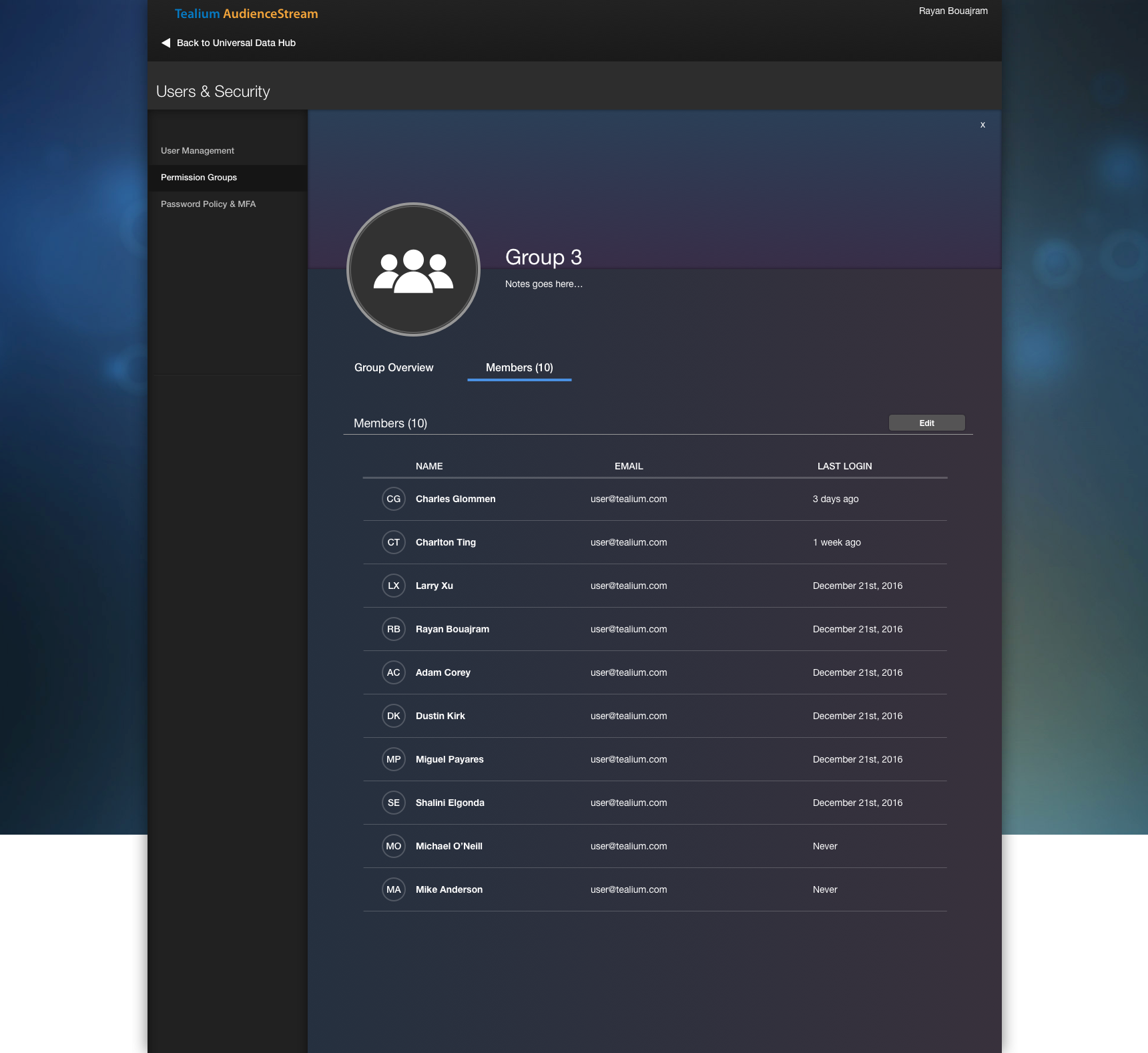
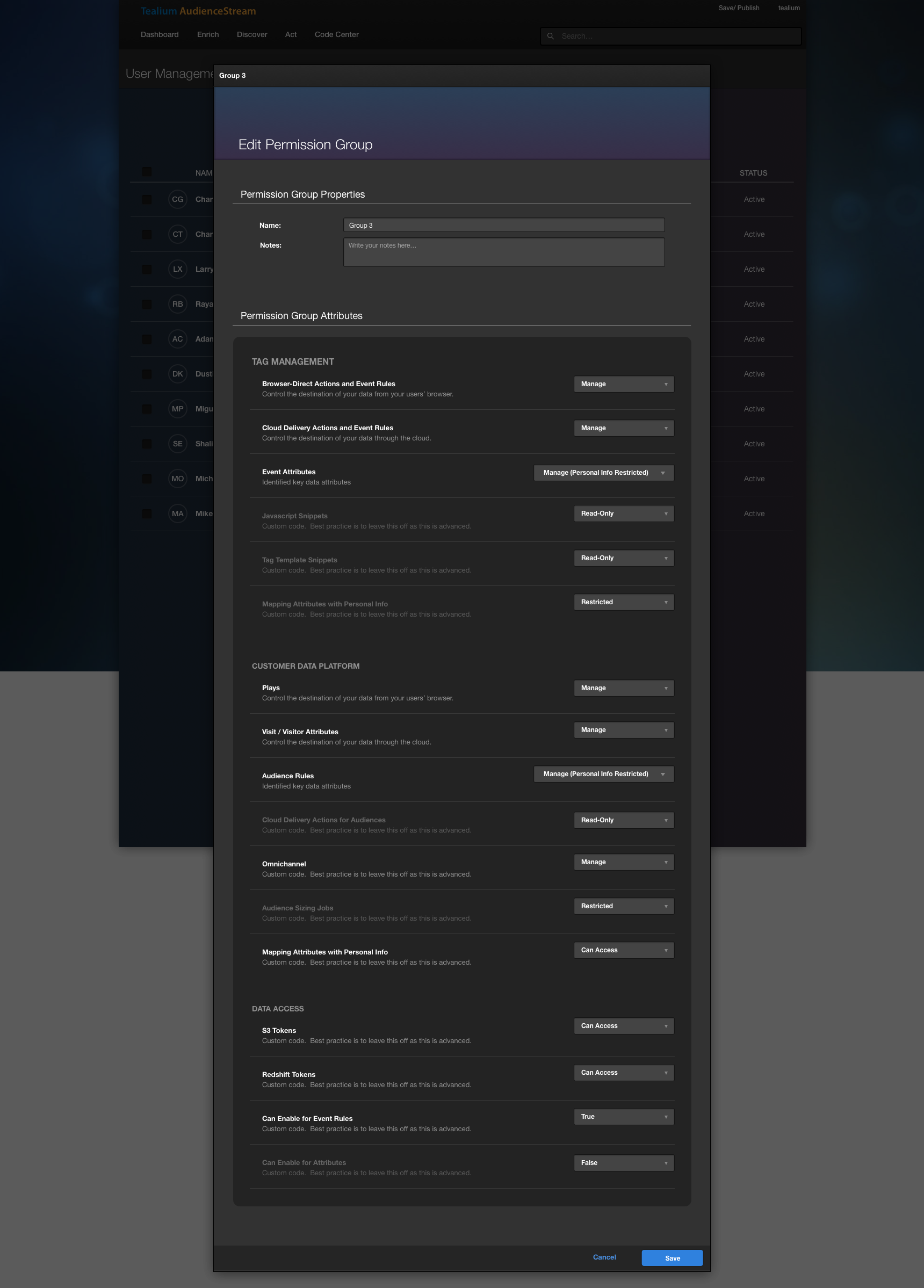
Permission Groups
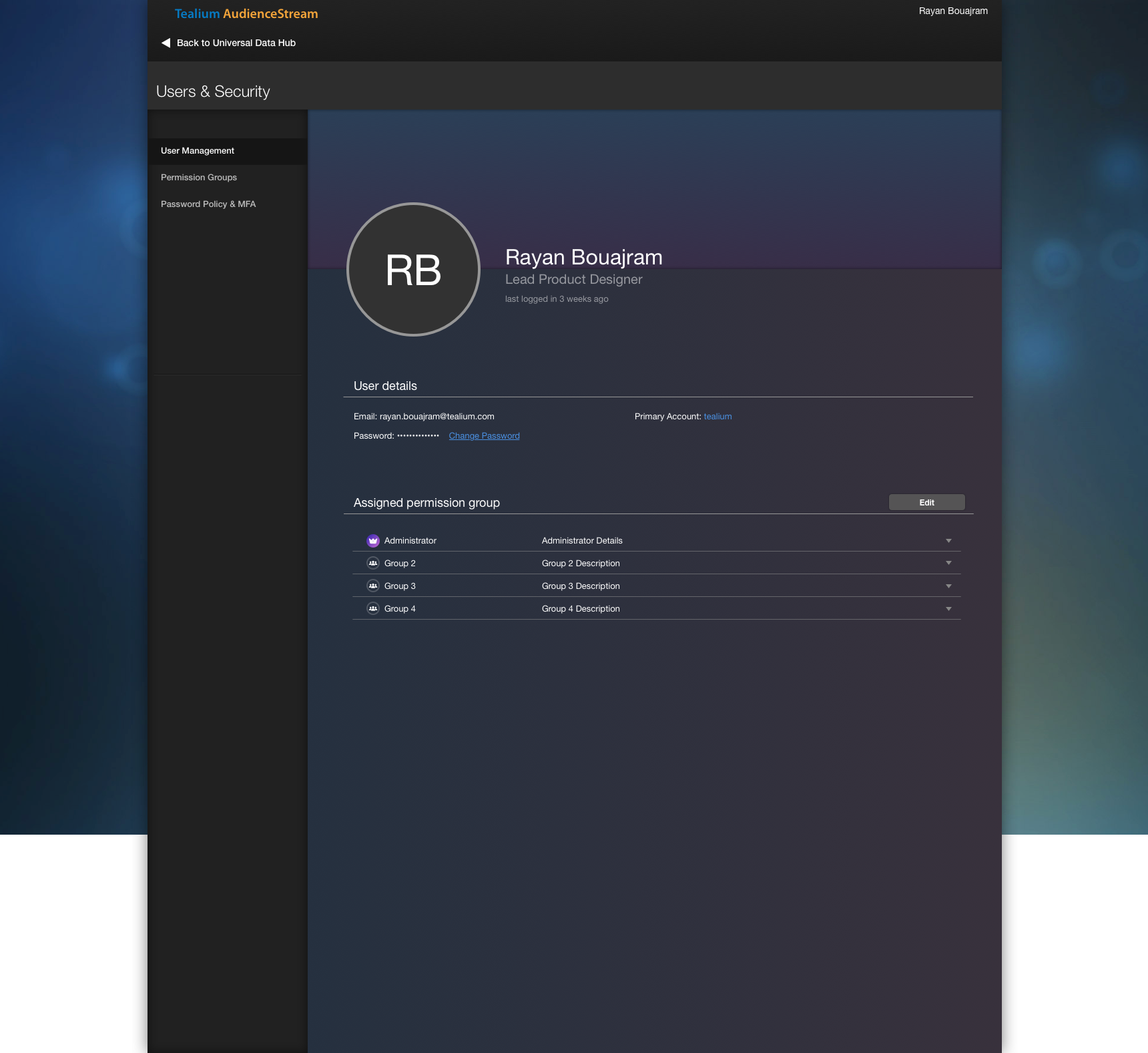
Based on the user feedback of too many clicks, I designed a new permissions system that streamlines the process of assigning permissions to a user.
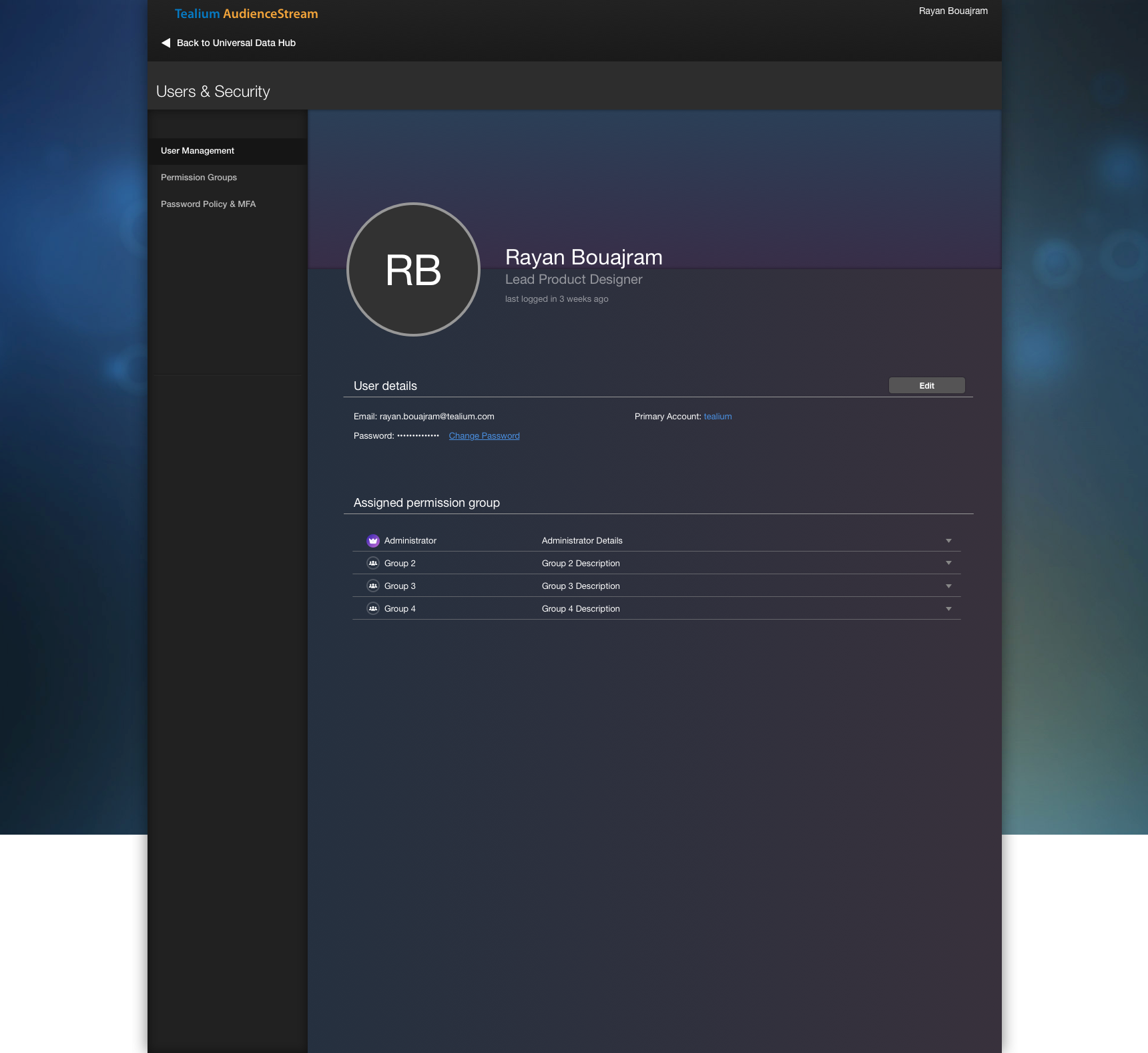
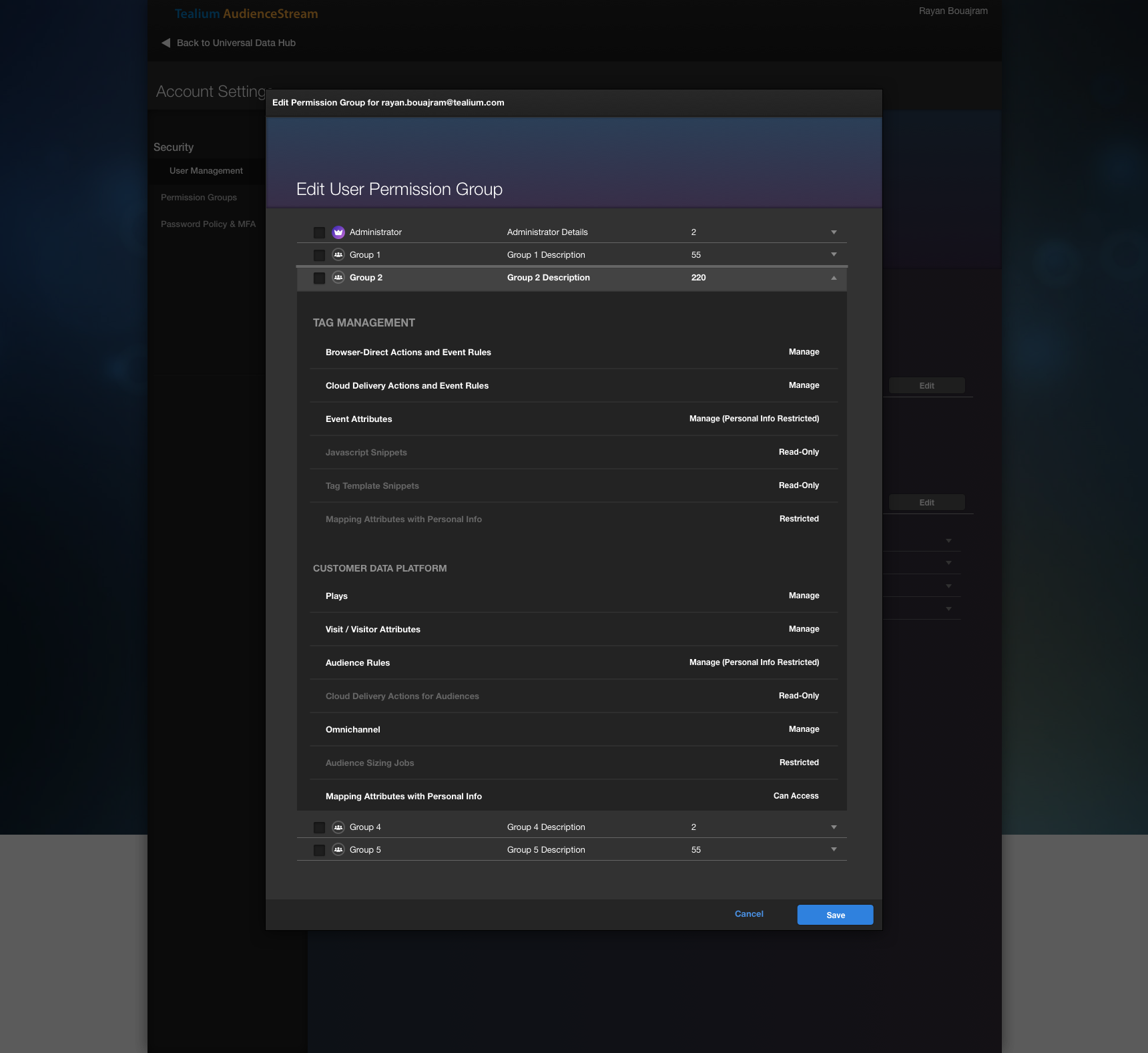
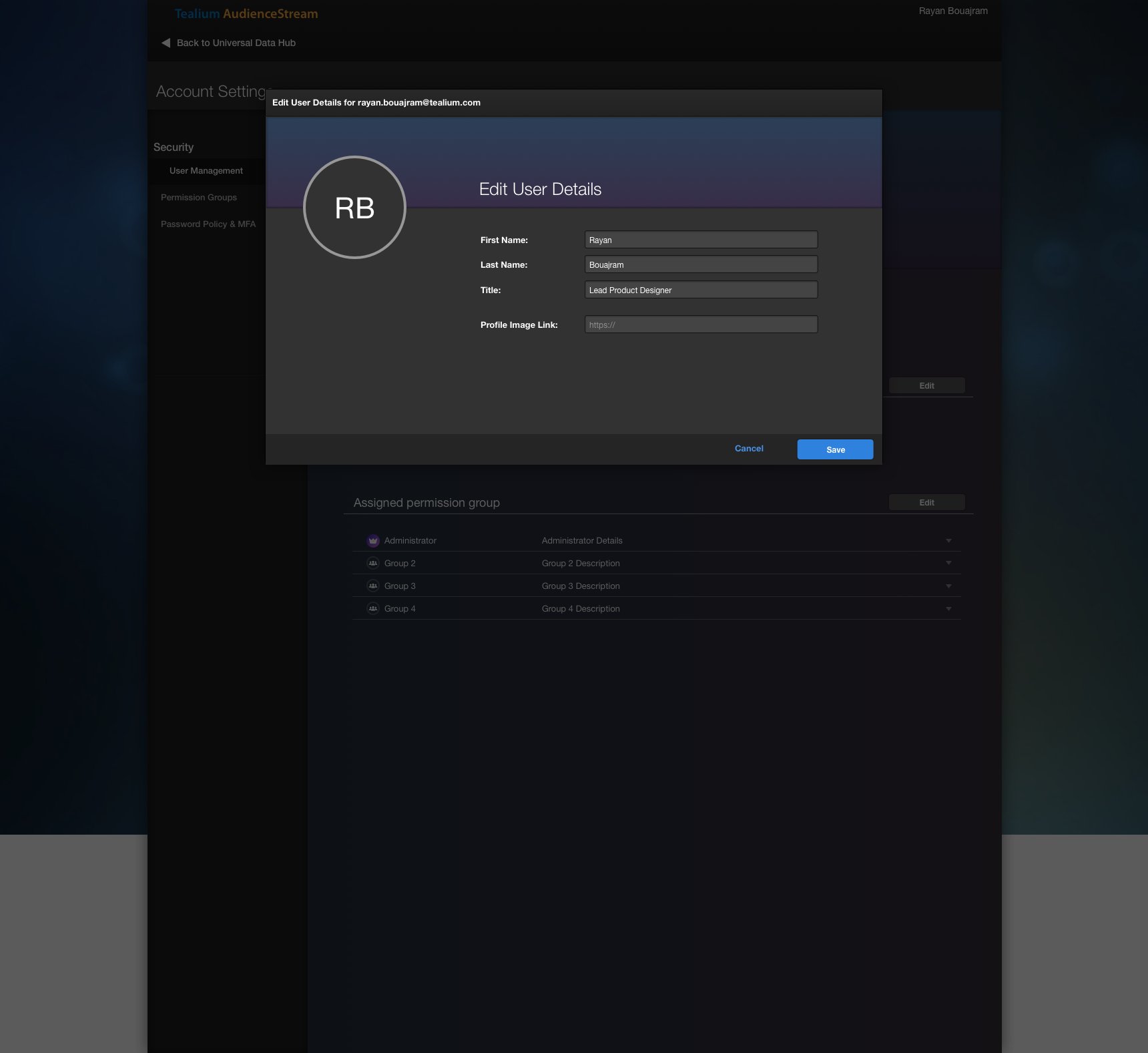
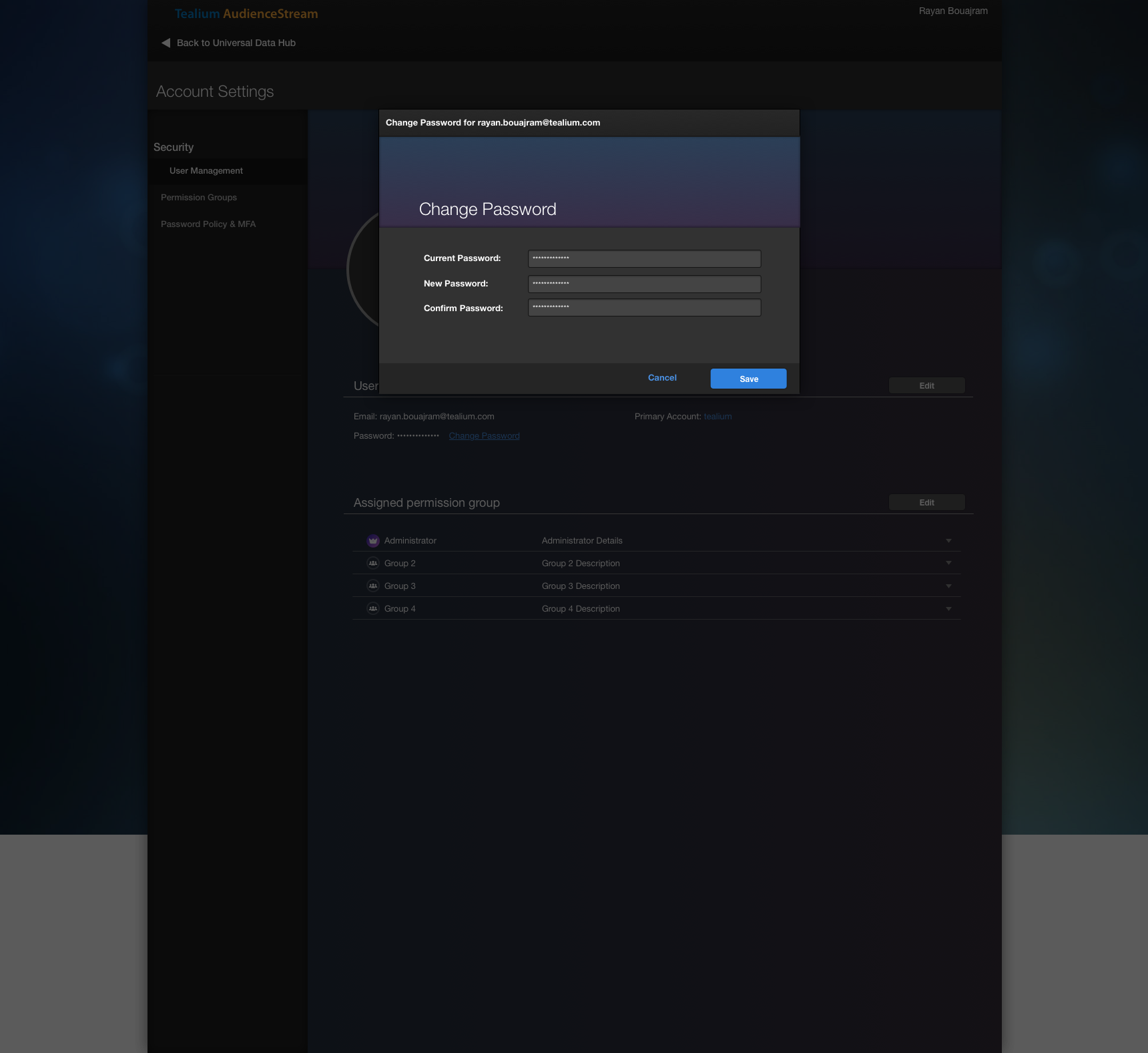

User Testing
I created an InVision Prototype to obtain feedback from various users across the organization, and after two rounds of review, I was ready to deliver this to the engineering team.
REsults
The feature is released for users who subscribed to Tealium’s Early Access mode, and it’s still pending to be released to GA. Currently, there’s already a User Manager in Tealium iQ that’s still controlling permissions for EventStream, AudienceStream, and DataAccess.
Reflection
Although there were what I felt a lot of wins, I wasn’t fully satisfied with the release of this project. I initially wanted to see this implemented as a separate Account-level interface, but struggled with VP-level executives to get buy-in, despite garnering support.
Migration strategy was also an issue that many stakeholders couldn’t all align to a single solution. The development was still green light, but the feature has since been abandoned to “revisit another time”. Although this personally bothered me, I would have tried to prototype an Account-level interface that would have made the conversation of migration discussed differently.