Tealium: WebCompanion
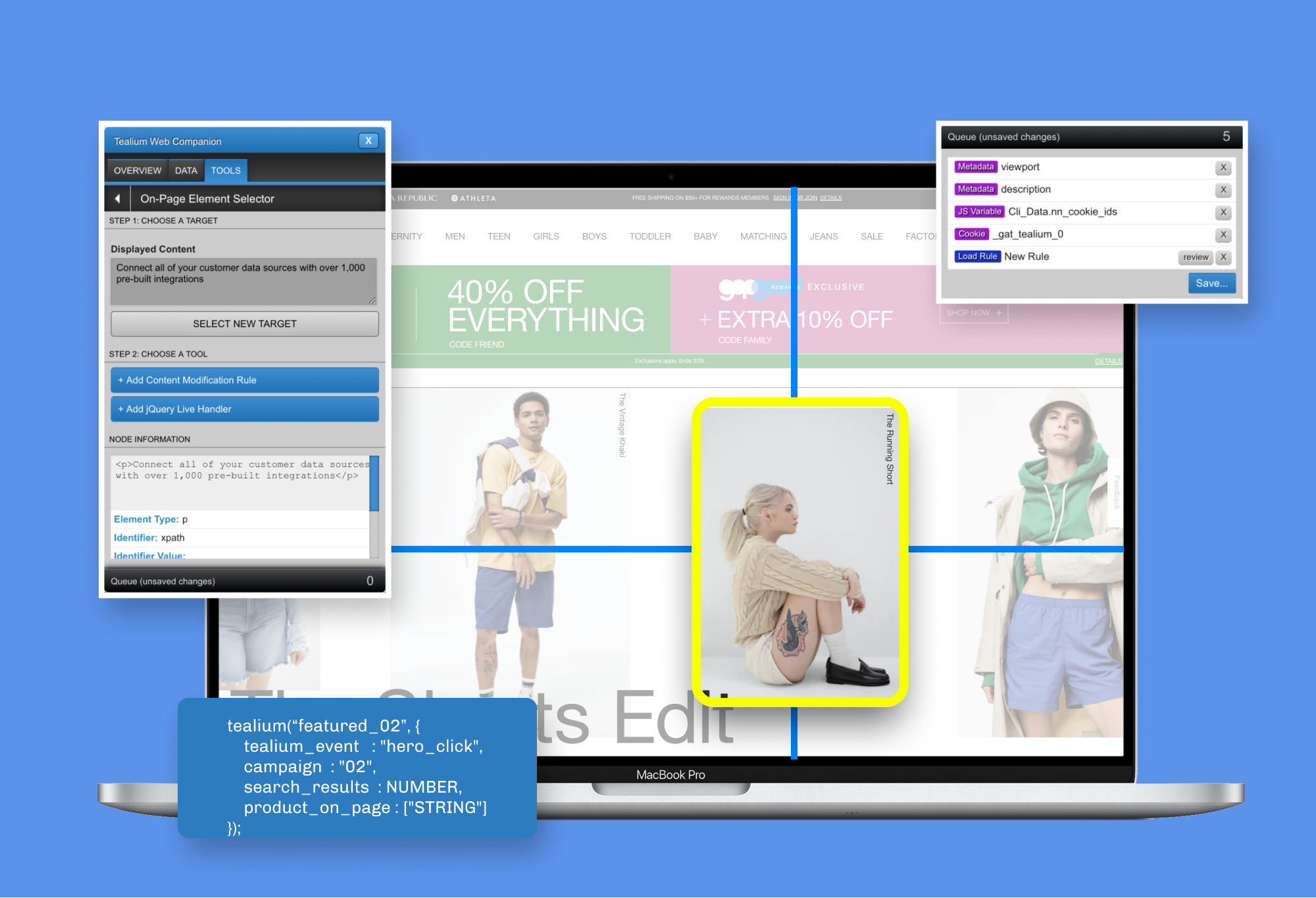
High-Level Recap
My applied design process
- Discover
- User Research
- Define
- Success Metrics
- Information Architecture
- Design Strategy
- Prototype
- Design
- Hi-Fi Mockup
- Prototype
- Develop
- HTML / CSS
- JavaScript
- Launch
- Validate Success Metrics
- Reflection
Why I chose this project
- Very first project at Tealium, needed to redesign a feature that give users an out-of-app experience for auditing and setting up advanced tracking.
Fun Fact
- The app's latest build has been running stable for over 6 years, and it's still used by most tag management users today.
Use the companion tool to bridge the gap between Tealium and your data.
Tealium Tag Management supports users in creating trackable activity within their website. Although it was built for technical users, they wanted to build a tool that made it easier for less-technical users who want to add and comprehend their data setup. This is where WebCompanion came along.
(This was my very first project at Tealium back in 2012, and it's commonly used by our paying users who use Tealium iQ in 2019.)
Core Problem
Tealium enables users to choose which data on their website they wanted to track. They provide users with a bookmarklet called Tag Companion, which enable users to identify data from their website and manage its tracking through their Tealium accounts.
The team at the time recognized that not all customers were satisfied with the tool.
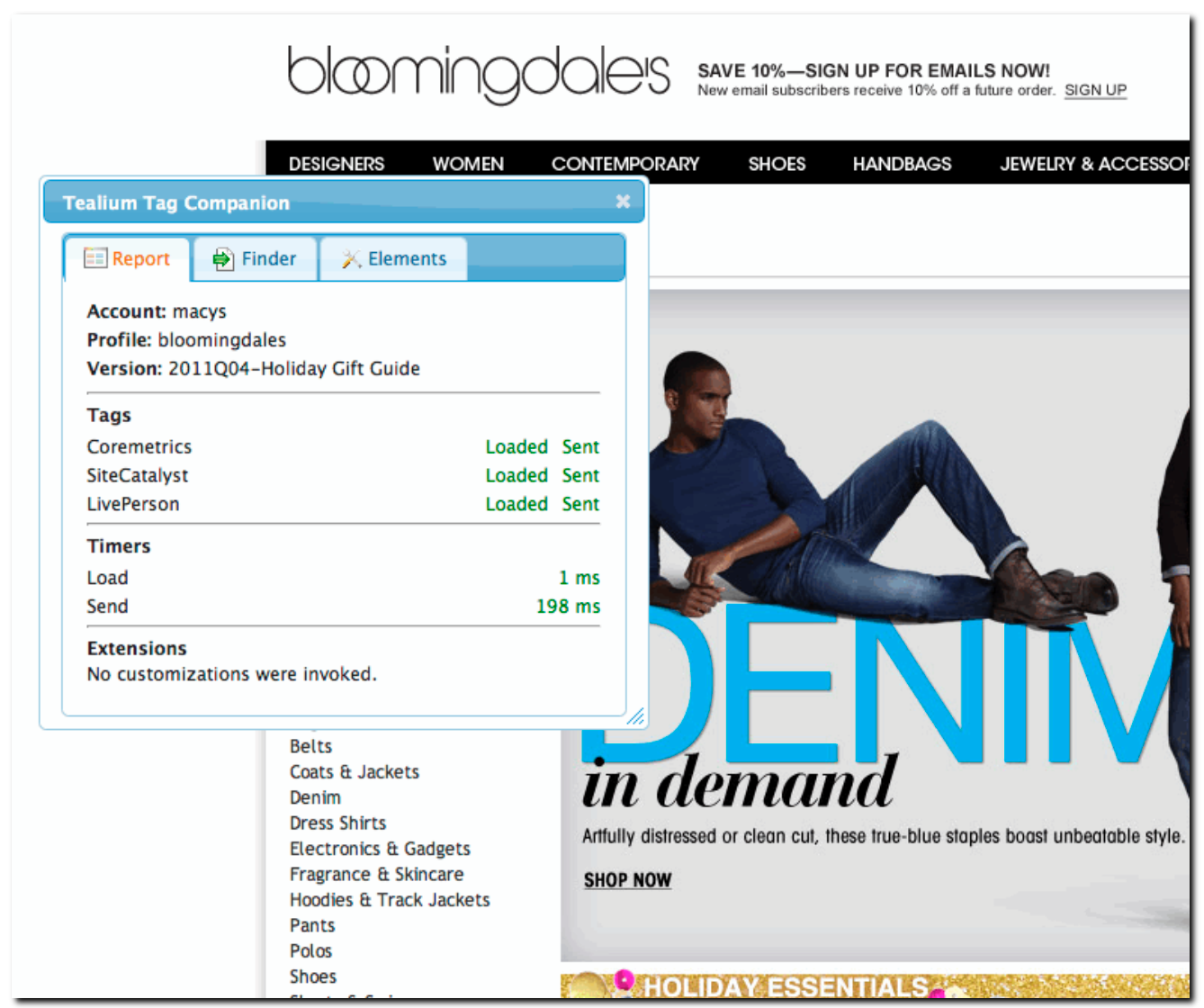
Tag Companion, powered using outdated jQuery UI.
My Role
I was tasked to refresh the user experience through both design and code. This came during the very early stages of a startup where the only success metric was based on customer satisfaction and website compatibility.
User Research
Design Strategy
Design
Code Maintenance
Team
I worked closely with Sales Engineers, VP of Engineering, and the founder for brainstorming ideas that I could include in the release.
Success Metrics
Success metrics weren’t properly defined, but it was clear the tool needed to be much more friendlier to use.
The Kickoff
Requirements to improve the tool were ambiguous, so I dove deep into the tool and learned how users used the tool.
I discovered it had its caveats… Let’s dive in.
Code was incompatible with many websites.
jQuery UI was the main code framework that powered Tag Companion. It had also been a commonly found framework that powered other websites at the time. Why is this a problem? CSS. Many customers have written CSS code that impacts the tool’s appearance, and often causes rendering issues and makes the tool unusable.
Saving through Tag Companion had no barriers
Clicking “Add Data” within the tool immediately sent data back to the user’s account. This was a disaster for all users who weren’t familiar with the tool, as they can click around and accidentally have new data overwrite existing data to their Tealium accounts. This was a concern.
Also, user authentication was non-existent! That means users who knew of other Tealium accounts could go to their website and add tracking without permissions.
jQuery UI was old, and made the tool completely unusable on some websites
It was the main framework that powered Tag Companion. And the problem we faced is any website using jQuery UI framework could automatically mis-render Tag Companion. The website’s CSS is global and conflicts with Tag Companion, making it an unusable tool for some users.
Users wanted more functionality
The current design had support for three tools: Reports Tab (auditing), Finder tab (adding), and Elements tab (data extraction), and the product team wanted to increase the offering of tools down the road
Report tab showed a high-level overview of tags that were fired, along with what Tealium account the page was using.
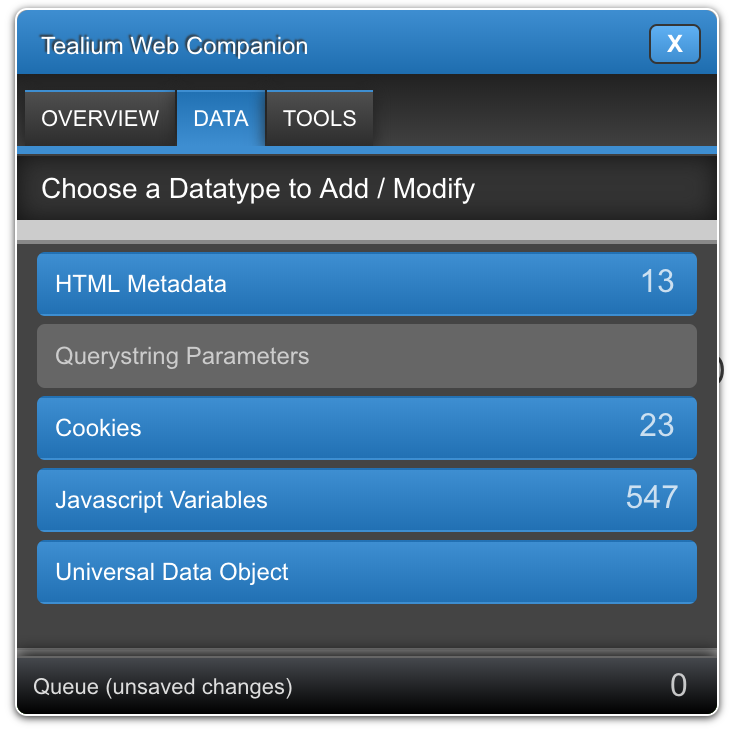
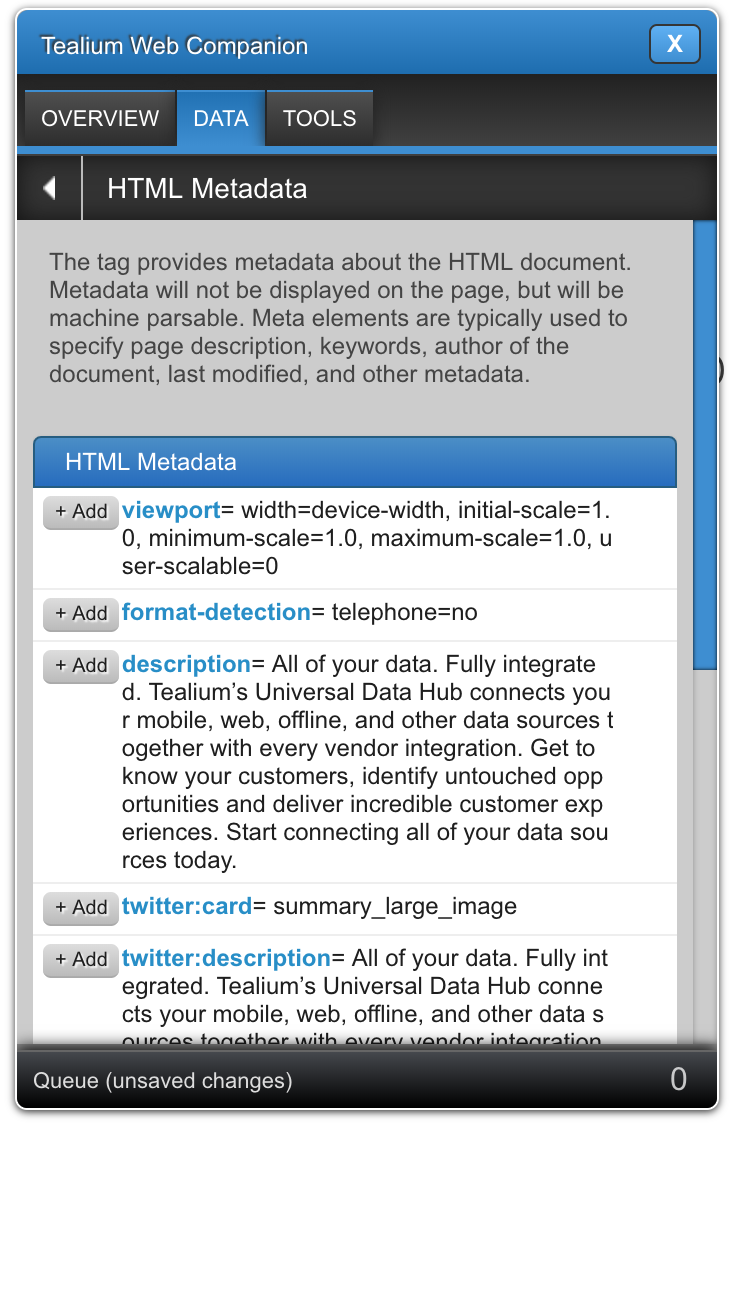
Finder tab showed site data such as metadata, cookies, and querystrings. Clicking Add immediately wrote data to the Tealium account.
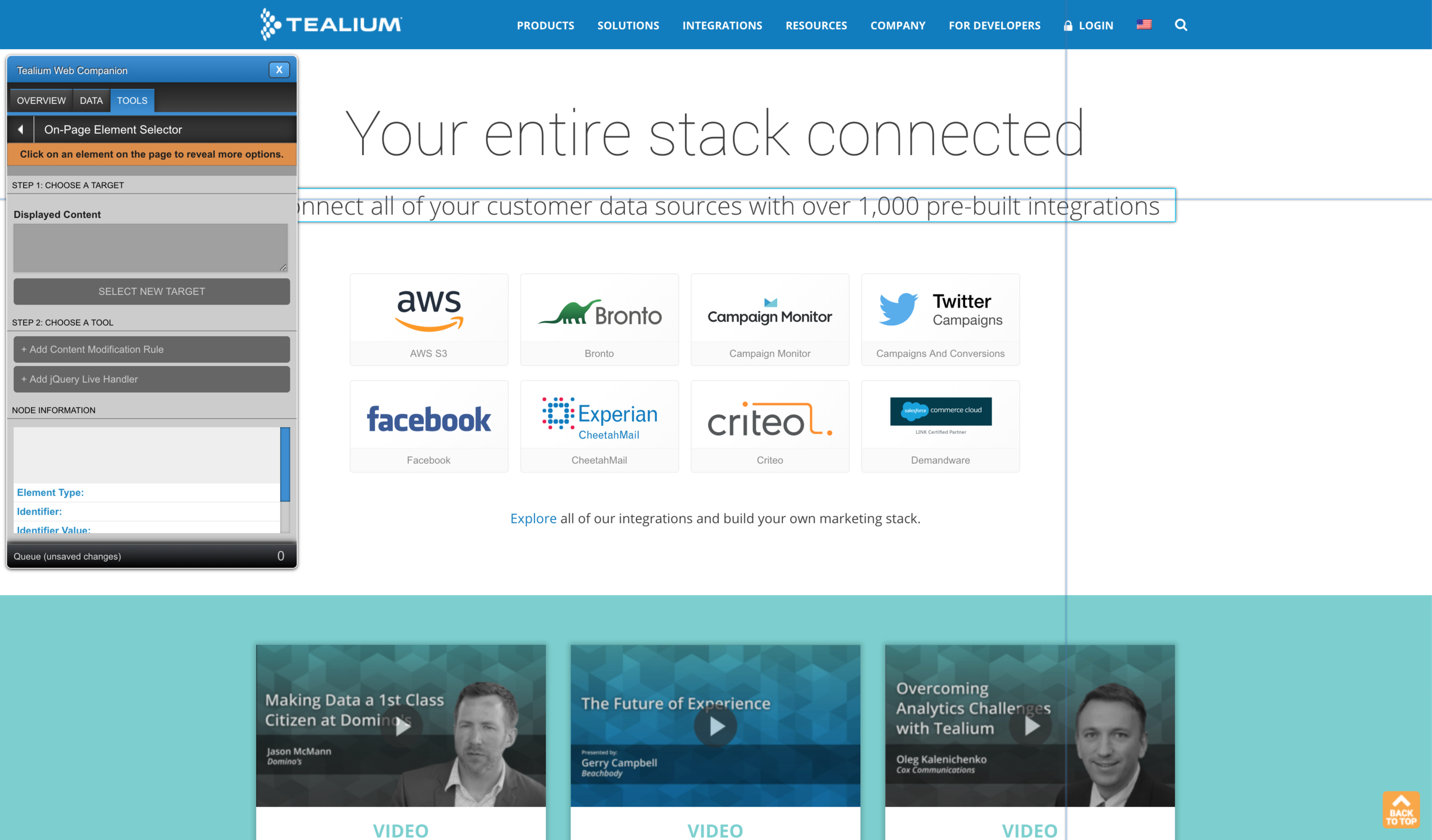
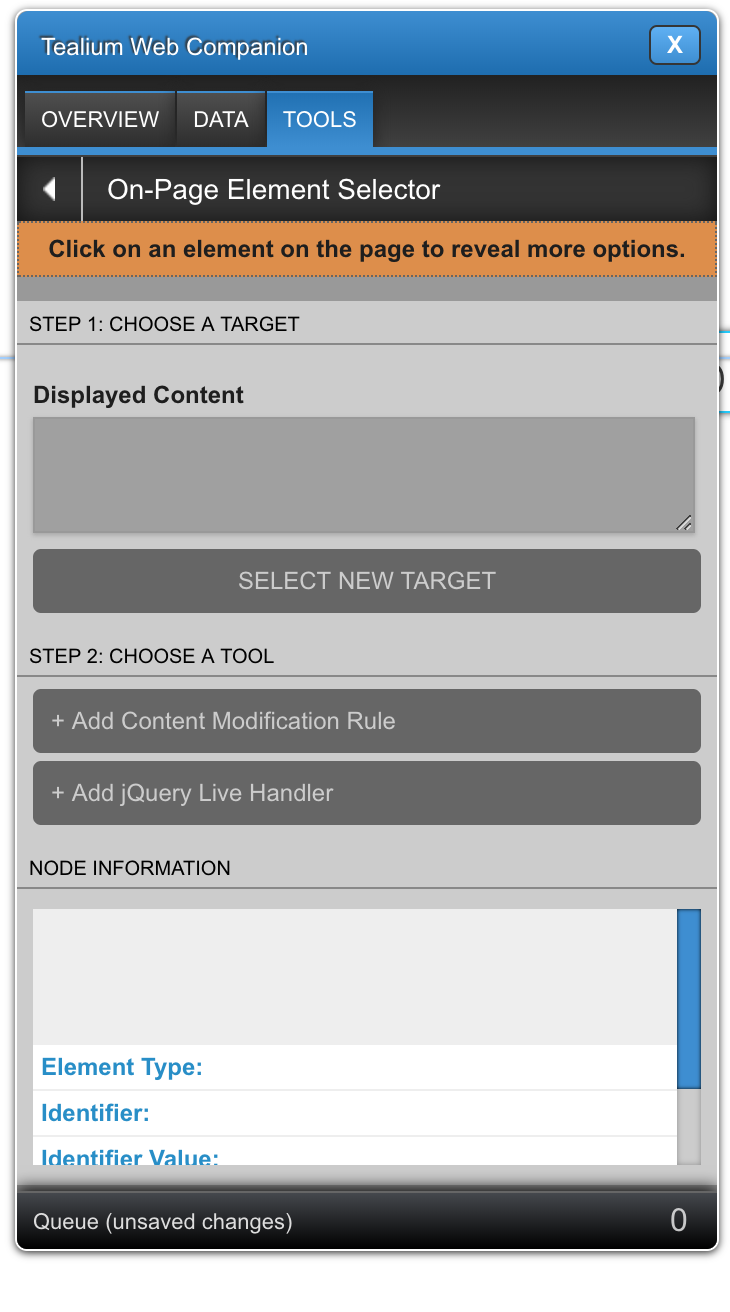
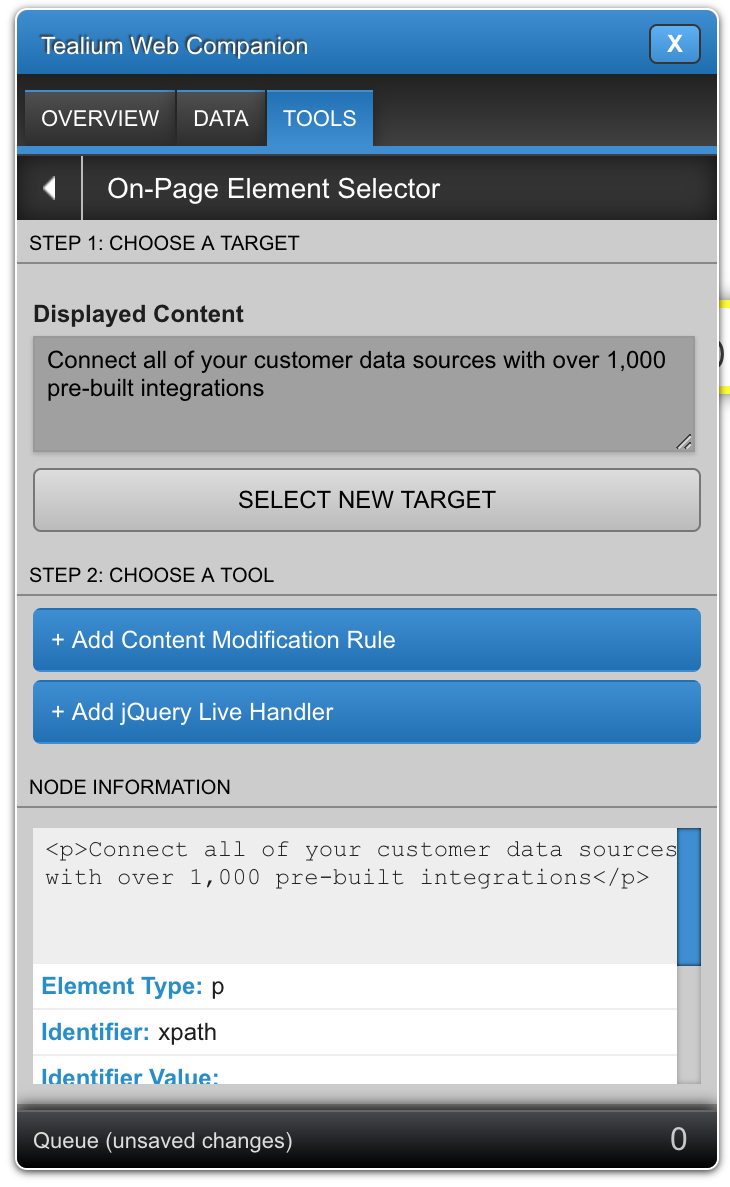
Elements tab showed DOM selections via xpath. Users wanted CSS selectors.
They were worried adding more tabs could make this tool harder to use.
Design
Initial Prototype
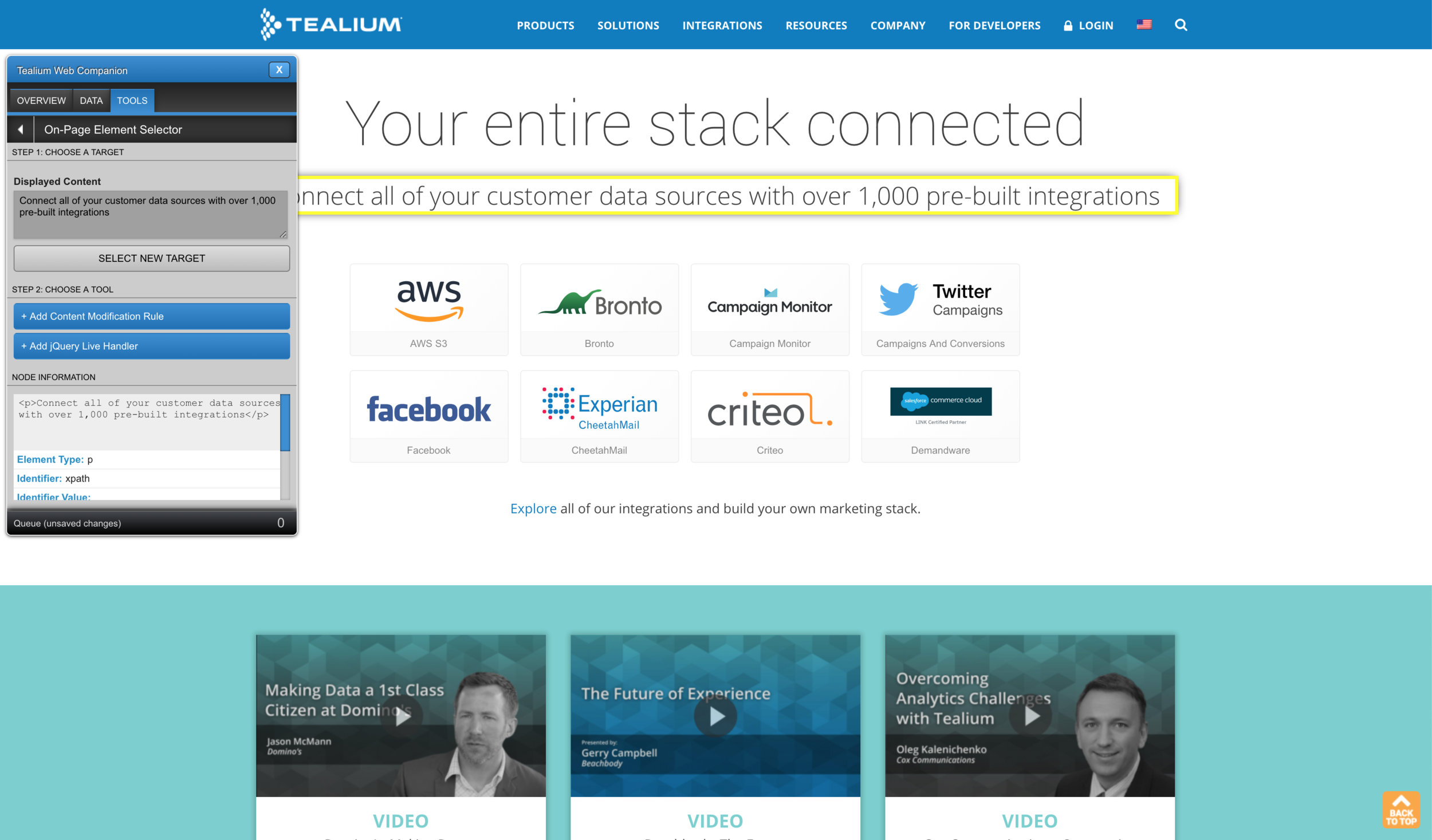
Strategy
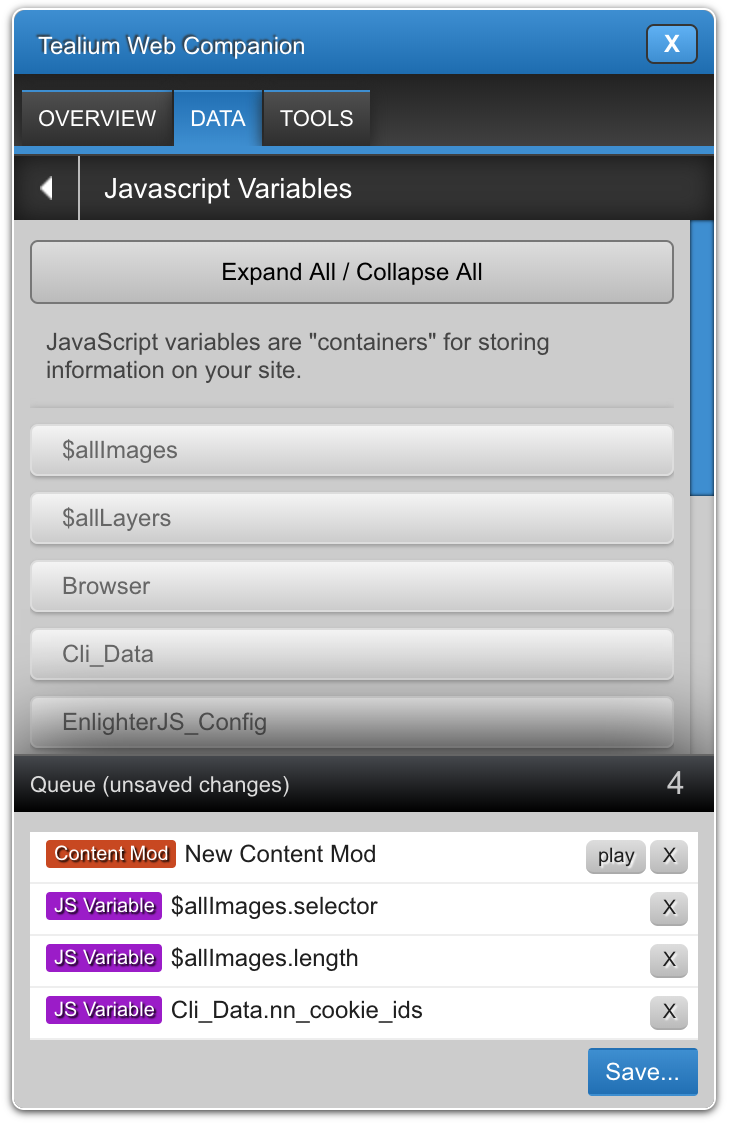
Feature 1: Save Queue was necessary to review and play back changes
I wanted to make sure users knew what was being submitted back to their account. A confirmation step not only summarized that for users, but it also supported Tealium’s Sales Engineers for demo’ing Tag Companion to perspective customers without having to worry about accidental writing to their accounts.
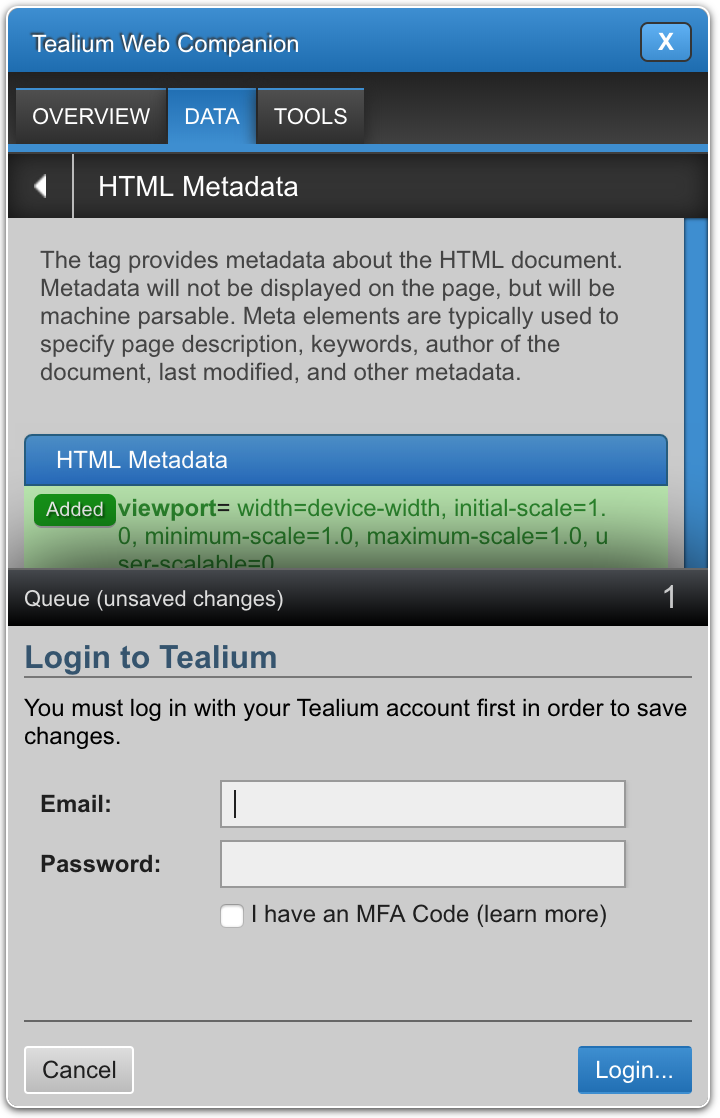
Feature 2: Security was a top priority
I coordinated with a backend engineer to create a new API endpoint that checked to see if a user was authenticated in the system before submitting. I designed a username/password login panel and included it in the Save Queue before submission confirmation.
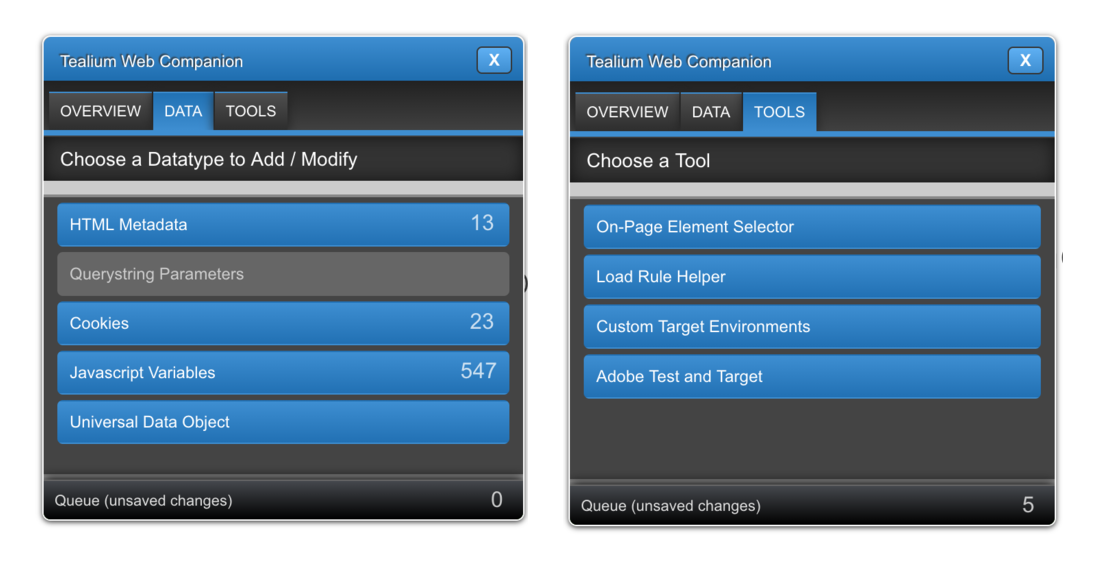
Feature 3: Additional tools were requested to be added, so the design and code had to have scalability in mind
There was so much enhancements that the product managers wanted to make, so the entire bookmarklet was written from scratch using vanilla JavaScript. The solution had to be designed in an elegant way that’s scalable — allowing for additional tools to be supported in the future. It also had to be understood by future developers.
Feature 4: Appearance-wise, it also needed to stand out and work with other websites
I switched the color palette to the color gray since many websites used white or black backgrounds. I wanted to make sure Tag Companion was easily distinguishable among site content.
Conclusion
Tag Companion needed to be redesigned and rewritten from the ground up.
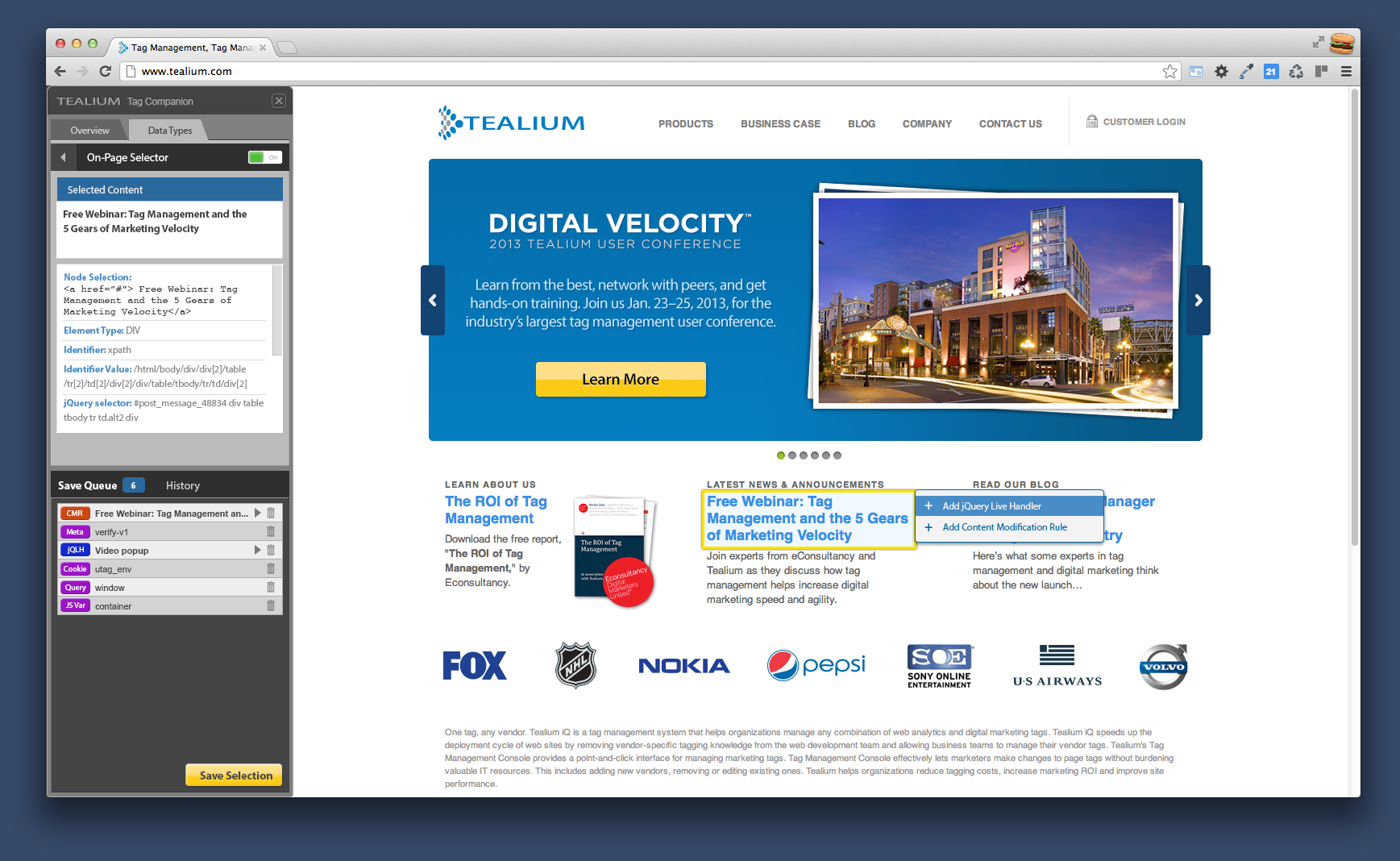
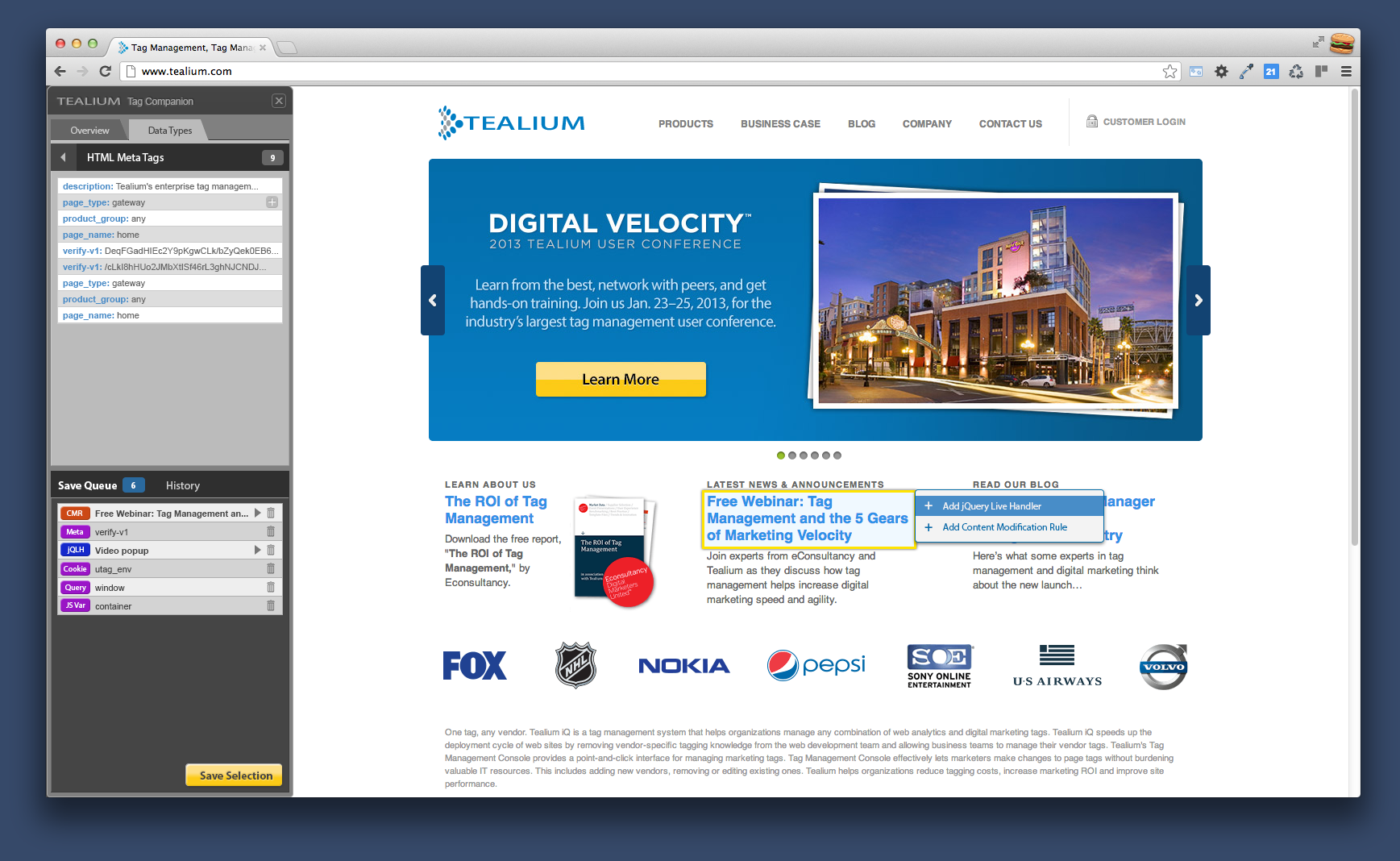
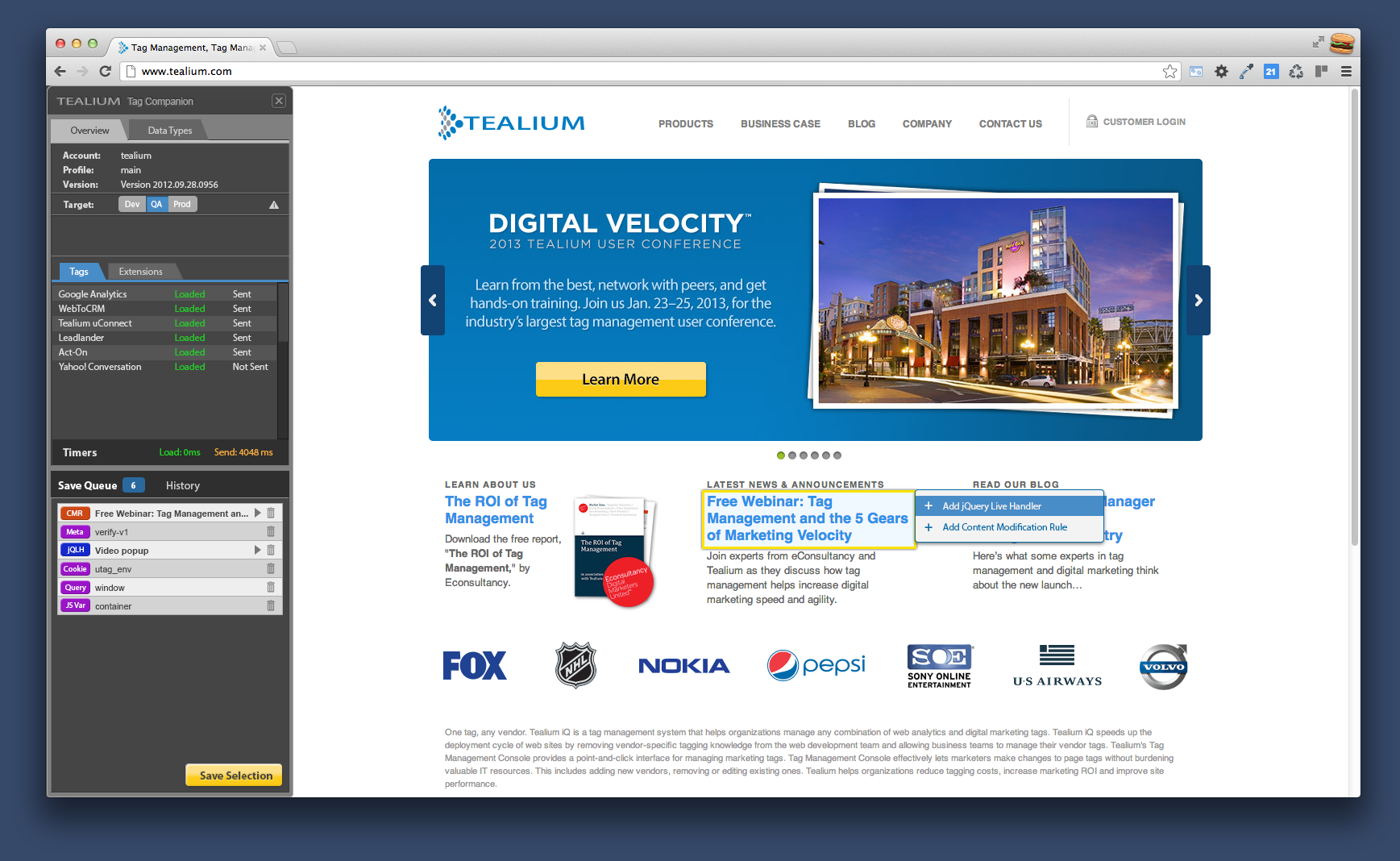
I went through about 2-3 iterations for what the next-generation Tag Companion could look like. I initially wanted to use an iFrame, but since existing users were using a bookmarklet to launch Tag Companion, I wanted to preserve the familiar launch shortcut.
Feature Sets
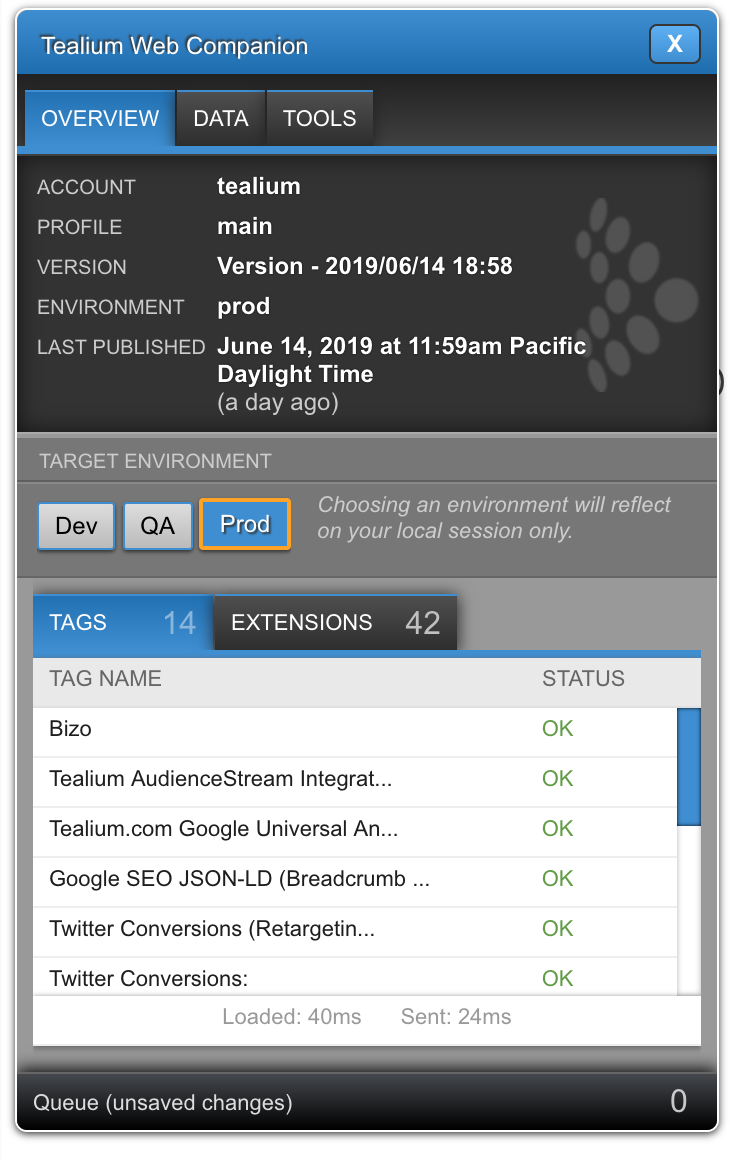
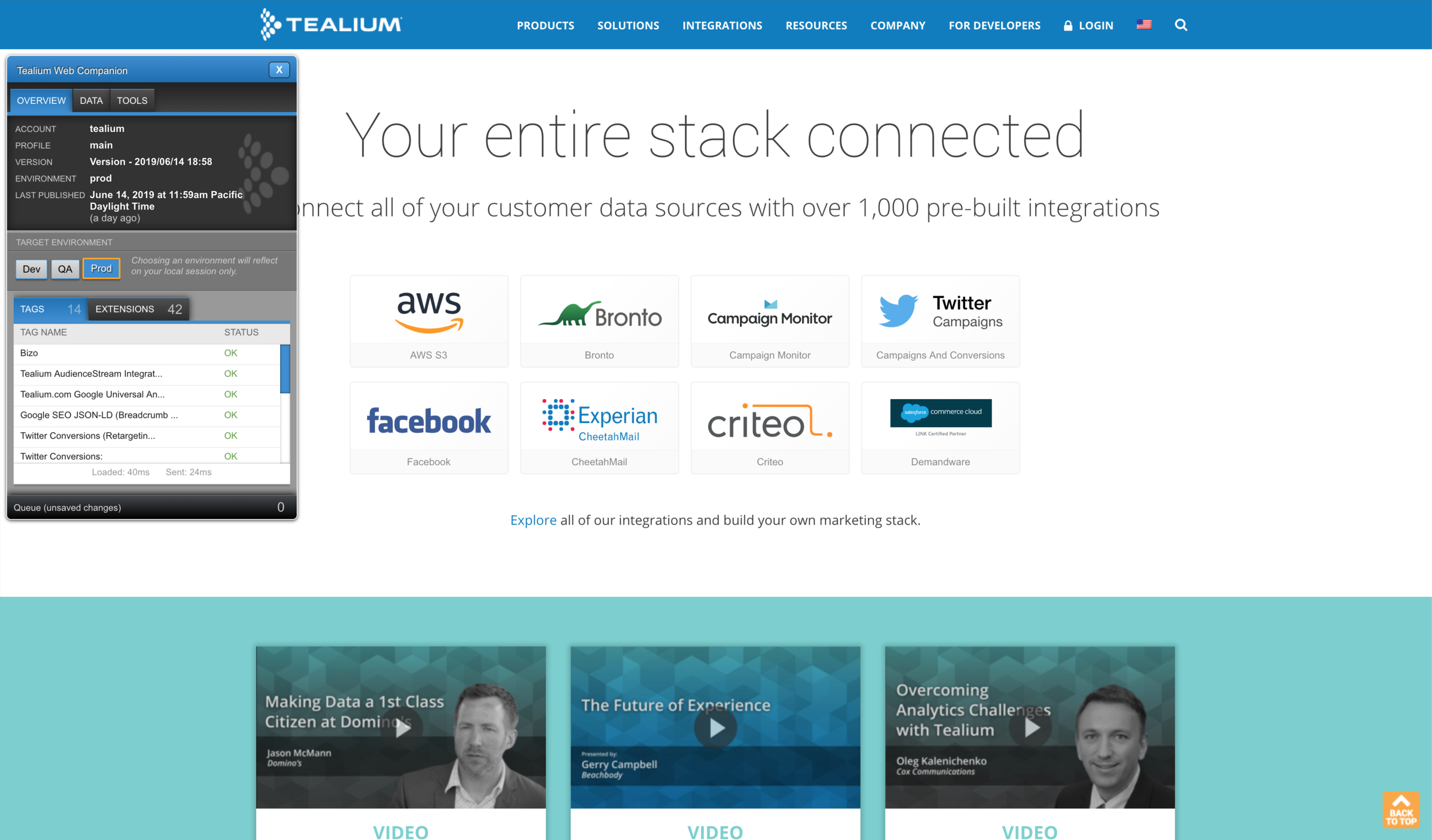
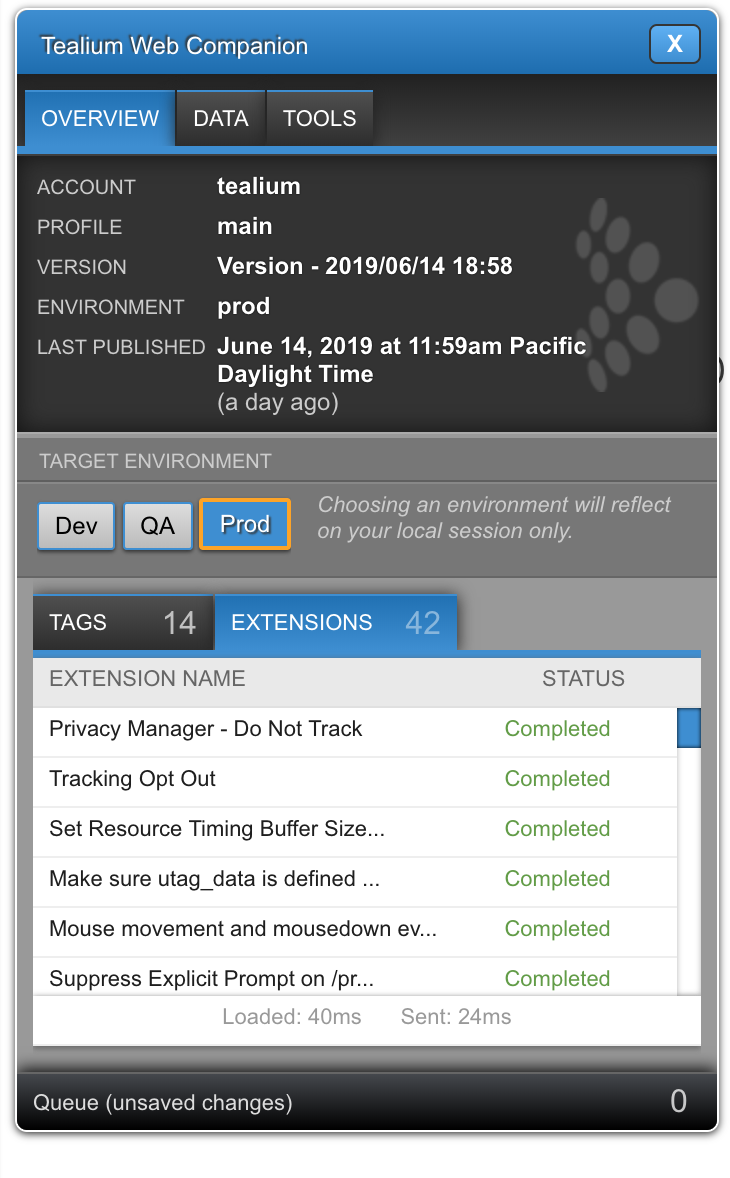
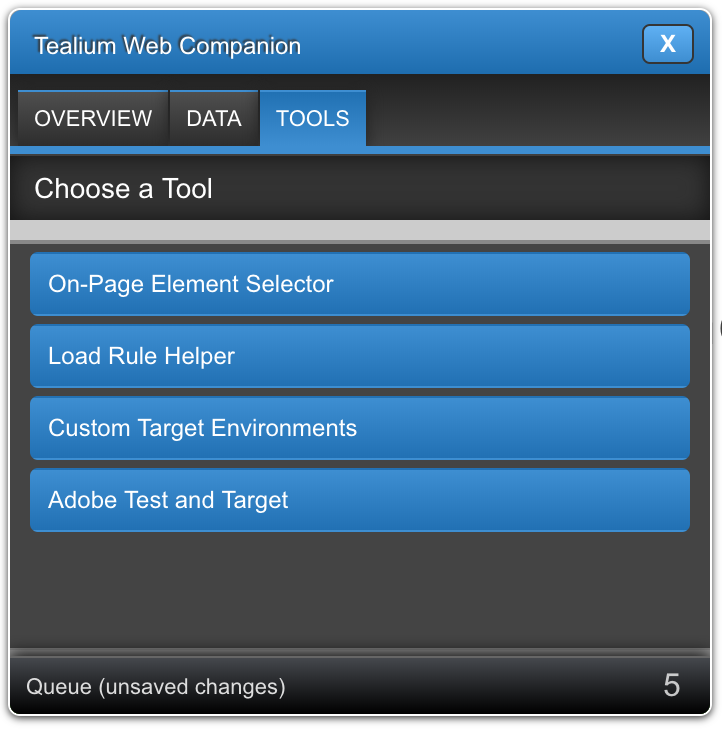
Overview shows overview for webpage, including clearer status of triggered Tags and Extensions, and the newly introduced Target Environment to test various deployments.
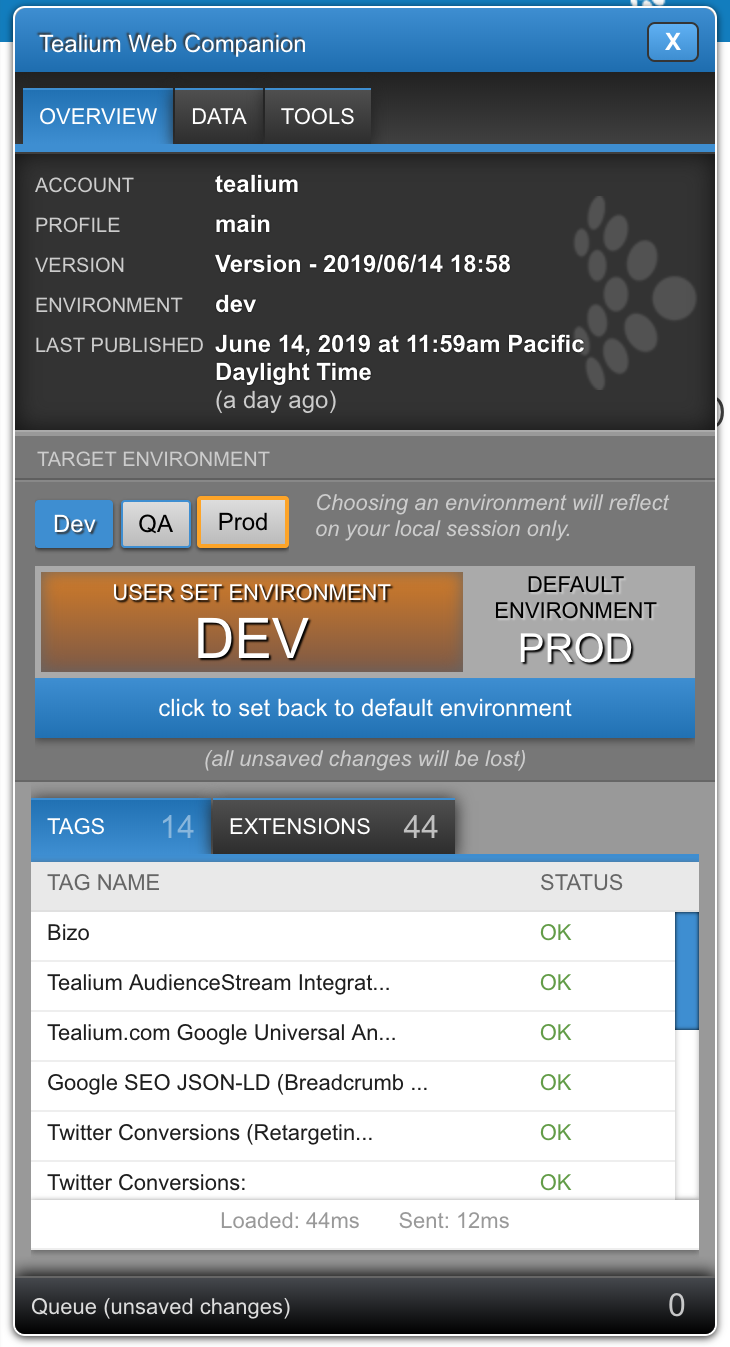
Target Environment is emulating environment.
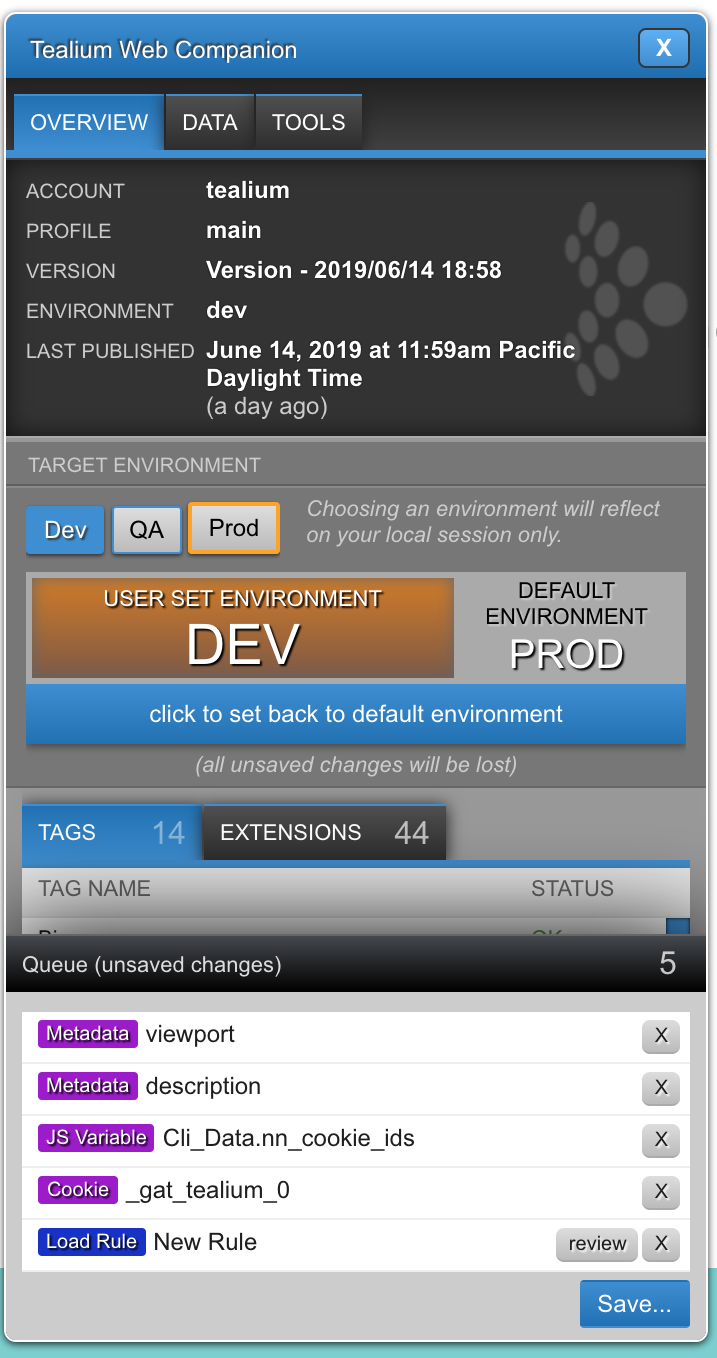
Save Queue shows all session-added data from your website, ready to be transmitted back to your Tealium account.
Under the hood
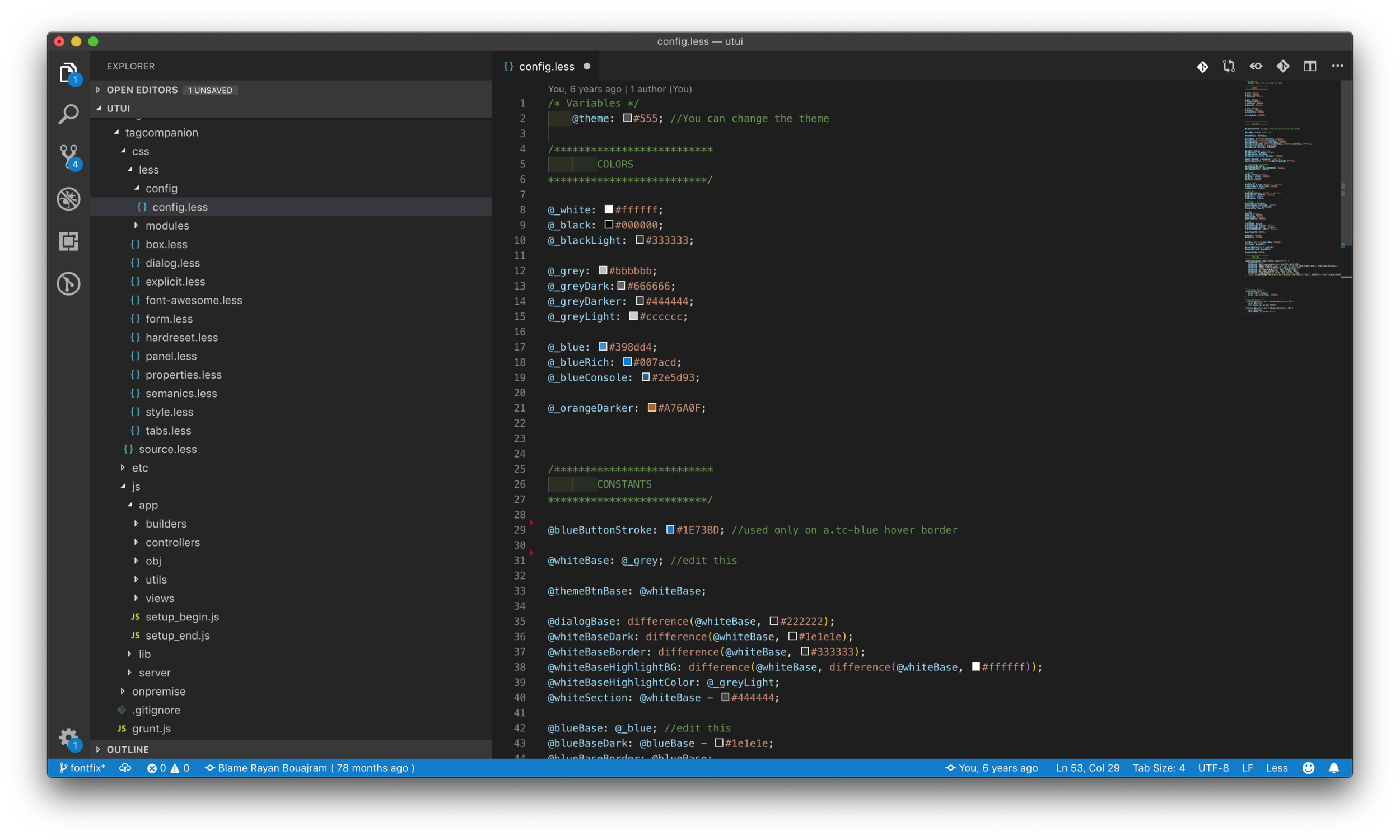
CSS is using LESS, flexible color pallette allows for personalization for future (unreleased) discussed features.
All JavaScript is organized using a model-view-controller code pattern, and files are built using Grunt.
To avoid Tag Companion’s code conflicts against website’s global CSS variable, I authored a CSS script that namespaced tealium HTML nodes and normalized its styles.
Results
In every Tealium training today, Web Companion (formerly named Tag Companion) gives users the “aha!” moment when they see how easy and useful it is to support what they want to do — create, validate, debug, and comprehend.